124 SPARCstation 20 Service Manual • July 1996
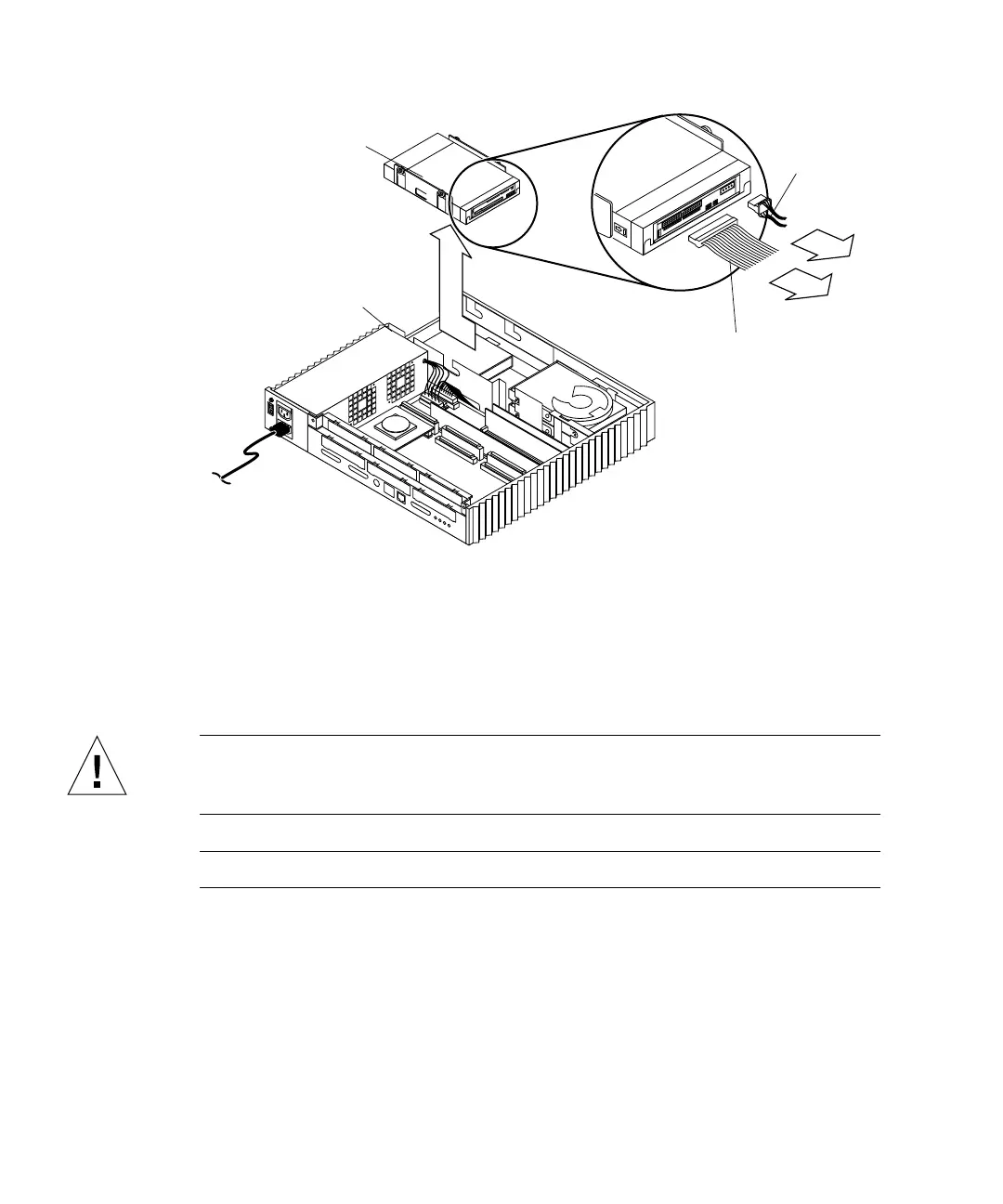
FIGURE 9-5 Removing the CD-ROM Drive
Installing a CD-ROM Drive
To install a CD-ROM drive:
Caution – Use proper ESD grounding techniques when handling components. Wear
an antistatic wrist strap and use an ESD-protected mat. Store ESD-sensitive
components in antistatic bags before placing it on any surface.
Note – Ensure that the same drive-type is installed.
1. Ensure proper jumper installation as follows:
a. For the SunCD 2Plus CD-ROM drive: at pins ID4, ID2, and Term power
(
FIGURE 9-6).
b. For the SunCD 4 drive: at pins ID4, ID2, and Term power (
FIGURE 9-7).
SCSI data
DC power
Chassis edge
cable
cable
CD-ROM drive














 To Next Page