Chapter 8 Removing and Installing Subassemblies 69
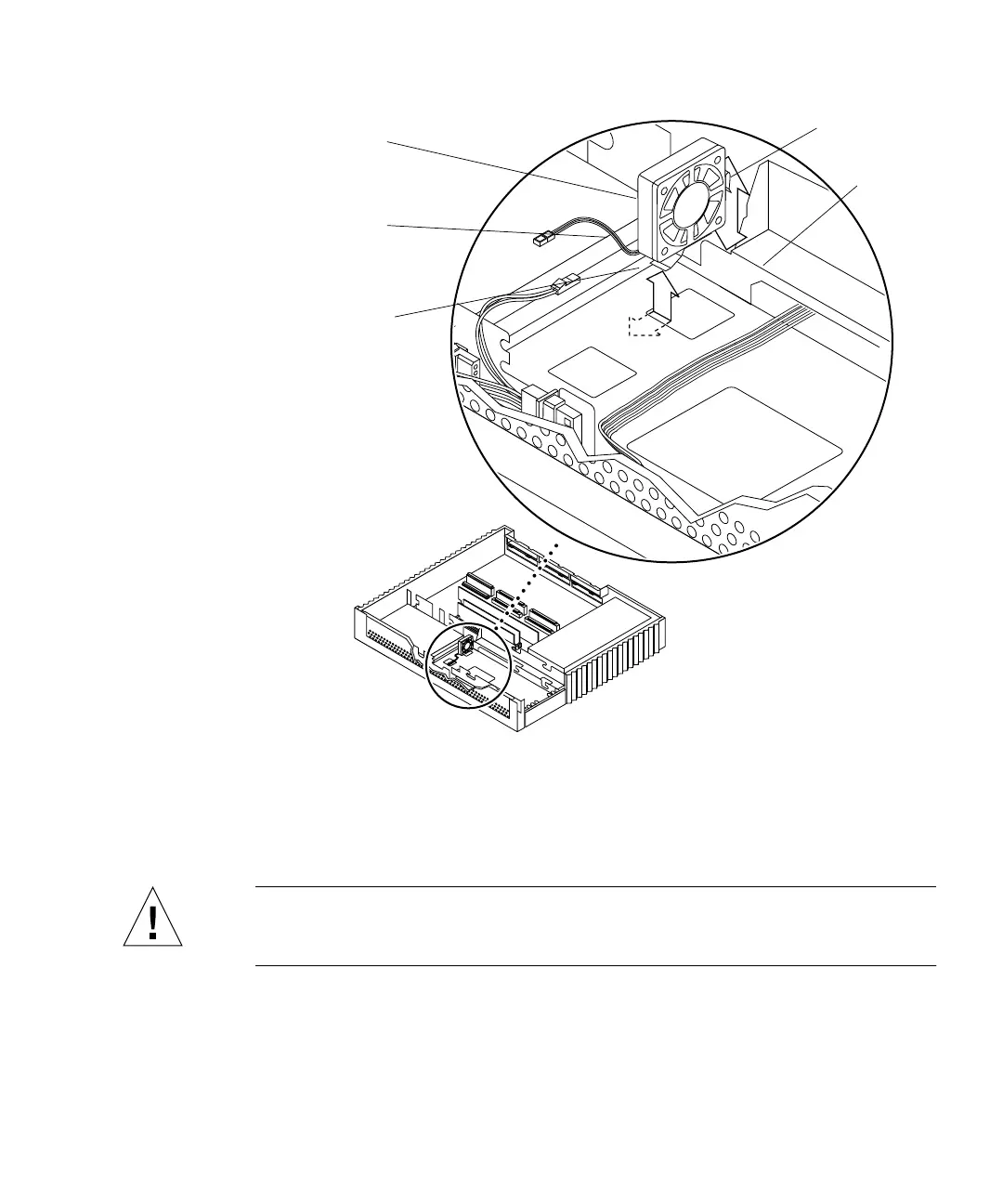
FIGURE 8-11 Removing the Fan
Installing the Fan
Caution – Use proper ESD grounding techniques when handling components. Wear
an antistatic wrist strap and use an ESD-protected mat. Store ESD-sensitive
components in antistatic bags before placing it on any surface.
Metal
Front
Right side
drive
bracket
Side mounting
clip
Chassis bottom slot
Bottom mounting clip
Fan assembly
Note: Cable restraints and SCSI data
cables are not illustrated.














 To Next Page