72 SPARCstation 20 Service Manual • July 1996
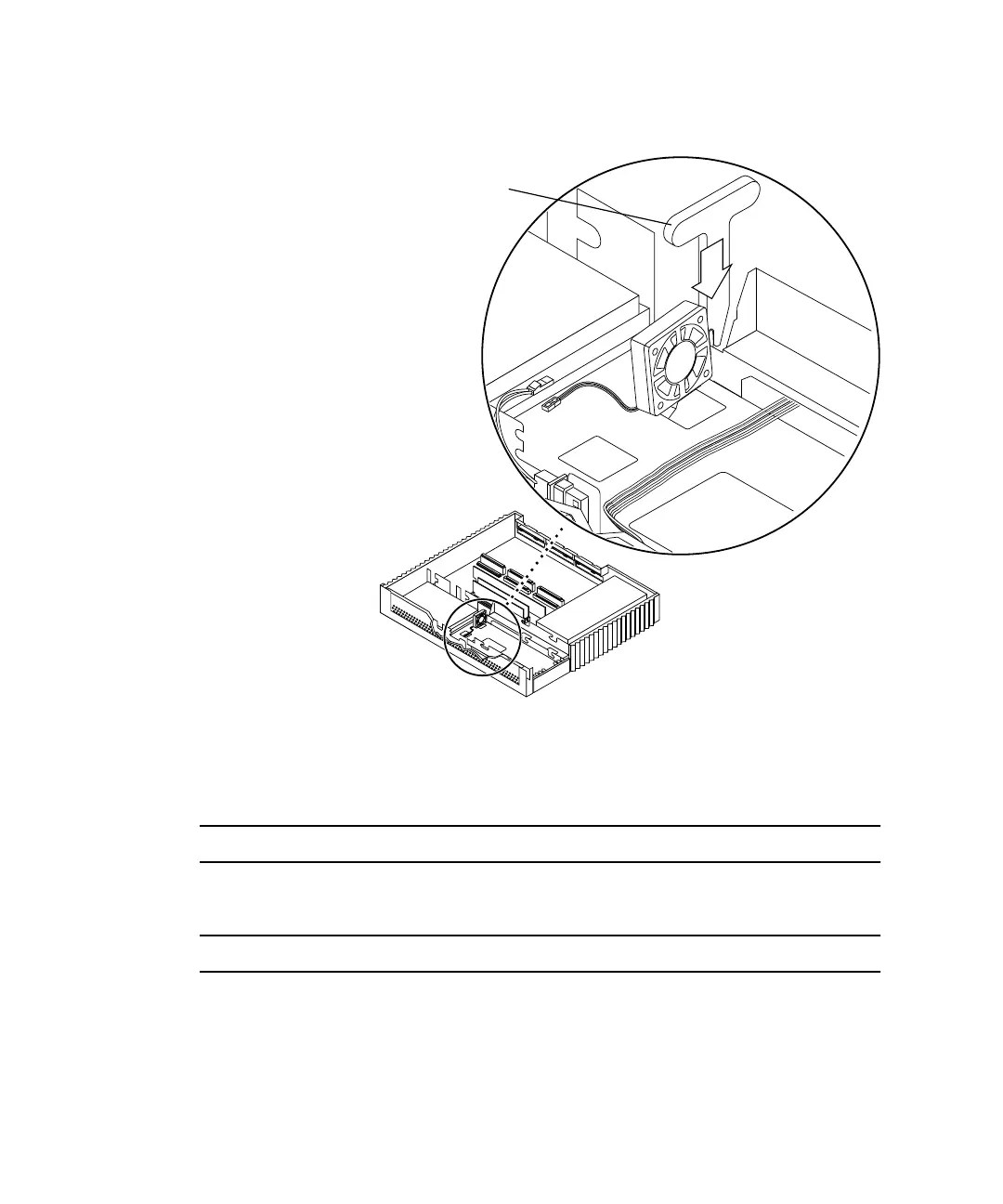
FIGURE 8-14 Securing the Fan Assembly Using the Fan Installation Tool
4. Connect the fan assembly power connector to the two-pin fan DC power
connector (
FIGURE 8-15).
Note – Connectors and terminals are keyed to ensure proper connection.
5. Secure the fan DC harness beneath the cable restraint (
FIGURE 8-15).
Note – Store any excess cabling under the cable restraint.
6. If a CD-ROM drive was removed, install it now.
See “Installing a CD-ROM Drive” on page 124.
Fan installation
tool
Front
Right
side
Note: Cable restraints and SCSI data
cables are not illustrated.














 To Next Page