81
DISPLAYING THE MEASUREMENT RESULT
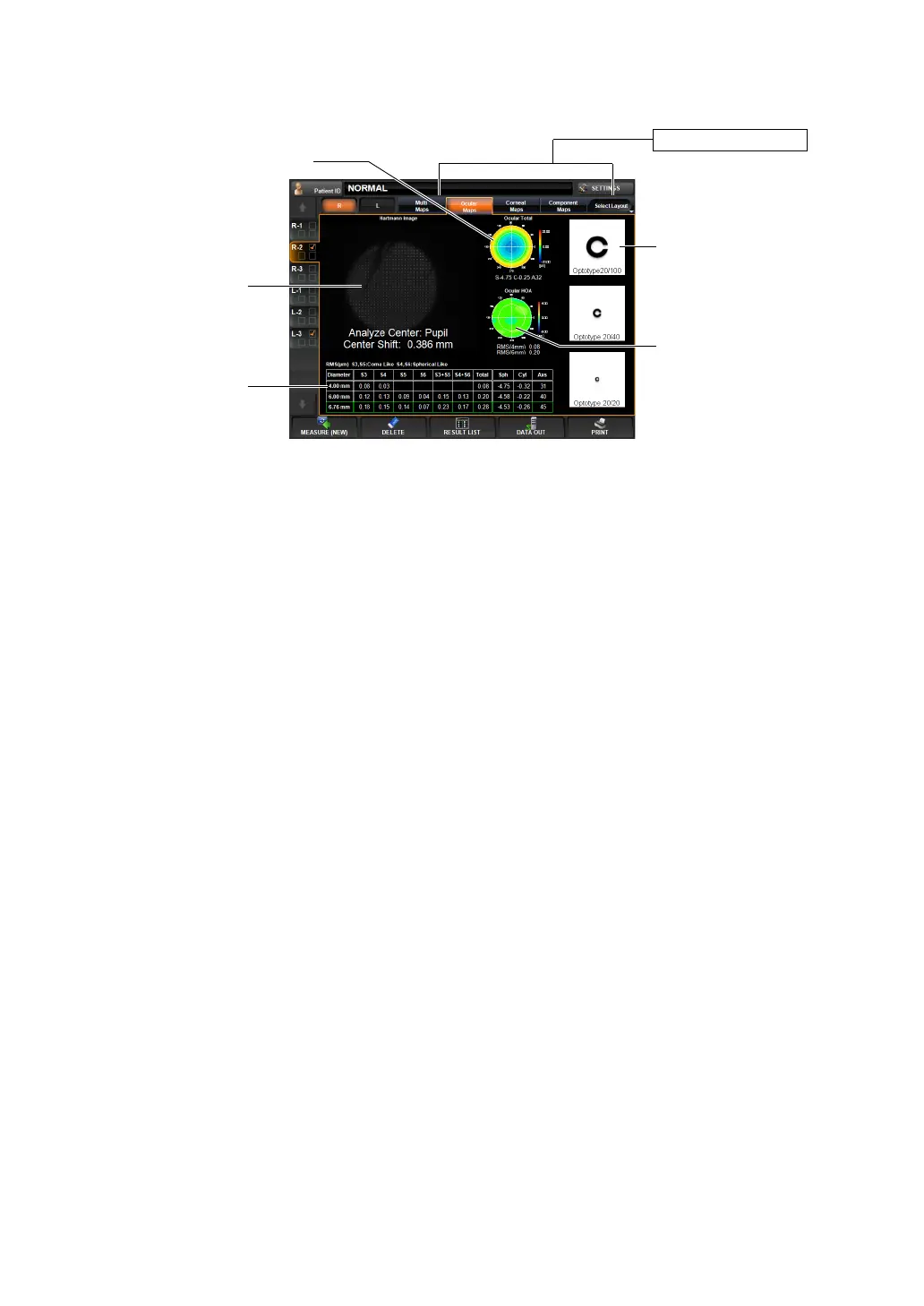
OCULAR ABERRATION MAP DISPLAY
This map displays information about aberration related to total refraction.
To change display to another map: Tap the Layout Change button.
(1) Hartmann image (See "Hartmann image" on page 79.)
(2) Ocular total aberration map(See "Ocular Total Aberration Map" on page 80.)
(3) Ocular HOA map (See "Ocular High Order Aberration Map" on page 80.)
Operation: • When tapped, the image is enlarged. (See "ENLARGEMENT DIS-
PLAY" on page 94.)
• When dragged in the right-left direction, the overlay can be
changed. (See page
98.)
Operation: • When tapped, the image is enlarged. (See "ENLARGEMENT DIS-
PLAY" on page 94.)
• The map display step can be changed. (See "SETTING THE
TOTAL ABERRATION MAP DISPLAY STEP (TOTAL ABERRA-
TION MAP RANGE)" on page 146.)
Operation: • When tapped, the image is enlarged. (See "ENLARGEMENT DIS-
PLAY" on page 94.)
• The map display step can be changed. (See "SETTING THE HIGH
ORDER ABERRATION ASTIGMA MAP DISPLAY STEP" on page
147.)
Layout Change button
(1) Hartmann image
(2) Ocular total aberration map
(4) Simulation
(3) Ocular HOA map
(5) RMS display of
ocular aberration



 To Next Page