82
DISPLAYING THE MEASUREMENT RESULT
(4) Simulation (See "Simulation" on page 82.)
(5) RMS display of ocular aberration
Ocular aberration is displayed quantitatively. (See "DESCRIPTION
ABOUT RMS DISPLAY OF OCULAR ABERRATION" (page 104)
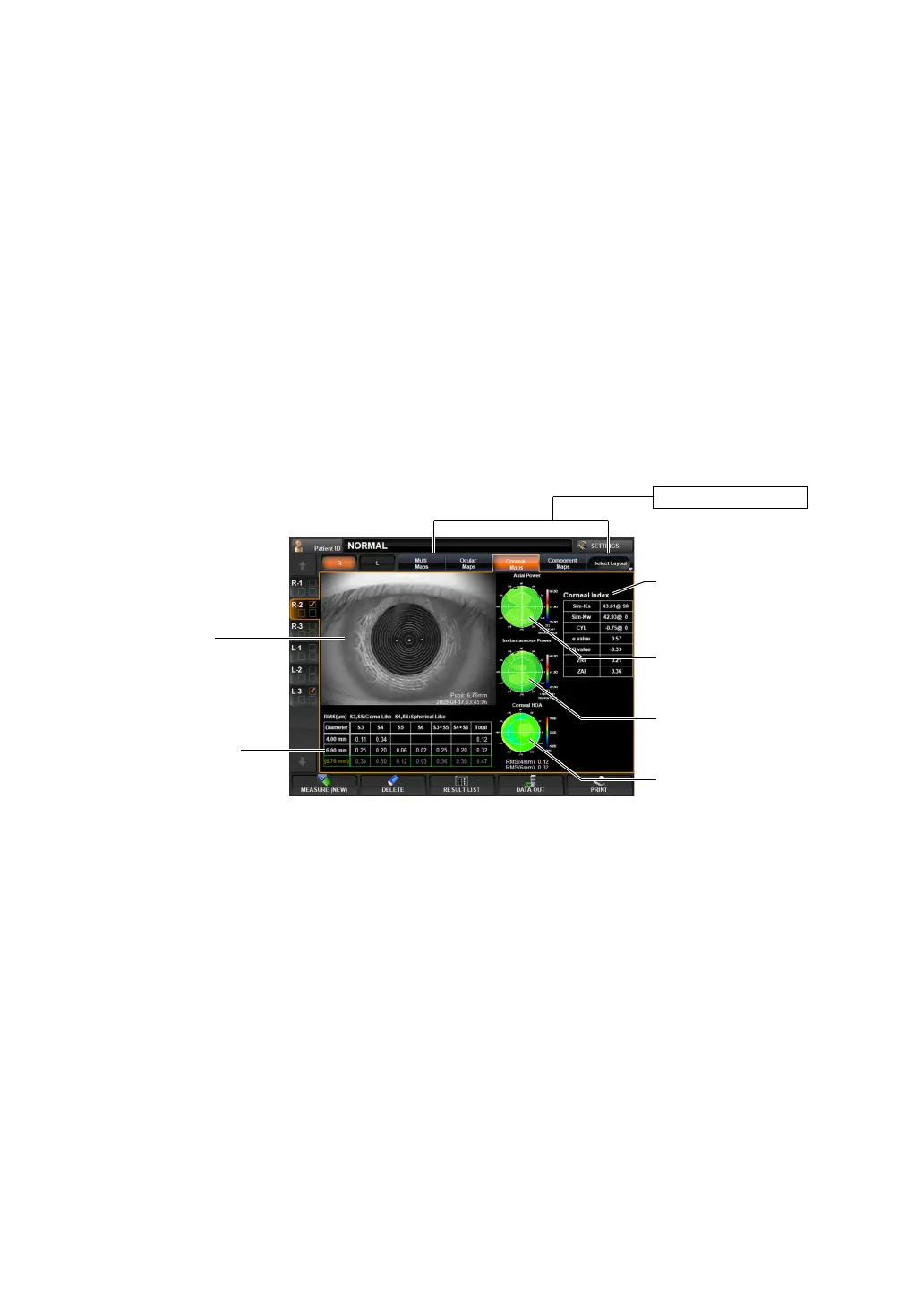
CORNEAL ABERRATION MAP DISPLAY
This map displays information about the cornea, including the cornea aberration map and the
cornea topography map.
To change display to another map: Tap the Layout Change button.
(1) Mire image (See "Mire Image" on page 79.)
(2) Axial Power map (See "Axial Power Map" on page 79.)
Operation: • When tapped, the image is enlarged. (See "ENLARGEMENT DIS-
PLAY" on page 94.)
• The orientation of the optotypes can be changed.
(See page 152 "SETTING OPTOTYPE DIRECTION".)
• The vision of each chart can be changed.
(See page 151 "SETTING OPTOTYPE SIMULATION 1 (UPPER)".)
• To normalize the brightness or not can be changed. (See "SET-
TING THE NORMALIZATION OF BRIGHTNESS OF SIMULATION
(NORMALIZE DESTINY OF SIMULATIONS)" on page 152.)
Operation: • When tapped, the image is enlarged. (See "ENLARGEMENT DIS-
PLAY" on page 94.)
• When dragged in the right-left direction, the overlay can be
changed. (See page
98.)
Operation: • When tapped, the image is enlarged. (See "ENLARGEMENT DIS-
PLAY" on page 94.)
Layout Change button
(1) Mire image
(5) RMS display of
corneal aberration
(3) Instantaneous Power
map
(6) Corneal Index
(2) Axial Power map
(4) Corneal HOA map



 To Next Page