Chapter 5
46
UM10372_PCNC440_Manual_0221A
iNTRO TO PATHPilOT
5.1.6 Touch Off the Workpiece to Set Work Offsets
There are many ways of conceptualizing tool and work
osets, but we use the idea of a true posive tool length to
demonstrate this rst part program. When using this method
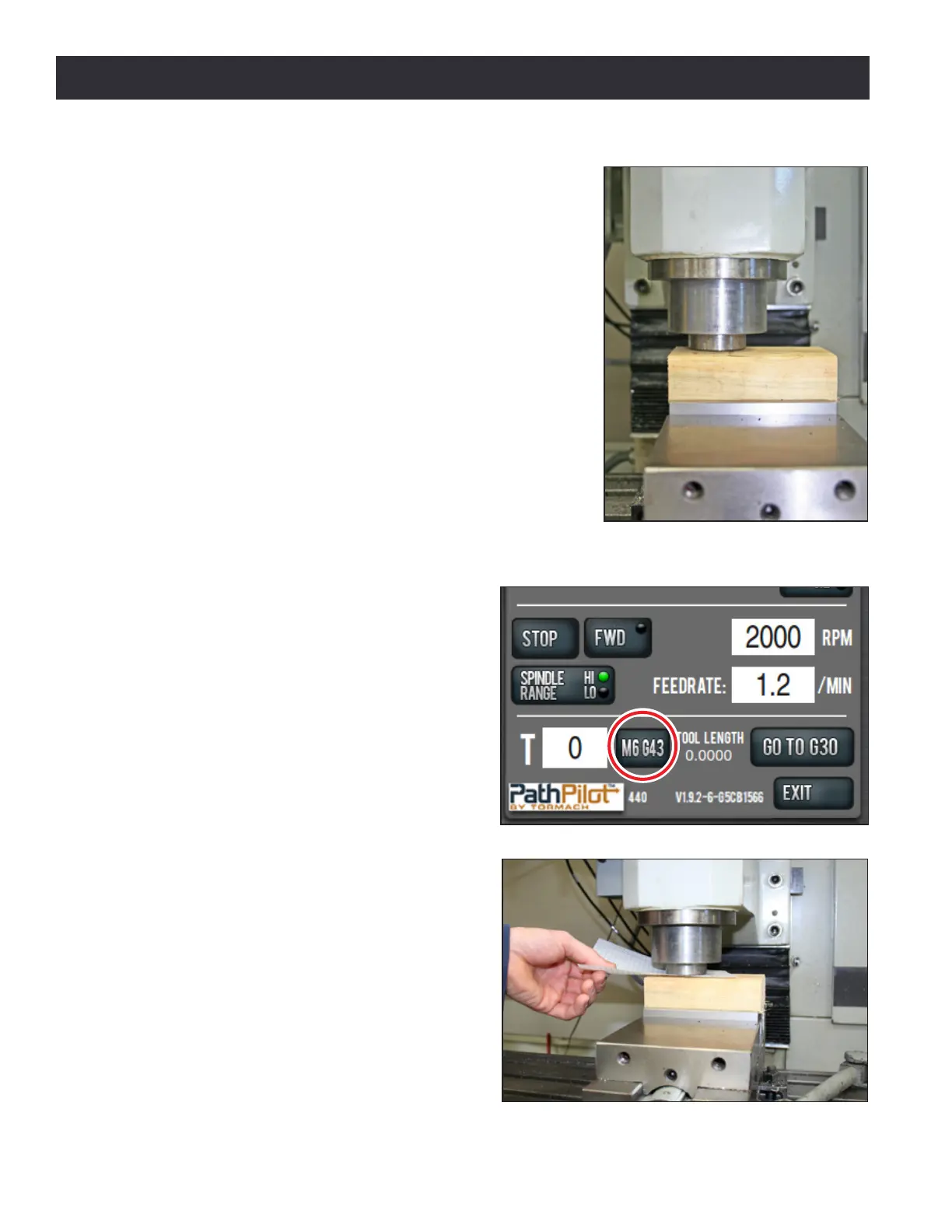
we will touch the face of the spindle to the top of the workpiece
to set the work Z zero (see Figure 5.4). If you set your work Z
zero using the face of the empty spindle then touch your tools
o to the same work zero, the tool length osets are equal in
value to the length of the tool. True posive tool length has a
few benets over other methods (i.e., relave tool lengths) of
measuring tool osets:
• You can easily look at the tool length oset value
and esmate whether it is correct for a given tool by
checking that tool with a ruler or calipers.
• You can mix tools that have been touched o on the
mill with tools that have been measured using a digital
height gauge.
• It is conceptually easier to understand.
Seng the Z Work Oset
1. If a tool is in the spindle, remove the tool
from the spindle.
2. Type 0 in the tool DRO and press the M6
G43 buon to tell the PathPilot operang
system that we are changing tools and
applying a tool length oset. Tool zero
represents an empty spindle, and there
is no oset to apply. We press the M6
G43 buon to make sure there is no tool
length oset applied before we set the
work oset (see Figure 5.5).
3. Place a piece of scrap 2” x 4” in vise. Make
sure that the top of 2” x 4” is at least 1/4”
above the top of the vise jaws.
4. Place a piece of paper on the 2” x 4” and
jog the spindle down carefully unl the
spindle nose just makes contact with the
top of the piece. You will be able to feel
when the paper is pinched (see Figure 5.6).
Figure 5.4
Figure 5.6
Figure 5.5



 To Next Page