Chapter 6
61
UM10372_PCNC440_Manual_0221A
PATHPilOT iNTERFACE
6.4 Main Tab
The Main tab is acve by default when the PathPilot controller rst powers on, and contains four
controls: recent les, G-code window, MDI line, and tool path display (see Figure 6.9).
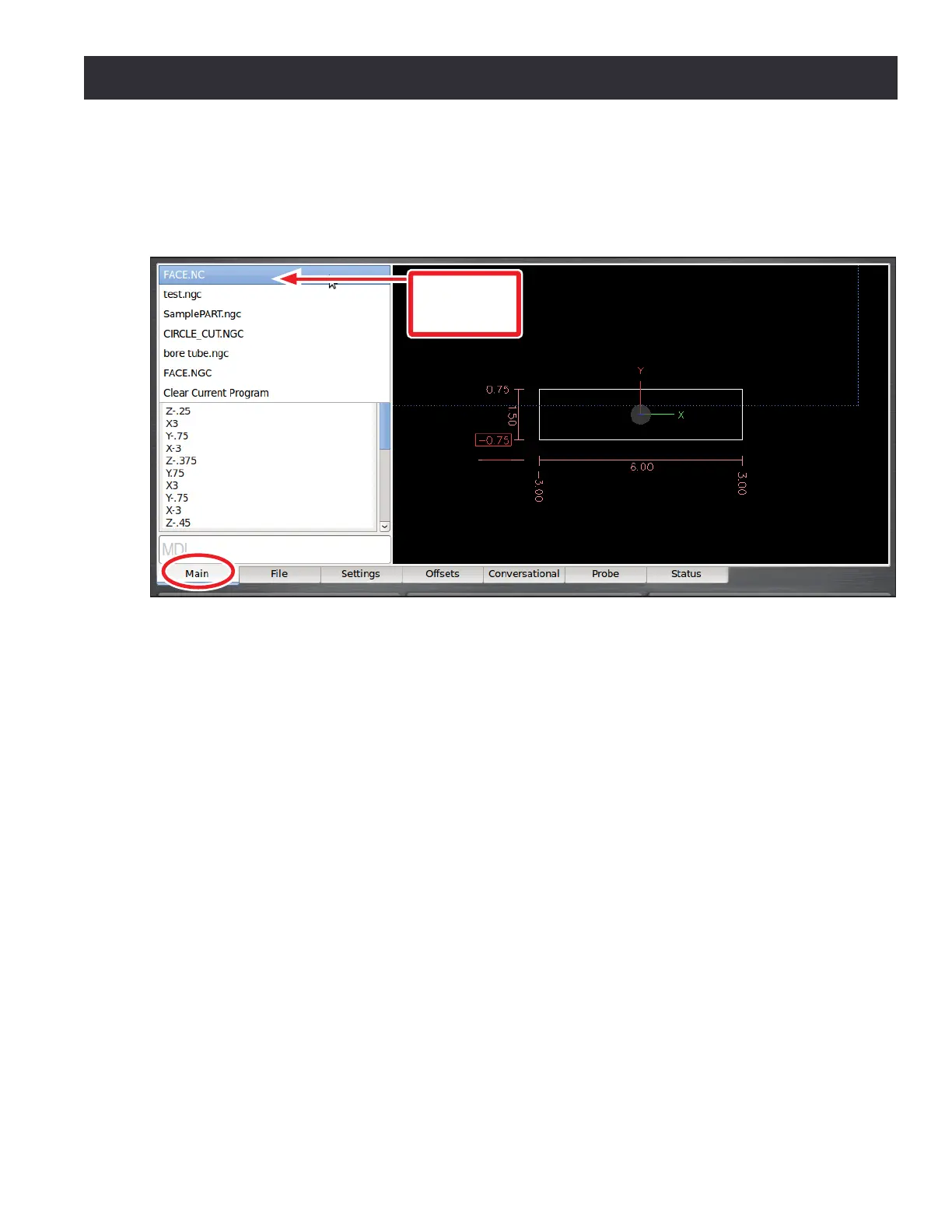
6.4.1 Selecting a Recent G-code Program File
The recent les drop-down menu displays the currently loaded G-code program le (see Figure 6.9).
Click the drop-down menu to display the last ve program les loaded into PathPilot; select the
name of the program from the menu to load the G-code.
Select Clear Current Program in the recent les drop-down menu to close the currently loaded
G-code program le.
6.4.2 Working in the G-code Window
The G-code window displays the G-code of the currently loaded program le. Use the scroll bars to
view the enre le.
PathPilot highlights certain lines of code of interest. When running a G-code program in single block
mode, there may be as many as three lines of G-code highlighted, each with a dierent color:
• Green line: indicates the start line, which is the rst line in the program unless this has been
changed with the Set Start Line feature
• Blue line: indicates the line of code that is currently execung
• Brown line: indicates the move that will occur the next me Cycle Start is pressed
Figure 6.9
Recent Files
Drop-down
Menu



 To Next Page