Chapter 6
78
UM10372_PCNC440_Manual_0221A
PATHPilOT iNTERFACE
6.8.1.1 Adjusting DRO Values
Aer selecng the material and tool, you
can adjust the values in the calculated
DROs, like Feedrate or Stepover. Adjusng
the value in one of these DROs does not
change the value in the other machining-
related DROs.
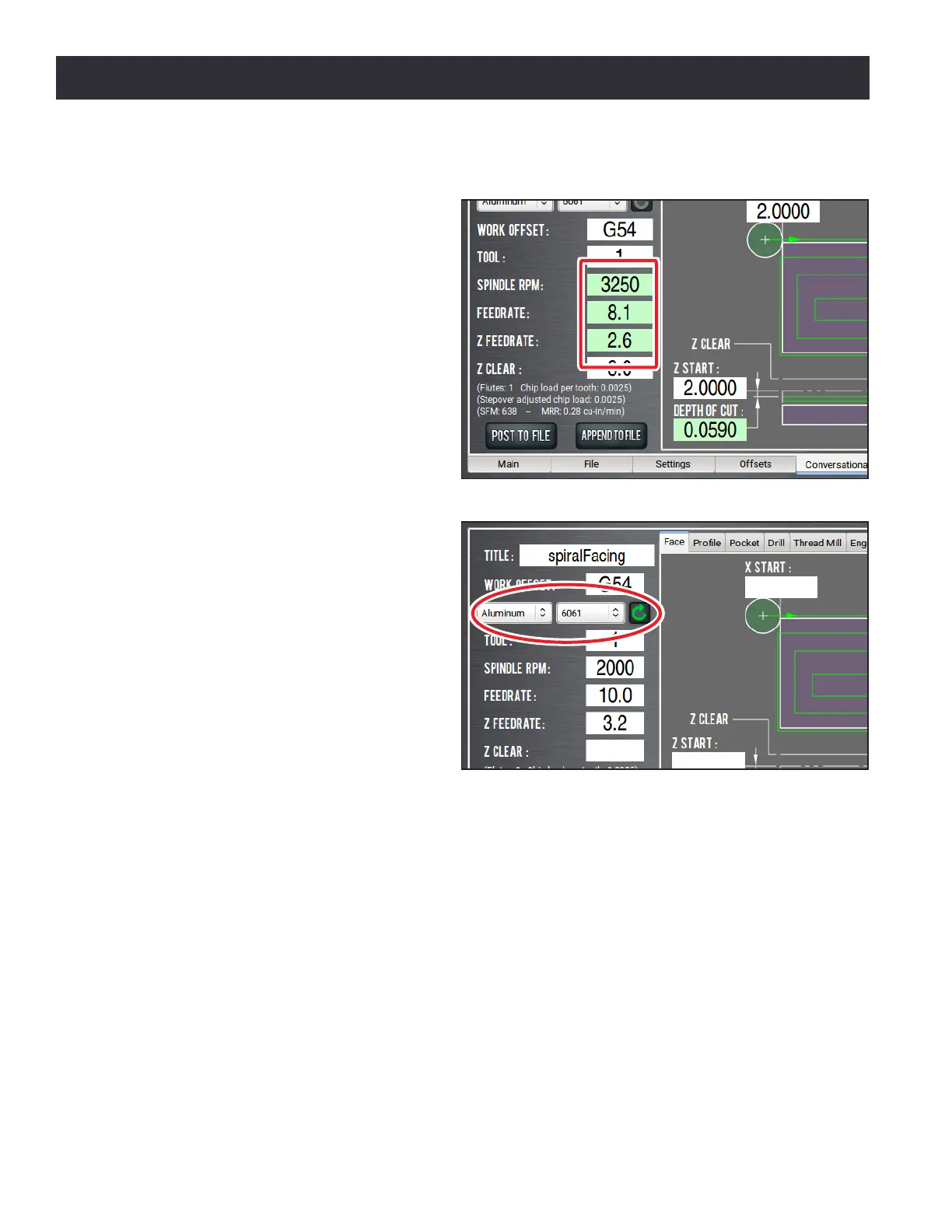
Once you adjust the value in the DRO, the
background switches from green back to
white (see Figure 6.24). This helps you
idenfy which DROs have suggested values
(those with a green background), and
which DROs have values you've supplied
(white background).
6.8.1.2 Resetting DRO Values
The suggested feeds and speeds are no
longer valid if:
• You select dierent material or sub-
type values, or if you type a new
value in to the Tool DRO.
The suggested feeds and speeds are
made by taking into account all of
these values. Changing any value
requires you to refresh.
• You select a dierent Conversaonal
tab.
The suggested feeds and speeds are made by taking into account the current, specic
conversaonal operaon — like Face, or Pocket. Changing your conversaonal operaon
requires you to refresh.
When the feeds and speeds are no longer valid, the Refresh buon turns green, and the machining-
related DRO backgrounds switch from green to white (see Figure 6.25).
6.8.1.3 Using Chip Load Information
On the Conversaonal tab, in the Conversaonal DROs group, there are ps that are displayed
based on the calculaons that PathPilot is performing (see Figure 6.26):
• Chip load informaon
Chip load — the amount of material removed per tooth — is based on the number of utes,
RPM, and feedrate.
Figure 6.24
Figure 6.25



 To Next Page