Chapter 6
70
UM10372_PCNC440_Manual_0221A
PATHPilOT iNTERFACE
6.6.6.3 Enabling USB I/O Board
Select Enable USB IO Board if you are using an oponal USB M-code I/O Interface Kit (PN 32616). For
informaon on installaon and use, refer to the documentaon that ships with the product.
6.7 Offsets Tab
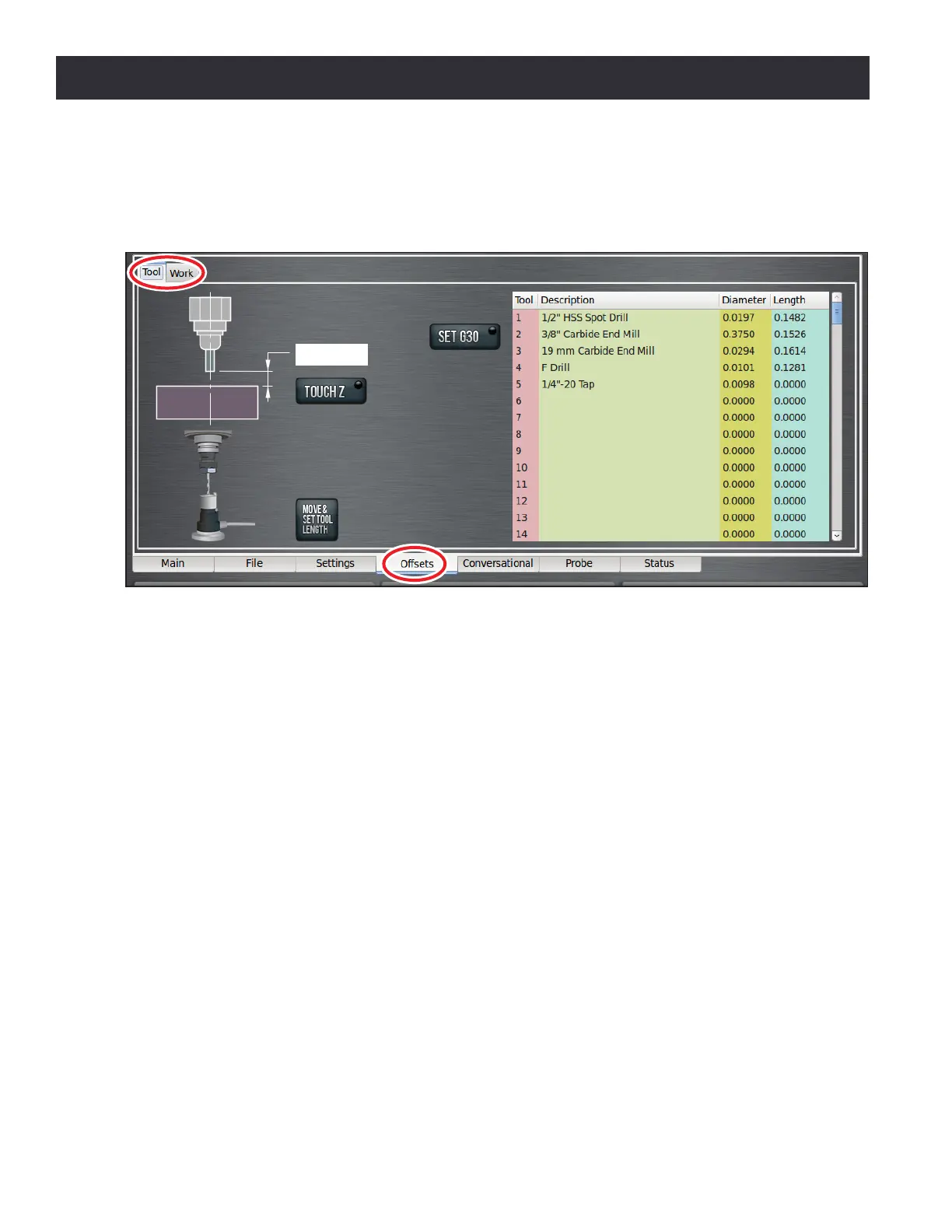
The Osets tab reveals two sub tabs, Tool and Work (see Figure 6.19).
Work osets are a concept that allow the operator to think in terms of X/Y/Z coordinates with
respect to the part instead of thinking of them with respect to the mill posion. Up to nine work
osets can be saved in the control. These are selected either by typing G54, G55, ... (up to G59,
G59.1, G59.2, G59.3) into the MDI line, or by including them in a G-code program.
Tool osets allow the operator to use tools of dierent lengths or (when using G41/G42 cuer
radius compensaon) dierent diameters, while sll programming with respect to the workpiece.
The most common tool oset is the tool length oset, which is applied by the G43 command.
6.7.1 Tool Tab
The Tool tab displays a tool table on the right with elds available to input tool informaon (see
Figure 6.19).
For a given machining operaon, the X and Y posion of the workpiece are xed. Using mulple
tools may introduce a situaon with tools of diering lengths; in this case, the you will need to
change the Z oset for each parcular tool. PathPilot allows you to switch tools quickly, without
the need to set up the mill every me a tool is mounted. Each tool and holder only needs to be
measured once, either oine or in the mill.
Figure 6.19



 To Next Page