Chapter 6
57
UM10372_PCNC440_Manual_0221A
PATHPilOT iNTERFACE
This technique is used for seng any DRO. Remember to click Enter aer any DRO change. If you
forget and just click on another DRO eld, any value you have just entered is discarded. This is
designed to avoid accidental changes.
For convenience, the Zero buon to the le of the axis DROs can be used to set the current work
oset posion for that axis to 0.000.
Distance to Go (DTG) – Just to the right of the axis DROs are the Distance to Go (DTG) labels in
light blue. These labels are read-only and display the distance remaining in any single move. If you
feedhold the mill in the middle of a move, or turn the Maxvel or Feedrate overrides to 0 percent,
these labels display the distance le in the commanded move. These labels are useful when proving
out a part.
Ref Axes Buons – Ref X, Ref Y, Ref Z, and Ref A move the axes to their respecve reference switch
locaons. This must be done aer power on and before running a part program or using MDI
commands. The axes may be referenced simultaneously, though it is common pracce to reference
the Z-axis rst to clear the spindle or tool from the area of the workpiece or vise. When referenced,
the LED illuminates.
Status – The Status line displays the currently acve G-code modalies and the acve tool. A more
detailed descripon of these acve G-codes is provided on the Sengs tab.
Jog Acve LEDs – Between the Zero buon and DROs are LEDs. If the mill is equipped with an
oponal Jog Shule (PN 30616), the acve jog axis is indicated by an illuminated LED.
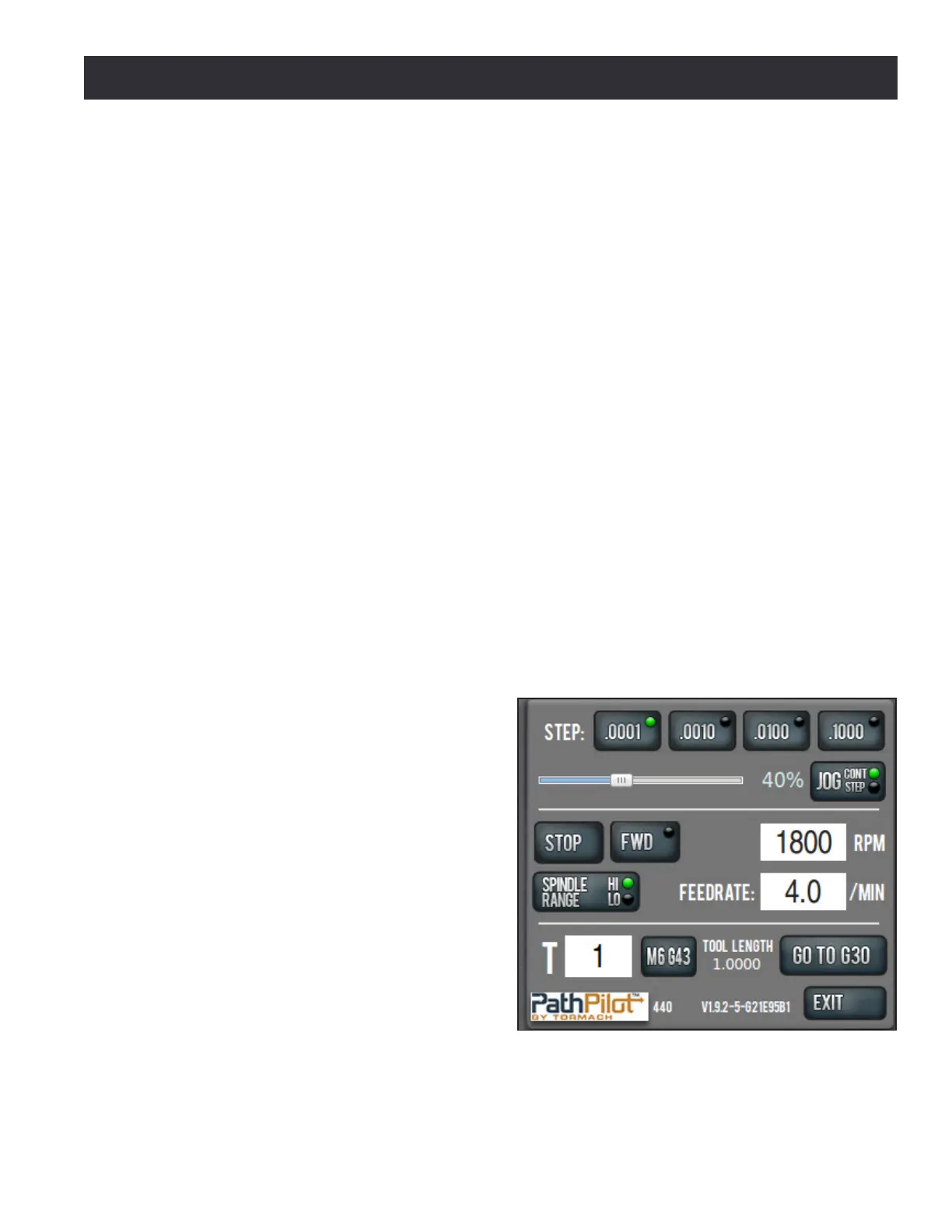
6.2.3 Manual Control Group
The Manual Control Group's buons, slider,
and DROs allow the operator to perform tasks
related to manual control of the mill, including
jogging the mill axes, changing the current
tool number, feed rate, or spindle speed, and
starng or stopping the spindle (see Figure 6.4).
Figure 6.4



 To Next Page