Chapter 6
68
UM10372_PCNC440_Manual_0221A
PATHPilOT iNTERFACE
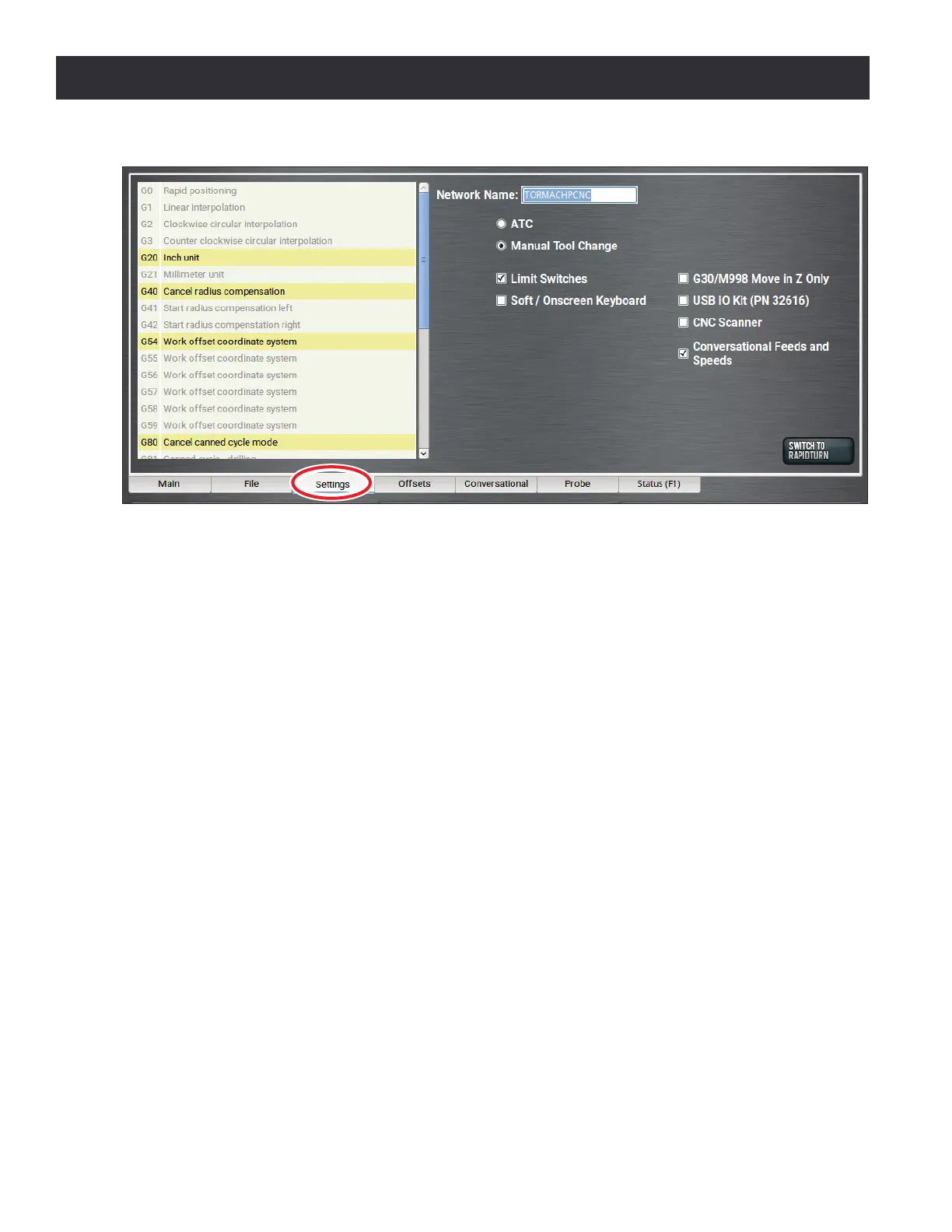
If the Manual Tool Change opon is selected, the mill pauses at the M6 command during a G-code
program le execuon, allowing you to manually change tools (see chapter 4, Operaon, for
informaon on the manual tool change procedure). Aer changing tools, press Cycle Start to resume
program execuon with the new tool. When the mill is paused and waing for a manual tool change
in the middle of a G-code program, the Cycle Start LED ashes on and o and a message is displayed
with the requested tool number on the tool path display.
6.6.2 Changing the Network Name
Use the Network Name eld to change the network name of the controller; press Enter. The
controller must be restarted for the name change to take eect.
If you are connected to a network using either the Ethernet jack or the oponal Wireless Network
Adapter (PN 34705), the controller appears on a network as network-aached storage. The controller
exports a Windows network share named gcode to the Windows network with a domain name
WORKGROUP. The default network name of the controller is TORMACHPCNC. The login name for
the share is WORKGROUP\operator and the password is pcnc. The network name must be unique
on your network. For more informaon, refer to the documentaon that ships with the Wireless
Network Adapter.
6.6.3 Disabling Reference Switches
The Limit Switches checkbox is selected by default. To provide a temporary workaround for
a malfunconing limit switch circuit, clear the checkbox. When cleared, Ref X, Ref Y, Ref Z, and
Ref A sets the machine reference posion to the mill posion at the me it is clicked rather than
compleng the homing procedure.
NOTE: If desired, use this procedure in conjuncon with one or more dial indicators mounted at the ends
of mill travel to provide a more accurate method of manually referencing the mill.
Figure 6.16



 To Next Page