Chapter 6
94
UM10372_PCNC440_Manual_0221A
PATHPilOT iNTERFACE
The Find [Axis] buons cause a probing move similar to the Probe [Axis], Set Work Oset buons,
but will not change the work oset value. Instead, the locaon of the probed surface is displayed
in the label below the buon.
6.9.2 Rect/Circ Tab
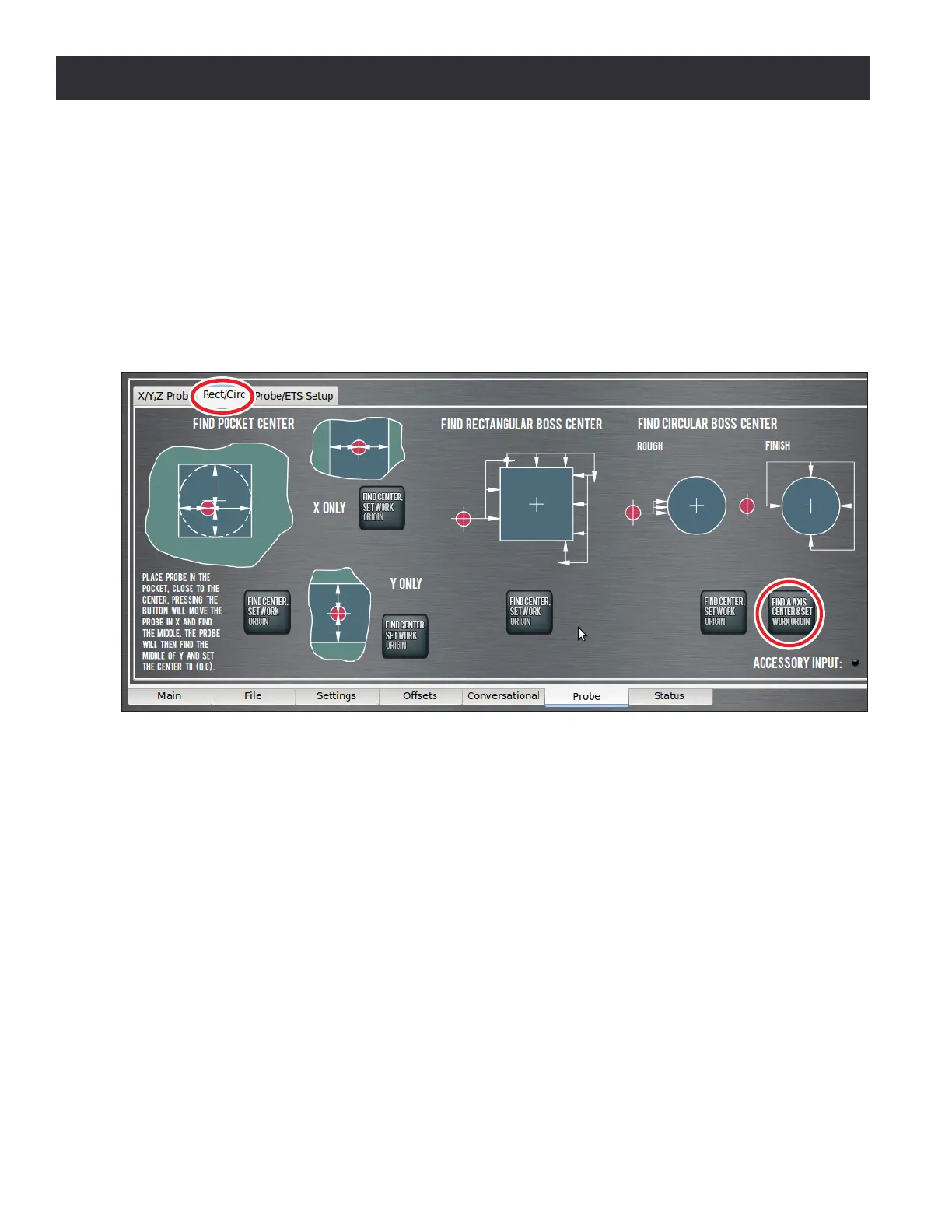
The Rect/Circ tab contains buons that automate tasks like nding the center of a pocket, slot, or
bore, as well as nding the center of a circular or rectangular boss (see Figure 6.39). As the on-
screen instrucons suggest, rst jog the probe below the top surface of the feature to be probed.
The Find Pocket Center, Set Work Origin buon works in either a round or rectangular pocket. The
probe moves in both X and Y to nd the pocket center. The Find Center, Set Work Origin buons
perform a similar probing operaon, but in X or Y only, and are intended to be used to nd the
center of a slot.
The rectangular boss center nding roune hunts around the edge of a square or rectangular
workpiece to nd the center. To use this roune, start with the probe below the top surface of
the boss and on the le-hand side. Similarly, the circular boss center nding roune probes three
mes to nd an approximate center of curvature, then conrms the circular boss center with four
addional moves. To use this feature, start with the probe below the top surface of the boss and on
the le-hand side.
The Find A Axis Center & Set Work Origin buon is available for use with a 4th axis mounted in the
A-axis orientaon. The funcon probes a round workpiece mounted in the A-axis to nd the center
rotaon of the A-axis. Move the probe to a point approximately directly above the A-axis center of
rotaon, and click the Find A Axis Center & Set Work Origin buon.
Figure 6.39



 To Next Page