Chapter 6
80
UM10372_PCNC440_Manual_0221A
PATHPilOT iNTERFACE
Therefore, the area around this corner must be clear of obstrucons down to Z End. The tool
diameter also extends beyond the workpiece X and Y edges by an amount dependent on the tool
diameter and the stepover values, so Z End must be above the vise jaws.
The G-code roune starts with a move to G30, which typically is the park, or tool change posion.
Next comes a tool change if needed, a rapid move in XY to the workpiece start, and a rapid down
in Z to Z Clear. An XY pass starts with an adjusted Z Depth of Cut, then a rectangular spiral from the
workpiece perimeter, ending at the center. If a nish pass with dierent parameters is needed, save
the current le, edit the current screen to the nish conguraon and append to the saved le.
XY DROs
Start and End – These DROs should be set to the locaon of the workpiece edges. Tool paths, such
as a lead-in, that are normally outside of the workpiece area are set in reference to these values, so
no adjusng beyond the actual locaon of these edges should be needed.
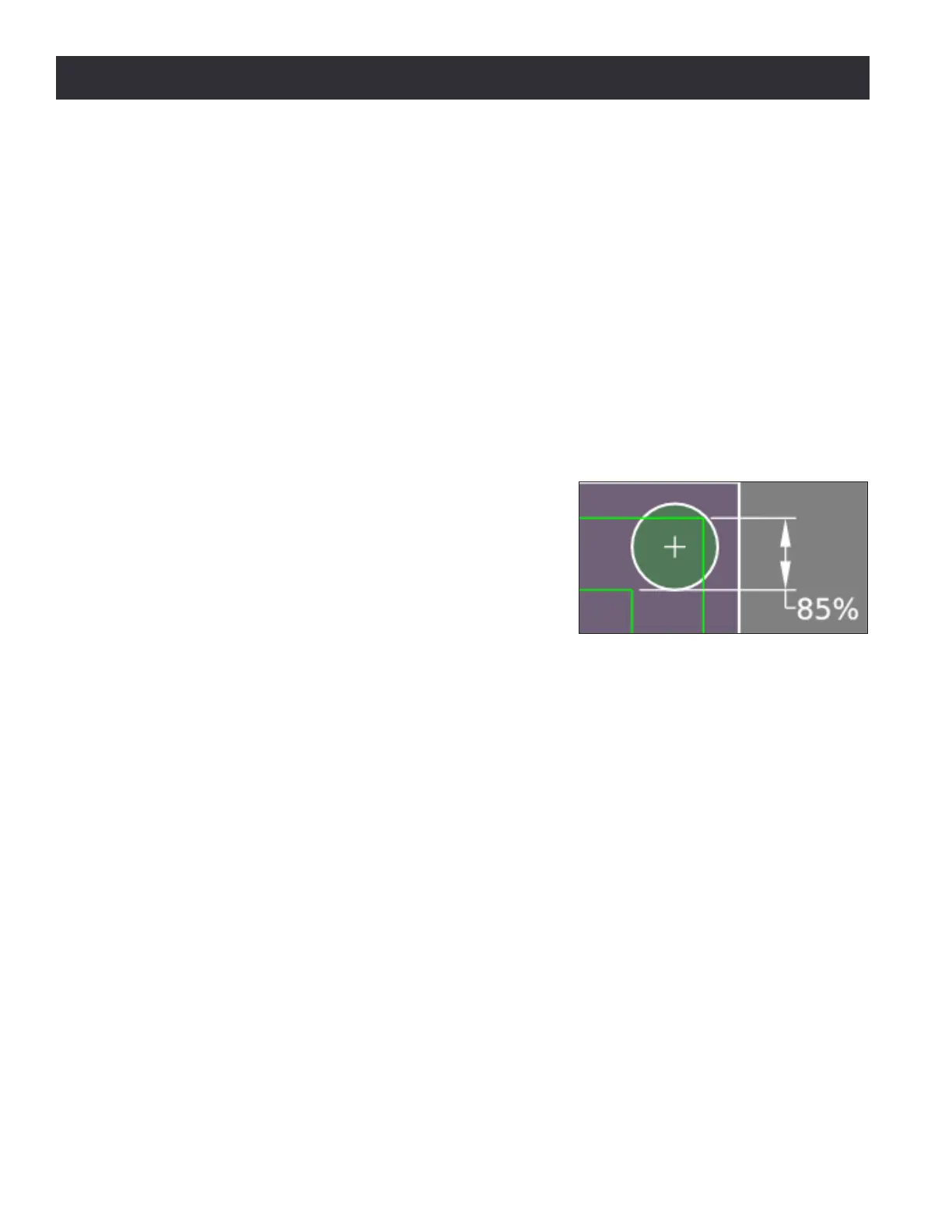
Stepover – This is the space between spiral tool paths.
To prevent uncut areas in the spiral corners, the stepover
value should be limited to 80 percent of the tool diameter
(see Figure 6.28). A stepover of 0 may be entered which
invokes a center only cut. This is more formally called by
X or Y values that create a workpiece width less than 70
percent of the tool diameter.
Z DROs
Z Start and End – The rst Z pass will cut at Z Start – Depth of Cut adjusted. The last Z pass will cut
at the Z End locaon. For a single Z pass at Z End, enter 0 or a full Z range value into the Depth of
Cut DRO.
Depth of Cut – The Depth of Cut entered into the DRO is later adjusted within the Z range, Z End – Z
Start, so each Z pass has the same depth instead of having a short depth on the last pass. For a single
pass at Z End enter 0 or a full Z range value into the Depth of Cut DRO.
Z Clear
–
This is the Z locaon the tool moves or retracts to when starng or ending a Z pass. This should
be set to clear any obstrucons in the path between the end of one Z pass and the beginning of the next.
6.8.3 Profile Tab
Prole cuts an XY area with successive Z Depth of Cuts to form a rectangular island (see Figure 6.29).
Figure 6.28



 To Next Page