Chapter 5
50
UM10372_PCNC440_Manual_0221A
iNTRO TO PATHPilOT
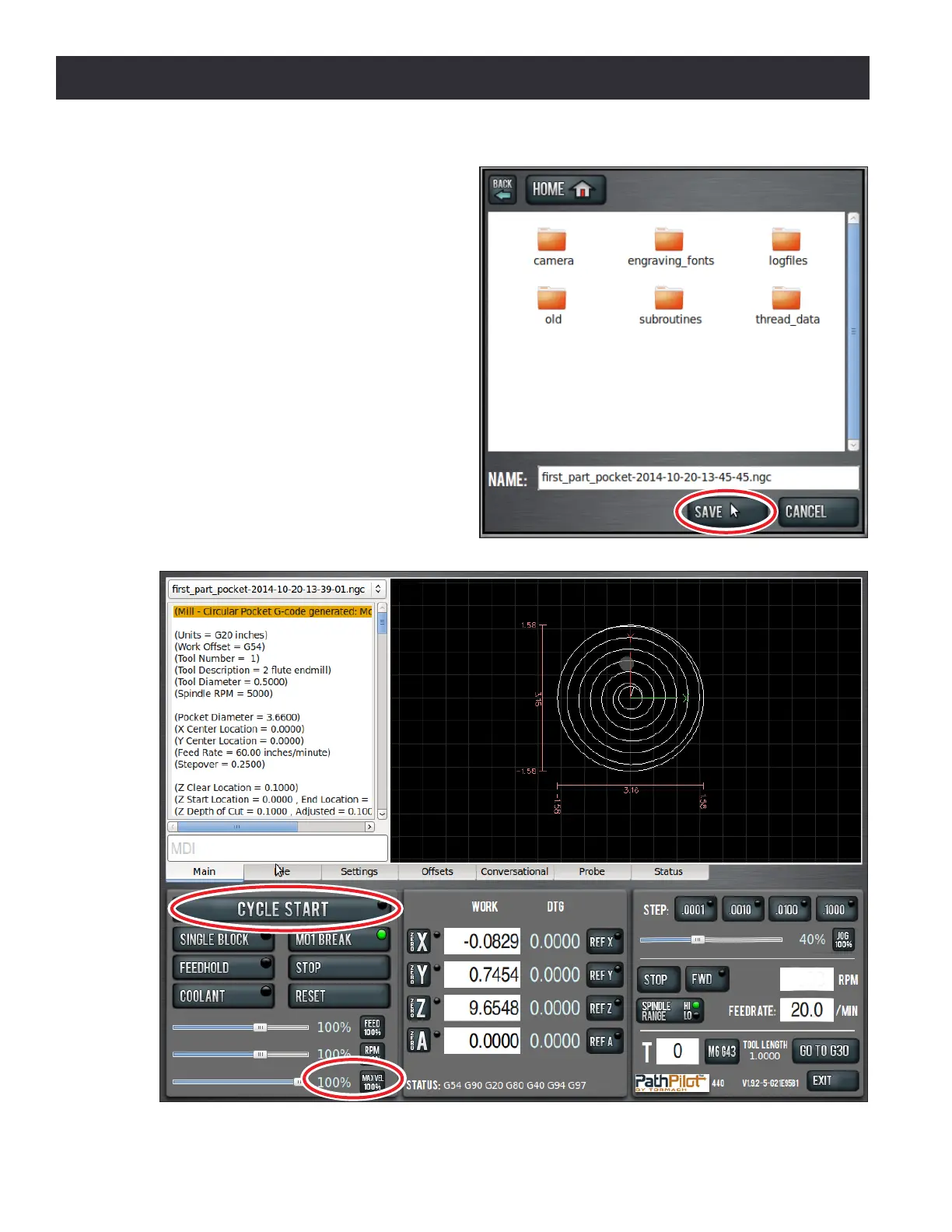
1. Grab the Maxvel slider (lower le
hand corner of screen) by clicking and
dragging it down to zero (see Figure
5.12).
NOTE: If your mill is equipped with an ATC, seng
Maxvel to zero stops all moon and will prevent
the mill from changing tools.
2. Click Cycle Start buon (see Figure
5.12). If the current tool is not Tool 1
and you have congured the mill for
manual tool changes, the Cycle Start
buon LED may blink requesng a tool
change. Change the tool and conrm
by clicking the Cycle Start buon
again. If equipped with an ATC, tool
changes happen automacally without
operator interacon.
Figure 5.11
Figure 5.12



 To Next Page