Chapter 6
59
UM10372_PCNC440_Manual_0221A
PATHPilOT iNTERFACE
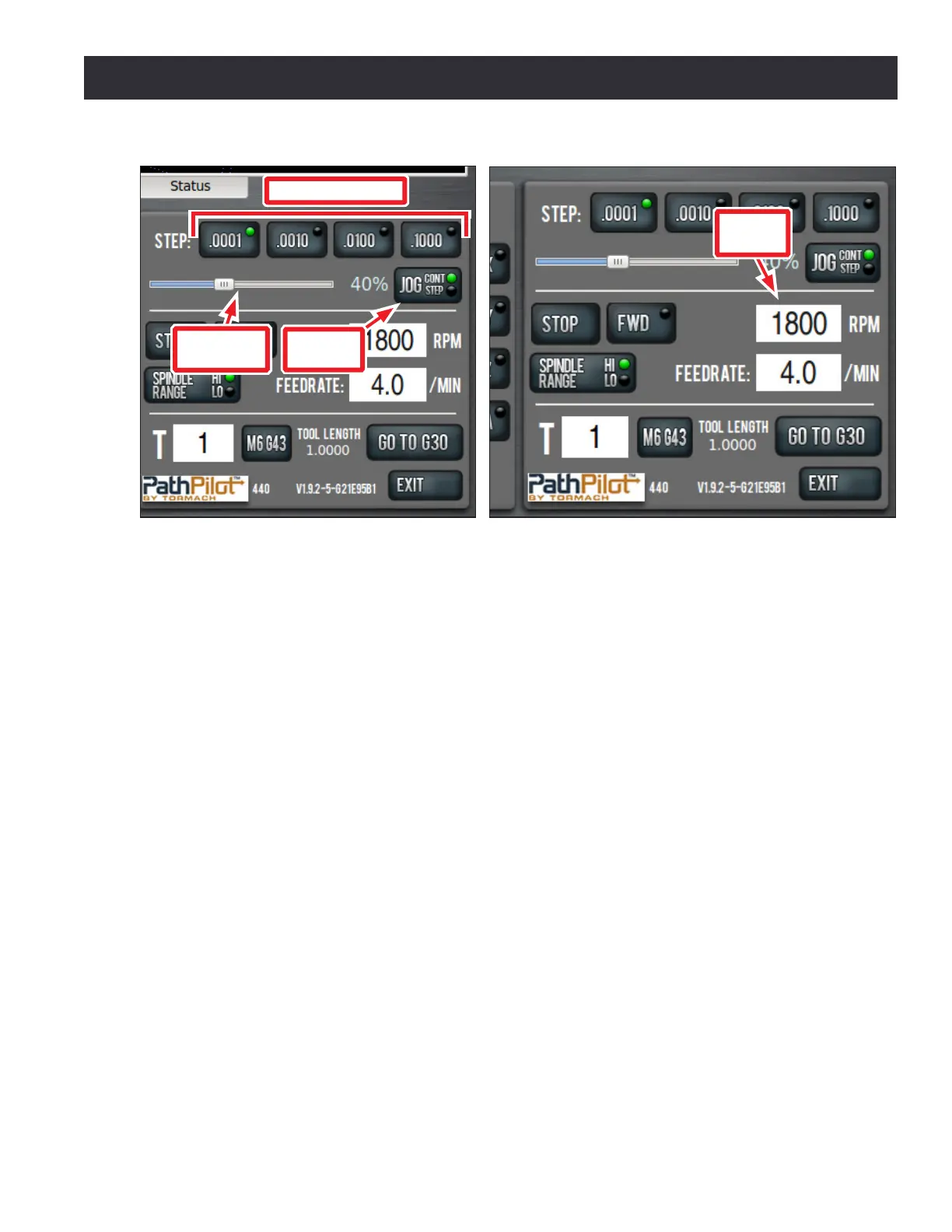
Step and Connuous Jogging – Whether using the jog shule or the keyboard, there are two modes
of jogging: connuous and step. When using the keyboard to jog, switch between modes using the
Jog Cont/Step buon (see Figure 6.7).
In Step mode, the mill jogs in steps, where the step size is controlled by the four buons to the right
of the Step label (see Figure 6.7).
In Connuous mode, the mill jogs at a connuous velocity when you press and hold any available
keyboard key; stop the mill by releasing the key. Axis moon is key-specic as shown in Figure 6.6.
The velocity is set using the Jog Speed Slider (see Figure 6.7). To set jogging velocity to the maximum
speed, click and drag the Jog Speed Slider to the far right posion.
Noce that in imperial units (type G20 in the MDI line), the step sizes range from 0.0001” to 0.1”
(see Figure 6.7), whereas in metric mode (type G21 in the MDI line) the step sizes range from
.01 mm to 10 mm. The illuminated LED in the upper right corner of each Step Size Buon indicates
acve step size (see Figure 6.7).
Feedrate DRO – Feedrate is the velocity at which the workpiece can be fed against the machine tool.
The DRO is the eld that displays this velocity.
Spindle Controls – Stop and FWD can be used to manually control the spindle (see Figure 6.8).
The Stop buon stops the spindle, similar to the M5 command. The FWD buon starts the spindle
clockwise at the set RPM.
These buons are unavailable when running a G-code program or in the middle of an MDI move.
Clicking FWD triggers an alarm if the commanded spindle speed is outside of the valid spindle speed
range for the mill's current belt posion.
Figure 6.7
Jog Cont/
Step
Jog Speed
Slider
Step Size Buttons
Figure 6.8
Spindle
RPM



 To Next Page