Chapter 6
63
UM10372_PCNC440_Manual_0221A
PATHPilOT iNTERFACE
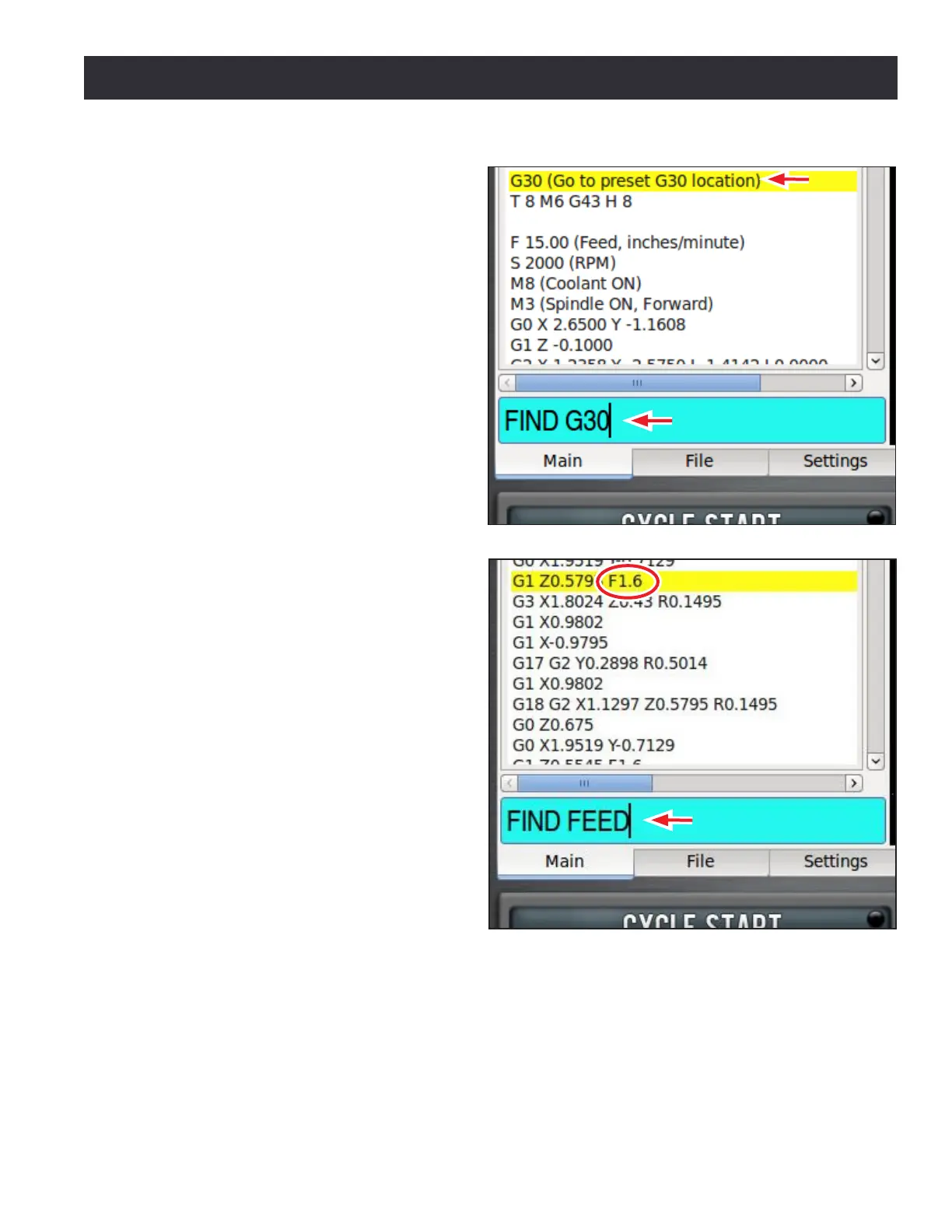
Type FIND followed by the text to be
searched in the MDI line (see Figure 6.11).
Pressing Enter nds the next instance of
the searched text; pressing Enter while
holding down the Shi key nds the
previous instance.
If found, PathPilot scrolls to the line
containing the searched text and
highlights it in yellow (see Figure 6.11).
When the search reaches the end of the
G-code le, it wraps and starts again from
the beginning.
Change the starng point of the search by
clicking on any line in the G-code window.
When used in conjuncon with the FIND
command, certain search terms (listed
below) iniate a search through the
G-code le to nd more than just the
actual search term:
• FIND TOOL: Searches for instances
of the actual word Tool in the G-code
and any T G-code command which
calls up a tool (e.g., T12)
• FIND SPEED: Searches for instances
of the actual word Speed in the
G-code and any S G-code command
• FIND FEED: Searches for instances of
the actual word Feed in the G-code
and any F G-code command (see
Figure 6.12)
NOTE: Search text ignores case, so the command
FIND TOOL will match TOOL, Tool, tool, etc.
The FIND command simplies searching of a G-code le to verify speed and feed values and tool
calls before cung a part, or to nd a specic set start line point in a large G-code le. For more
informaon on using set start line, refer to Seng a New Start Line secon earlier in this chapter.
Figure 6.11
Figure 6.12



 To Next Page