Chapter 3
34
UM10350_PCNC770_Manual_0916A
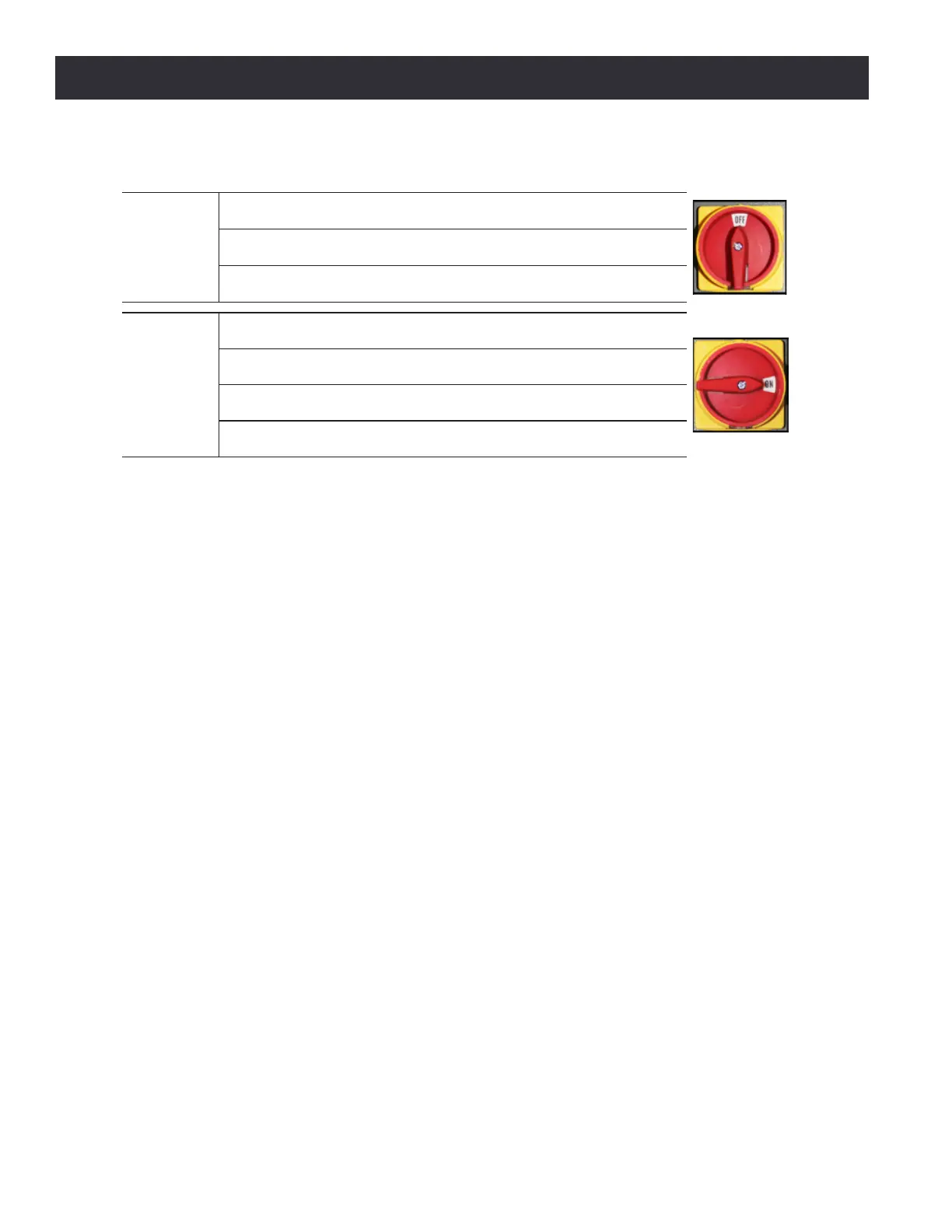
Installation
Power Off/On Procedure
Power Off
1. Push red E-stop button in
2. Click Exit on screen; when prompted click OK to power off
3. Turn Main Disconnect Off (see image at right)
Power On
1. Turn Main Disconnect On (see image at right)
2. After software loads, t
urn red E-stop clockwise to release
3. Press green Start button.
4. Click Reset on screen
3.6.1 Initial PathPilot Controller Configuration
Turn the Main Disconnect switch to On (see Figure 3.13). Turn the operator panel-based Controller
switch, used to power the controller on and o, to the On posion (see Figure 3.14).
The rst me the PathPilot controller is powered on it starts a conguraon process that allows
the operator to congure the PathPilot operang system to the parcular machine (PCNC 1100
mill, PCNC 770 mill, PCNC 440 mill, or 15L Slant-PRO lathe). Follow the on-screen instrucons to
complete controller conguraon. Aer conguraon, PathPilot automacally launches; the
controller automacally loads PathPilot for the selected machine when the controller is powered
on in the future.
3.7 Validate Basic Installation
Validate the basic setup prior to installing any accessory kits.
IMPORTANT! Follow the Power O/On Procedure detailed earlier in this chapter. Aer powering on, jog
the Z-axis up to remove shipping block between spindle nose and bed.
3.7.1 Verify Spindle Function
Use the Operator Panel controls to verify spindle funcon as follows (see Figure 3.14):
1. Turn Spindle Lockout key to I (unlocked posion).
2. Select Manual for spindle mode.
3. Press Start; spindle begins to rotate.
4. Turn Spindle Speed Dial (RPM x 100) up and down to vary spindle speed.
5. Toggle between Forward and Reverse to switch spindle direcon.
6. Press Stop; spindle stops.
7. Turn Spindle Lockout key to 0 (locked posion). Press Start to verify spindle does not operate.



 To Next Page