Chapter 6
82
UM10350_PCNC770_Manual_0916A
PathPilot Interface
6.7.6 Engrave Tab
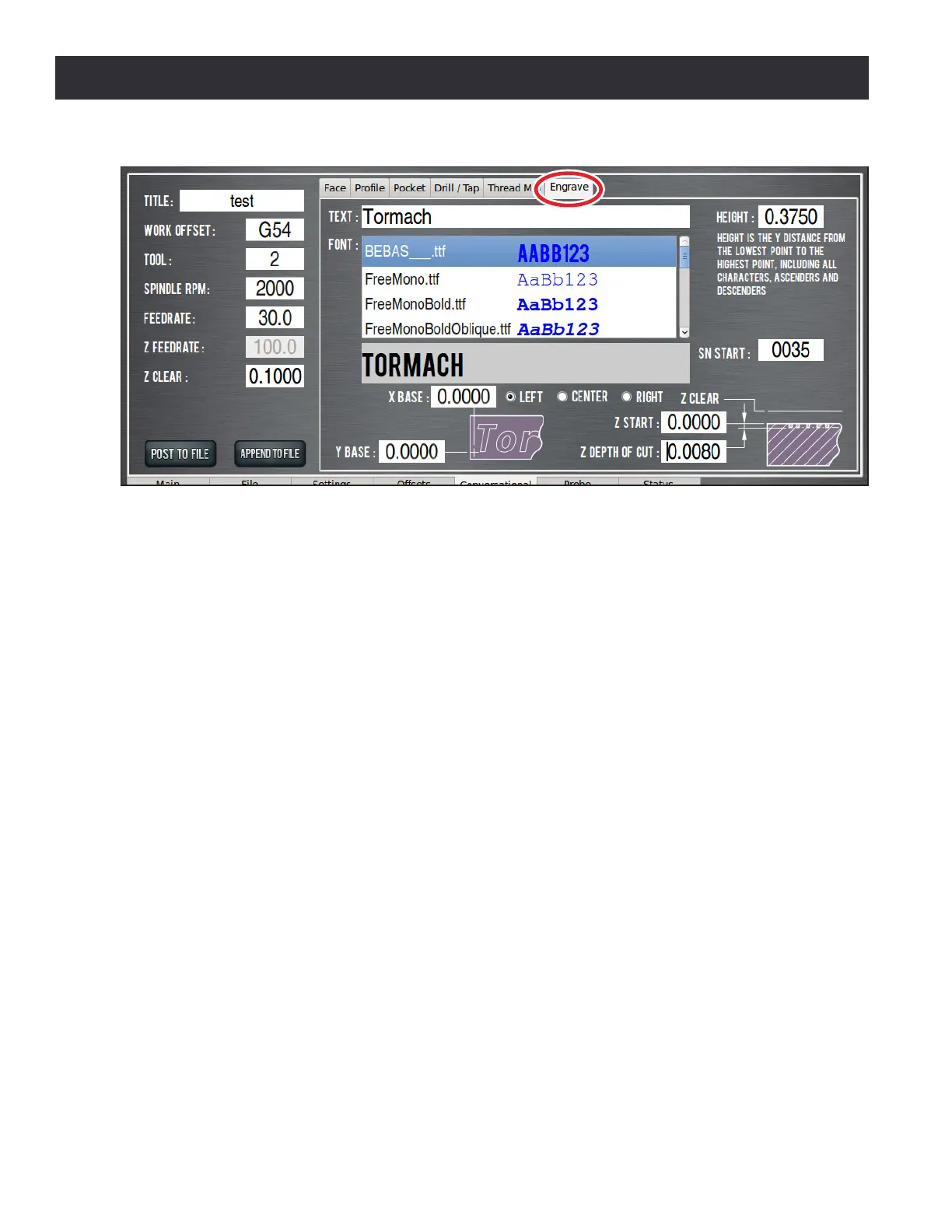
The Engrave tab (see Figure 6.30) contains funcons to engrave a single line of text cut in a single
horizontal pass (along the X-axis). This is a basic text engraving roune best suited for engraving True
Type sck or outline fonts into things like simple plaques, control panels, or data plates.
Fonts describe paths of the tool control point; therefore, the tool’s eecve cung diameter may
need to be considered for overall character size.
Serial numbers – a number that sequenally increases with each Cycle Start – can be engraved
alone or added to the end of any desired text. Serial numbers use their own non-proporonal font
and are scaled to match the dened font extents. For more informaon on adding serial numbers to
an engraving roune, refer to SN Start later in this secon.
X and Y Start – Sets the locaon of the le side of the rst character’s baseline. If any characters in
the text have descenders, such as y or g, they extend down below the baseline. The tool’s eecve
cung diameter may cut an area before or beyond the start locaon (see Figure 6.31).
Height
–
Sets the Y distance from boom to top of text. This includes ascenders and descenders, but
not the tool cung diameter (subtract this diameter from the overall desired height to get a more
accurate value to enter). Height is used with the font data to calculate a scale value that is applied
to the character paths in the G-code. The actual height may vary and need adjustment.
Text DRO – Is the text to be engraved. A sample of the text in the selected font is updated in a box
below the Font list when the Enter key is pressed.
Figure 6.30



 To Next Page