Chapter 4
38
UM10350_PCNC770_Manual_0916A
Operation
4. Operation
This chapter provides an overview of the basic controls of the PCNC mill.
4.1 Control Locations
There are two control locaons, the Operator Panel and the (on-screen) PathPilot
®
interface. All
control funcons can be found in one or the other locaon.
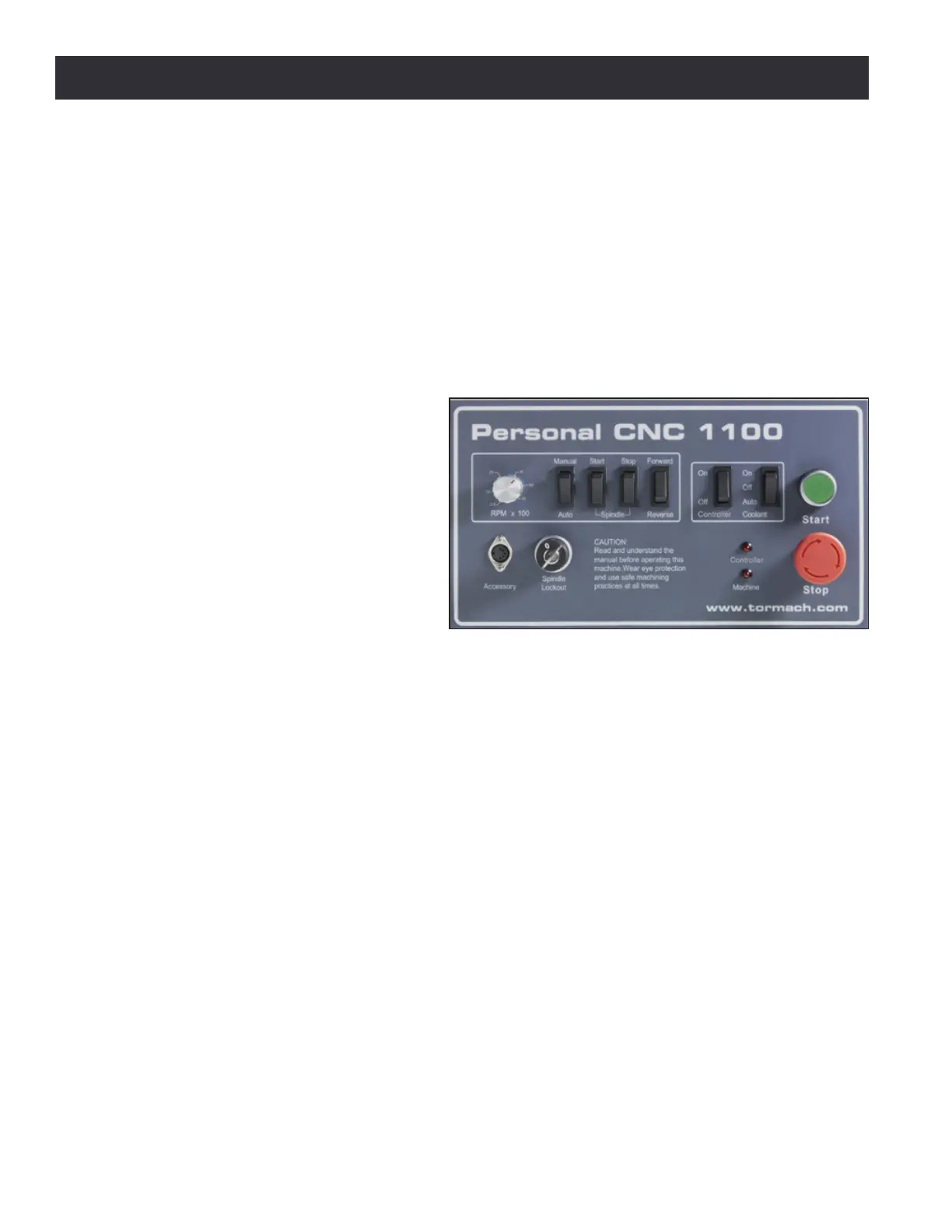
4.1.1 Operator Panel
The Operator Panel is located on the
door of the electrical cabinet (see Figure
4.1). It contains physical buons that
control the following funcons:
• Start
• E-stop
• Controller On/O
• Coolant On/O/Auto
• Spindle Manual/Auto
• Spindle Start/Stop
• Spindle Forward/Reverse
It also contains the Accessory inlet, the Spindle Speed Dial (RPM x 100), and Spindle Lockout.
NOTE: The Operator Panel is not compable with the PCNC 1100 or PCNC 770 full enclosure kit and is
therefore removed and discarded during installaon of either. In this scenario, these controls are accessed
(on mills without an operator panel) via the PathPilot interface.
4.1.2 PathPilot Interface
PathPilot is a sophiscated CNC controller for Tormach products. All aspects of the mill is controlled
via the on-screen PathPilot interface. There are four primary ways to interact with PathPilot:
• Keyboard
• Mouse
• Jog shule (oponal)
• Touch screen (oponal)
For further informaon on the PathPilot interface, see chapter 6, PathPilot Interface. Addional
devices – like the Probe, Tool Seer, Injecon Molder, or CNC Scanner – can also interface with
PathPilot. For informaon, refer to chapter 8, Accessories.
Figure 4.1



 To Next Page