Chapter 6
69
UM10350_PCNC770_Manual_0916A
PathPilot Interface
For a given machining operaon the X and Y posion of the workpiece are xed. When using mulple
tools, however, the tools are dierent lengths, necessitang changing the Z oset for each parcular
tool. The PathPilot operang system allows you to switch tools quickly, without the need to set up
the mill every me a tool is mounted. Each tool and holder only needs to be measured once, either
oine or in the mill.
Dierent methods of measuring tools may be employed, but the three most common methods are:
• Oine measurement using a height gauge
• Automated measurement with an electronic tool seer
• Measurement by touching o tool to a reference surface
6.6.1.1 Offline Measurement with Height Gauge
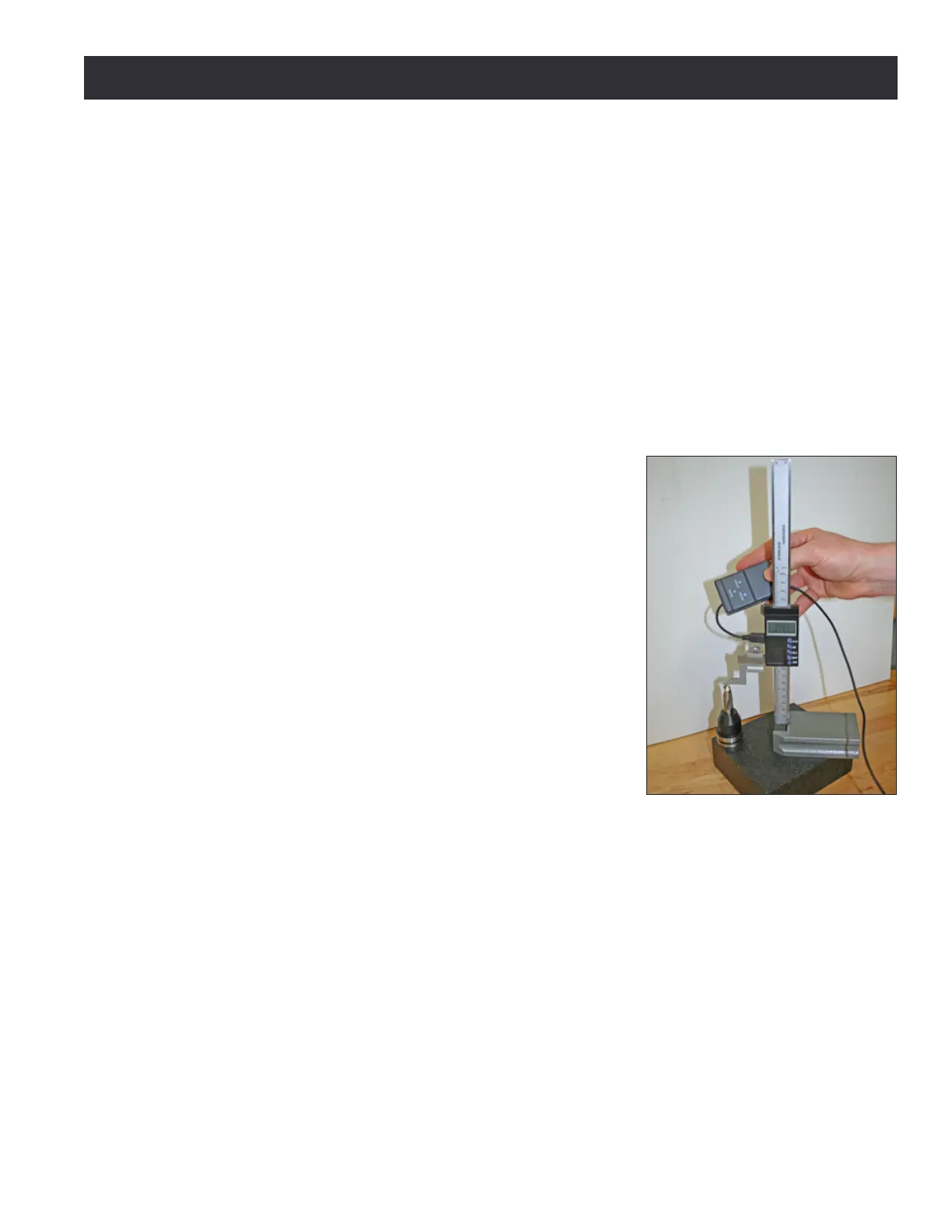
Setup: The Tormach Tool Assistant Set (PN 31988) includes an
8” digital height gauge and a USB interface cable with touch
trigger (see Figure 6.19). When this device is plugged into one
of the controller’s USB ports, the Zero Height Gauge buon
appears on the Osets screen (see Figure 6.18).
Move the height gauge to the granite block, zero it using the
Zero buon on the gauge, then zero the PathPilot interface
using the Zero Height Gauge buon on the Osets screen. To
measure tool height, rst mount the tool in a TTS tool holder
and place the tool holder on a block as shown in Figure 6.19.
Prior to taking measurements, zero the height gauge using the
physical buon on the gauge and zero the USB interface using
the Zero Height Gauge Z buon on the Osets tab when the
gauge is resng on the top surface of the block. The tool height
measurement will be the distance from the surface to the end
of the tool. Click on the appropriate line in the tool table to
highlight it (see Figure 6.18). Press buon on the height gauge
USB cable to transfer measurement informaon to the height
eld in the tool table.
6.6.1.2 Automated Measurement with an Electronic Tool Setter
Setup: Before using an electronic tool seer, set the work oset such that the surface upon which
the electronic tool seer sits is Z zero. A quick way to do this is to use the Move And Set Work Oset
buon on the Osets screen’s Work tab, with either a tool of known length in the spindle or with
no tool in the spindle (and Tool Zero in the tool DRO). By doing this setup step, you are measuring
true tool lengths, and can interchange tools measured in the height gauge with tools measured with
the electronic tool seer. Setup makes measuring a tool with the electronic tool seer easy: Put the
tool in the spindle, type the tool number in the tool DRO, and then, with the tool centered over the
electronic tool seer, click the Move And Set Tool Length buon on the Osets screen’s Tool tab.
Figure 6.19



 To Next Page