Chapter 6
76
UM10350_PCNC770_Manual_0916A
PathPilot Interface
XY DROs
X and Y Center – These DROs should be set to the locaon of the pocket center.
Pocket Dia. – Enter the value of the pocket diameter. The tool radius is used to set the tool path
diameter.
Stepover – This is the tool path oset between each rotaon of the spiral cut. A stepover of 0
creates a single pass (or circular slot) around the perimeter (inside) of the pocket.
Z DROs
Z Start and End – The rst Z pass cuts at Z Start – Depth of Cut adjusted; last Z pass cuts at the Z End
locaon. For a single Z pass at Z End, enter 0 or a full Z range value into the Depth of Cut DRO.
Depth of Cut – The Depth of Cut entered into the DRO is later adjusted to t evenly within the Z
range (Z End – Z Start), so each Z pass has the same depth instead of having a short depth on the last
pass. For a single Z pass at Z End, enter 0 or a full Z range value into the Depth of Cut DRO.
Z Clear – Z locaon the tool moves or retracts to when starng or ending the Pocket roune.
6.7.4 Drill/Tap Tab
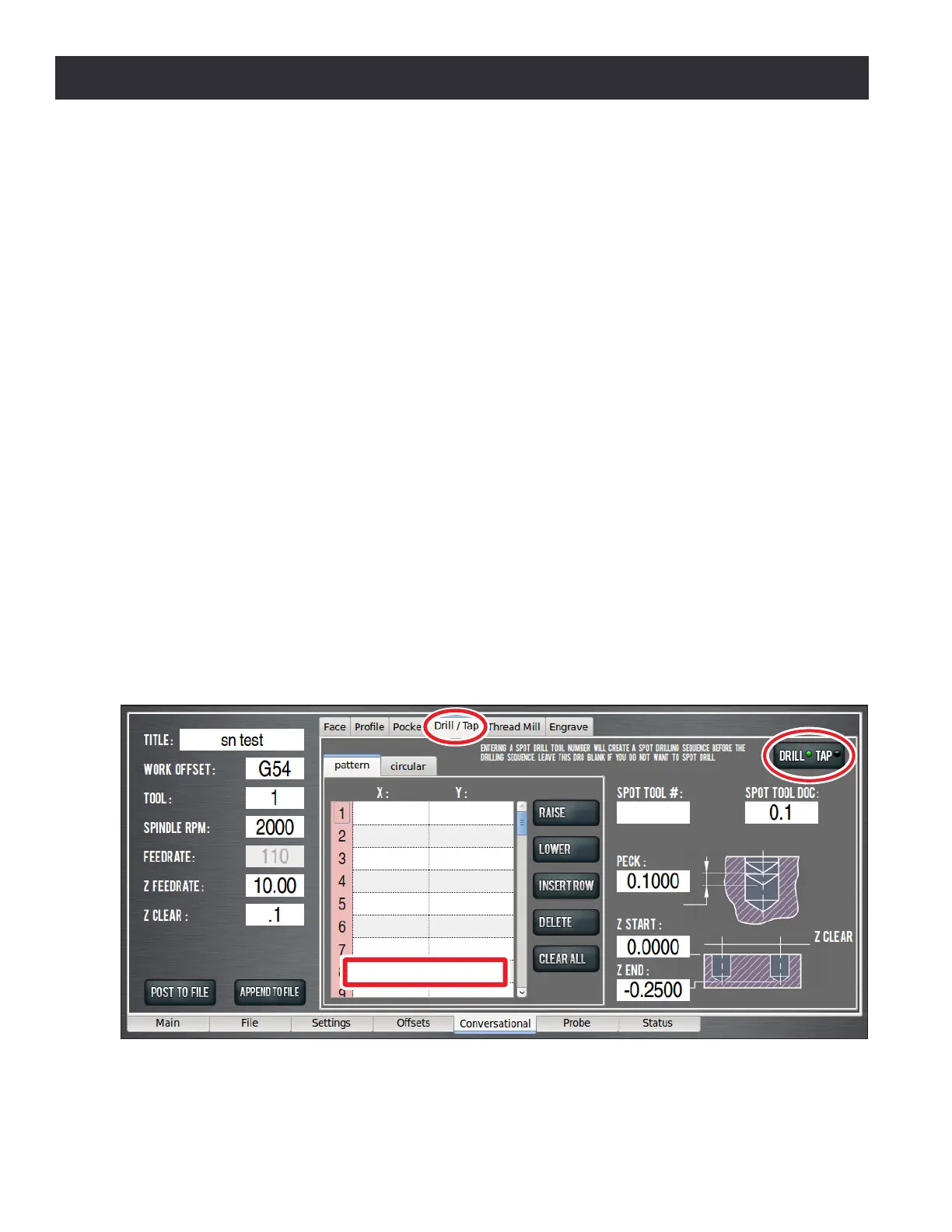
Drill/Tap provides a means to create a hole locaon list, then, based on DRO entries, congures an
appropriate canned cycle G-code to create holes – either Paern or Circular (see Figure 6.25).
The Drill/Tap tab contains a separate, smaller notebook consisng of two tabs: Paern and Circular.
Figure 6.25
Hole Location Table



 To Next Page