Chapter 6
64
UM10350_PCNC770_Manual_0916A
PathPilot Interface
6.4 File Tab
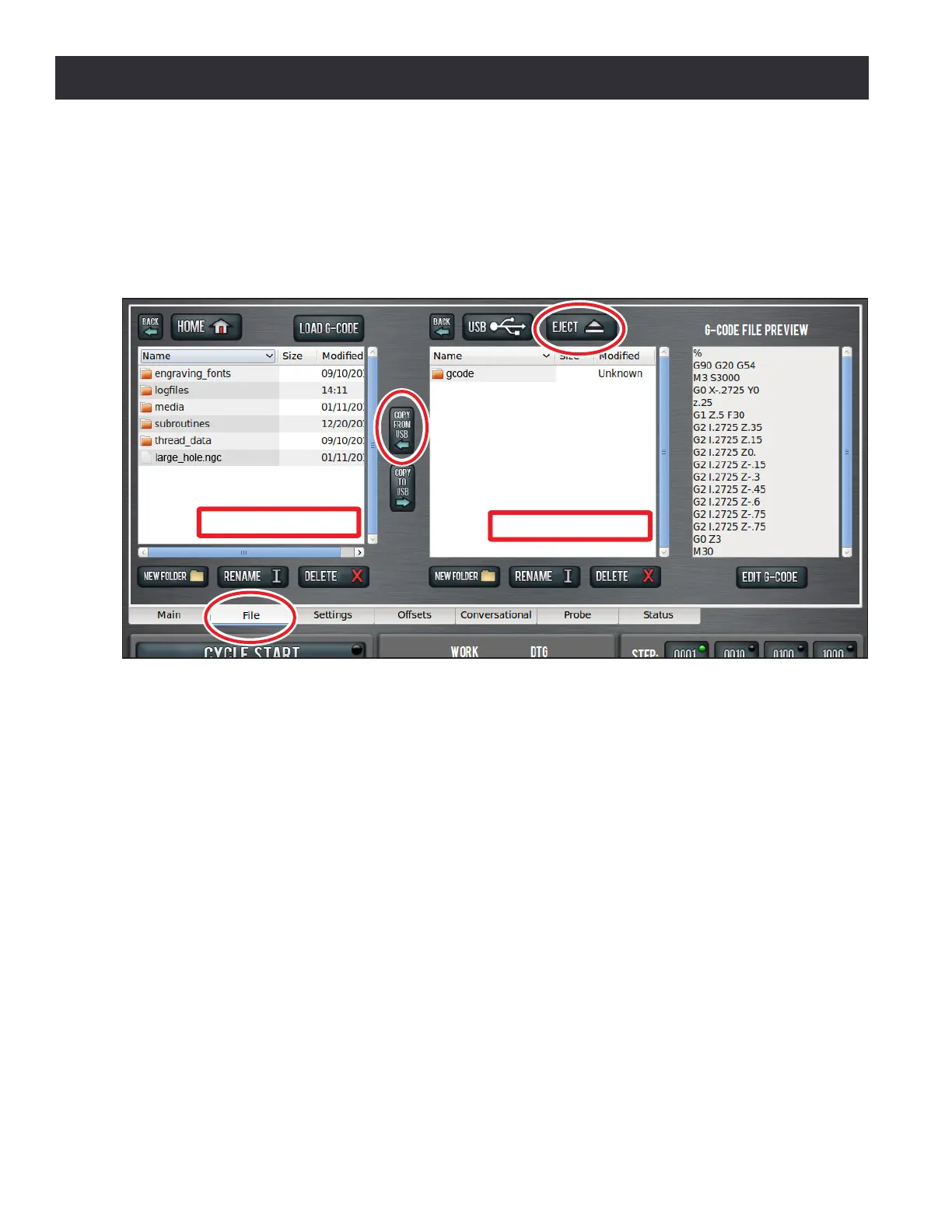
The File tab screen is used to transfer les to and from a USB drive, copy, delete, and rename les
and folders (see Figure 6.14). The le window shows les and folders on the controller hard drive;
the middle window shows les and folders on a removable USB drive. The controller does not run
programs from the USB drive – programs must be copied to the controller before loaded and run.
The Back buon and either Home or USB buons above the le and middle window can be used to
navigate through the le structure, which is similar to the le structure on a home computer (see
Figure 6.14). The Copy to USB and Copy From USB arrow buons between the hard drive and USB
drive windows are used to move les between the USB drive and the controller (see Figure 6.14).
Transfer Files or Folders from USB Drive to Controller
1. Insert a USB drive into USB port.
2. Navigate to the le to copy by double clicking on folders in the USB Drive Window.
NOTE: Use the Back buon to navigate backwards or the USB buon to jump to the highest (home) level
(see Figure 6.12).
3. In the Hard Drive Window, navigate to the desired folder/locaon in the PathPilot interface.
4. Highlight the le or folder to copy in the USB Drive Window; click Copy From USB buon (see
Figure 6.14).
5. If the le to be transferred has the same name as an exisng le on the controller, you can
either overwrite the le, give it a dierent name, or cancel the le transfer.
Figure 6.14
Hard Drive Window
USB Drive Window



 To Next Page