Chapter 6
54
UM10350_PCNC770_Manual_0916A
PathPilot Interface
For example, the File page of the Notebook is used for tasks like transferring a G-code le from a
USB drive to the controller, loading a G-code le into memory, or eding a G-code le.
While the Notebook half of the screen allows you to perform a variety of tasks based on which
tab is acve (loading G-code le, wring G-code with the Conversaonal tab, touching o tools),
the Persistent Controls half of the PathPilot interface contains the controls used to set up a job
and execute G-code. Operators already familiar with Tormach milling machines (or most other CNC
machines) will be familiar with many of the Persistent Controls buons.
For denions and more informaon on the terminology used in reference with PathPilot, refer to
chapter 7, Programming.
6.2 Persistent Controls
The Persistent Controls on the lower half of the screen are always present – they don’t move
or disappear as you page through the Notebook that makes up the top half of the interface
(see Figure 6.1). These are divided into three logical families: Program Control Group, Posion Status
Group, and Manual Control Group.
6.2.1 Program Control Group
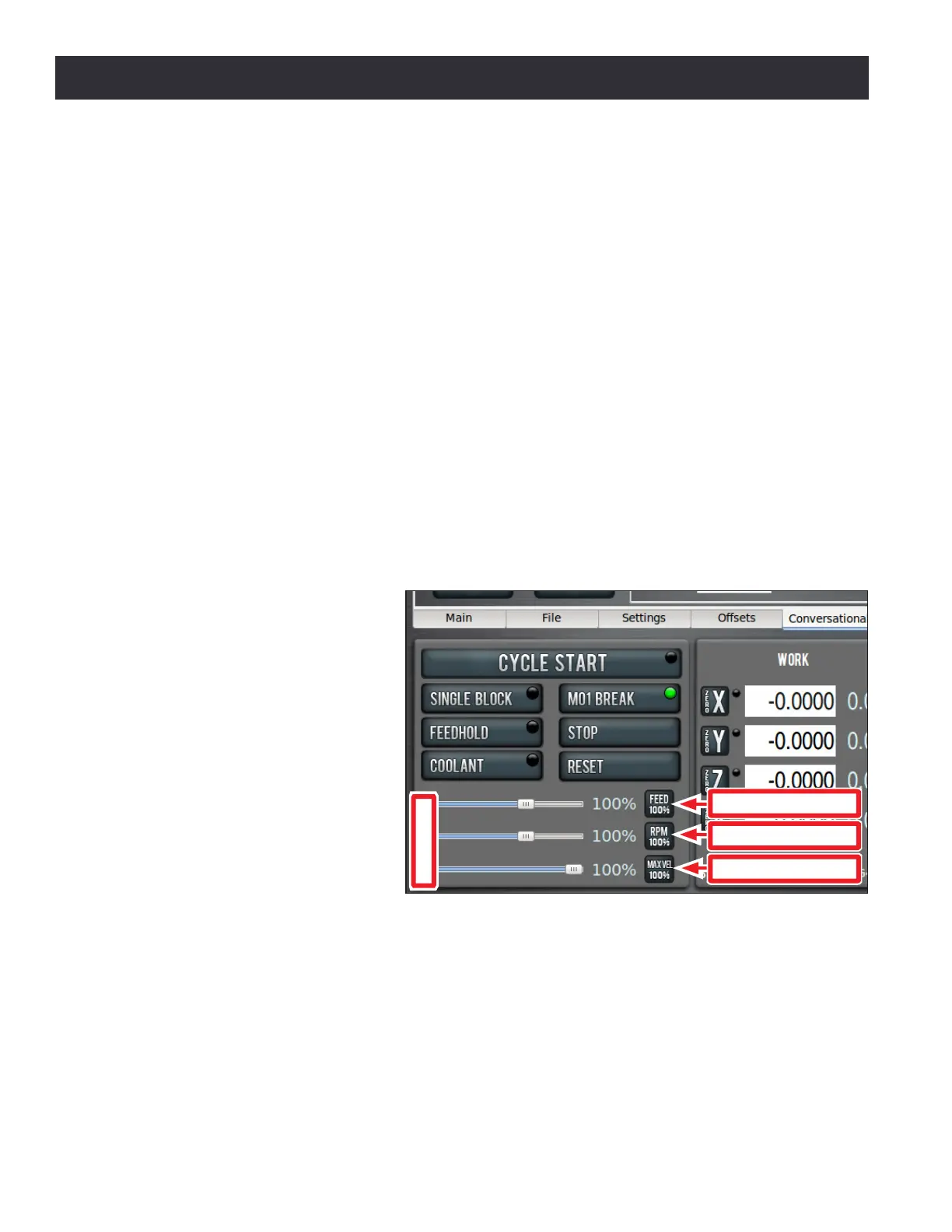
The buons, sliders, and DROs of
the Program Control Group are
funcons that relate to tasks the
operator might perform while
running a G-code program (see
Figure 6.2). They may be used at
any me while running a program,
or before running a program to set
modes like Single Block or M01
Break.
Cycle Start – The Cycle Start buon
is used to start a program. While
running a program the LED in the
upper right hand corner of the
buon illuminates.
If Single Block is acve, the Cycle Start buon causes the mill to execute one line of G-code per click
of the buon. When running a program, if moon is paused due to Feedhold, M01 Break, Single
Block, or because the mill is waing on a manual tool change, the Cycle Start buon LED ashes on
and o unl the Cycle Start buon is pressed again.
It is an error if:
• Cycle Start is pressed when the Main tab of the notebook is not acve
Figure 6.2
Feedrate Override
Spindle Override
Maxvel Override
Sliders



 To Next Page