Chapter 4
40
UM10350_PCNC770_Manual_0916A
Operation
Jog Shule
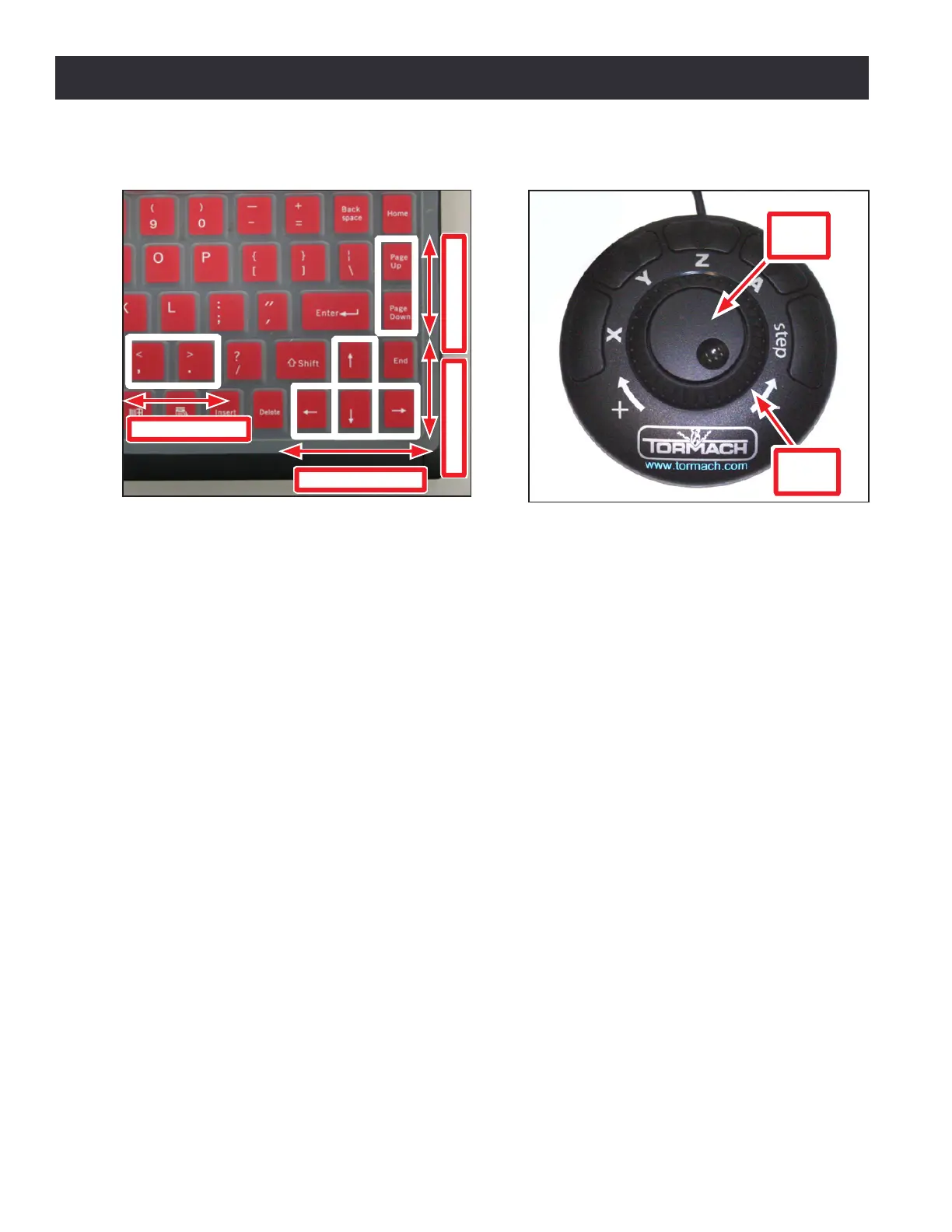
The Jog Shule (PN 30616), shown in Figure 4.4, is an oponal accessory that many operators nd
increases producvity, especially on short-run jobs requiring extensive seng up of the workpiece
and tooling.
The X, Y, Z, and A buons are used to jog the X-, Y-, Z-, and A-axis respecvely. An illuminated LED
light beside an axis DRO on the PathPilot interface indicates which axis is selected for jogging. The
the Step buon on the Jog Shule cycles through the available jog step sizes. The acve size is
indicated by an illuminated LED light on the Step Size buons on the PathPilot interface.
For more informaon on jogging methods, see chapter 6, PathPilot Interface.
4.4 Spindle Controls
4.4.1 Manual Spindle Control Via Operator Panel
The operator panel-based spindle controls are outlined below:
• To control the spindle via the Operator Panel switch the spindle to Manual (see Figure 4.1).
• Use the Spindle Speed Dial to select the desired spindle RPM. The numbers correspond to
spindle speeds when the belt is in the high posion.
• Use the spindle direcon switches to select Forward for clockwise and Reverse for
counterclockwise.
• Press Start to acvate the spindle. Press Stop to stop the spindle.
Figure 4.3
Z-Axis Motion Y-Axis Motion
X-Axis Motion
A-Axis Motion
Jogging with Keyboard Keys
Figure 4.4
Jog Shuttle
Jog
Wheel
Shuttle
Ring



 To Next Page