Chapter 4
39
UM10350_PCNC770_Manual_0916A
Operation
4.2 Initializing the Mill
To prepare the mill for moon, the mill must be inialized.
4.2.1 Vital Reference
Aer powering on, the PCNC mill must be referenced in the X-, Y-, and Z-axes. Execute the referencing
procedure as follows:
1. Power on the mill following the Power O/On Procedure detailed in chapter 3, Installaon.
2. Click the ashing Reset buon on the PathPilot interface.
3. Click REF Z, REF X, and REF Y.
4.3 Jogging
4.3.1 Manual Control Group
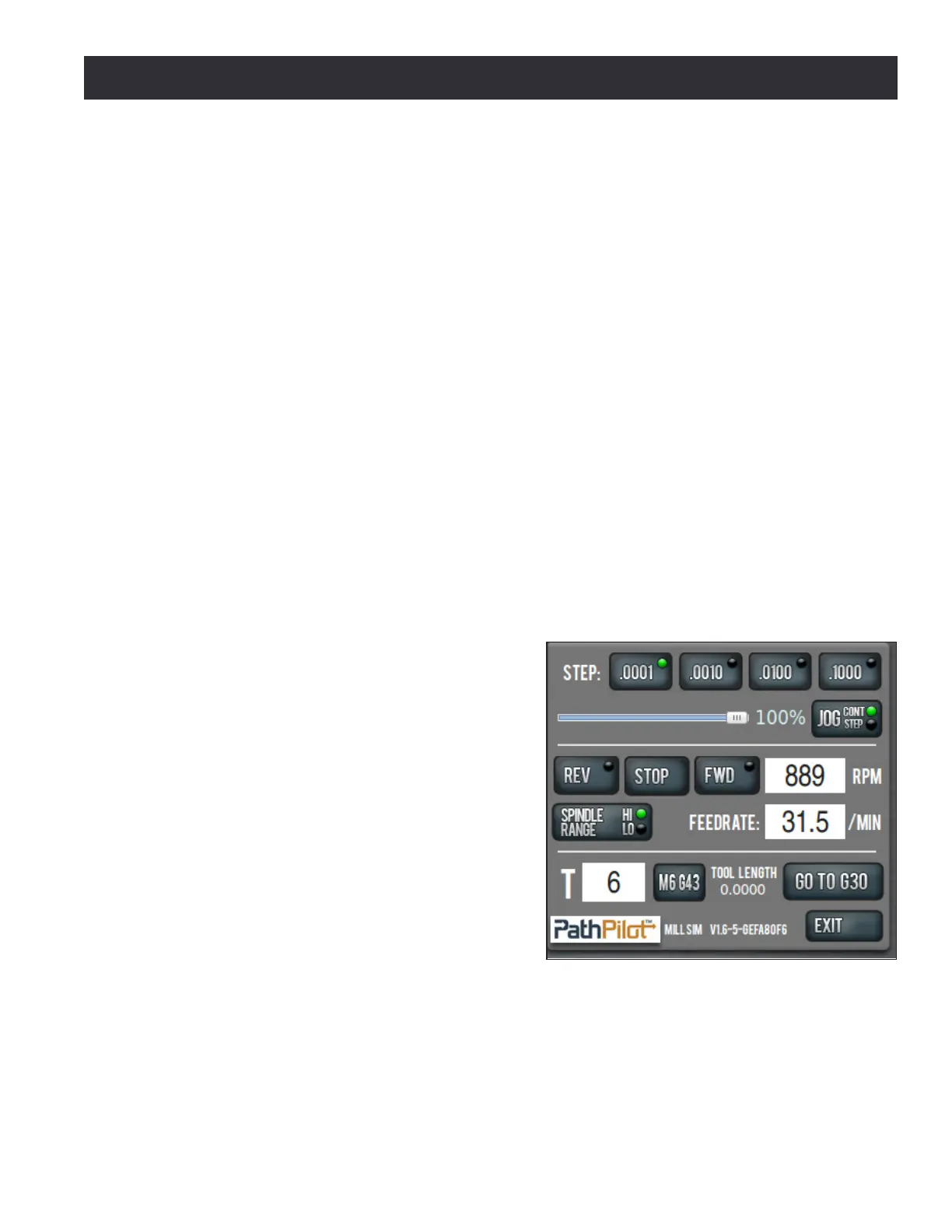
The Manual Control Group’s buons and slider allow the operator to perform tasks related to
manual control of the mill, including jogging the mill axes, changing the current tool number, feed
rate, or spindle speed, and starng or stopping the spindle (see Figure 4.2).
Jogging Controls
Tormach mills can be jogged with either the Jog
Shule (PN 30616) shown in Figure 4.4 or by using
the keyboard’s arrow keys (see Figure 4.3):
• The right arrow jogs X-axis in the posive X
direcon (table moves le of operator).
• The le arrow jogs X-axis in the negave X
direcon (table moves right of operator).
• The up arrow jogs Y-axis in the posive Y
direcon (moves table towards operator).
• The down arrow jogs Y-axis in the negave Y
direcon (moves table away from operator).
• The Page Up key jogs the Z-axis in the
posive Z direcon (moves spindle up).
• The Page Down key moves the Z-axis in the
negave Z direcon (moves spindle down).
NOTE: Jogging is not permied during G-code program execuon or MDI moves.
Figure 4.2



 To Next Page