Running the machine
19
Original instructions: N4 Impression
Document version: H – 05/2019
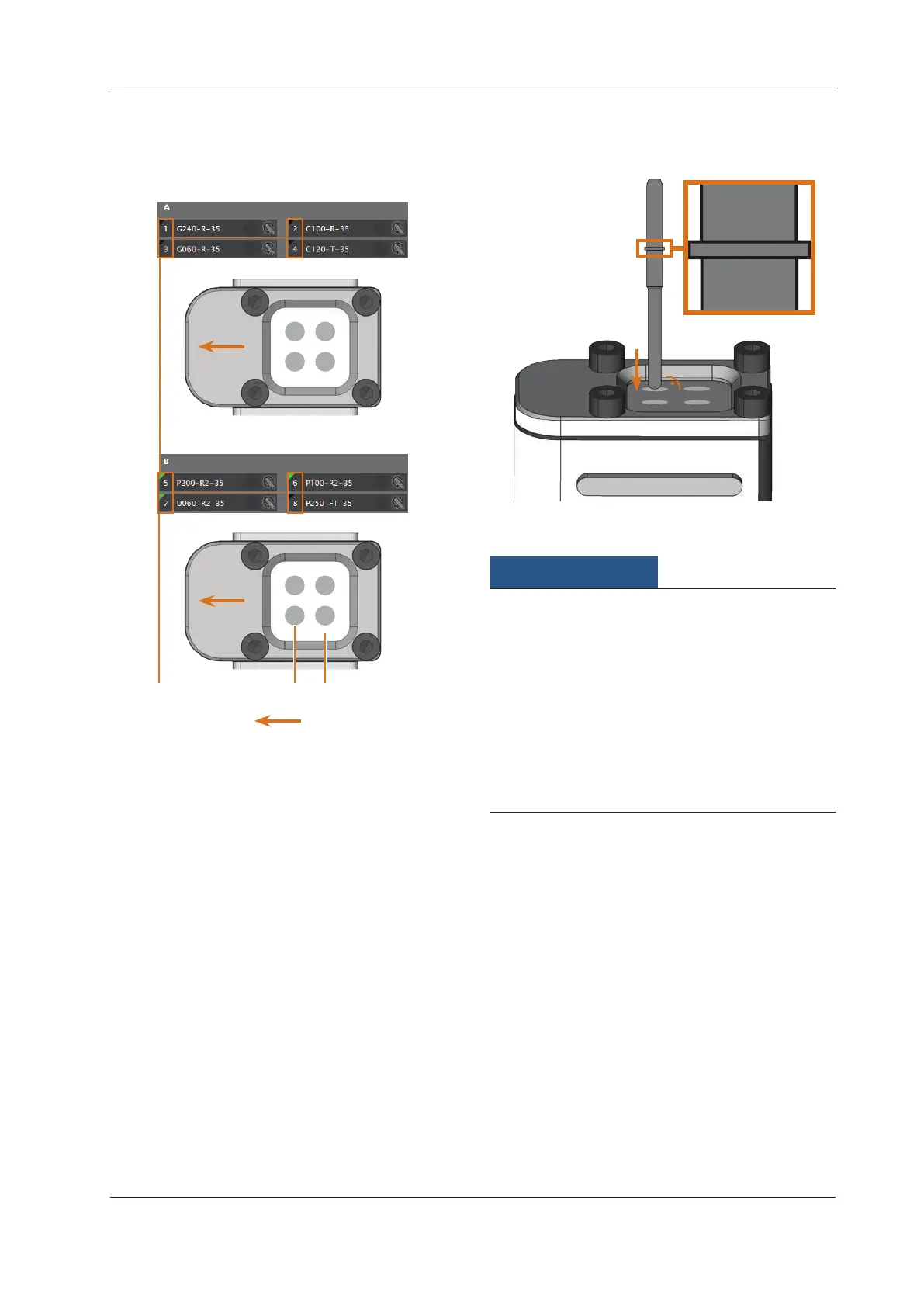
Fig. 16:
5 6
7 8
2
Tool magazine A
Tool magazine B
1 2
3 4
Insertion direction of the tool magazines
31
Comparison of the CNC software and tool magazines
[1] Tool positions in DentalCNC
[2] Tool positions on the block
[3] Tool magazine insert
Fig. 17: Inserting tool straight into the tool position; Ring at the
tool enlarged
Damaging of the tool magazine holder or the
tool magazines through wrong insertion or
insertion with force
Eachtoolmagazineonlytsintoitsdesignatedplaceinthe
tool magazine holder. The blocks are mechanically protect-
ed so that the user cannot completely insert them into the
wrong place.
h Only insert a block into the place from which you re
-
moved it.
h Do not push the tool magazines into the tool magazine
holder with force.
M5. Re-insert the tool magazines into the tool magazine
holder and ensure that they are properly seated.
You can execute the jobs for the inserted tools.
5.4 Mounting and removing blocks
You can mount up to 3 blocks into the machine and have
them processed in one job.
n
The blocks for one job need to be of the same type (ma-
terial and dimensions).
M1.
Open the working chamber door of the machine.
M2. Loosen the screws of the blank holder with a hexagonal
socket screwdriver and remove already mounted items
(if any). You do not need to remove the screws from the
blank holder completely.
M3. Insert the block mandrels into the openings in the
blank holder and push the blocks into the blank holder
until they are properly seated.



 To Next Page