Machine maintenance and cleaning
34
Original instructions: N4 Impression
Document version: H – 05/2019
6.15 Replacing the tool magazine inserts
When the tool magazine inserts are worn, they should be re-
placed. Afterwards you must drill the tool positions into the
new inserts wit
h the machine.
Your machine comes with tool magazine inserts as
spare parts and with the drill tool.
Additional inserts and drill tools are available via cus-
tomer service.
Tool magazines are available from customer service as
well.
h Always replace the inserts for both blocks together even if
only one of the inserts is worn. The machine will always
drill the tool positions for bothinserts!
b
The documentation for the manufacturing software
contains step-by-step instructions for drilling the in-
serts.
Belowyoundadescriptionofhowtoreplace
the tool magazine inserts in the machine.
M1. Have 2 tool magazine inserts ready as spare parts.
M2. Open the working chamber door.
M3. Pull one tool magazine out of the tool magazine holder
and remove all tools.
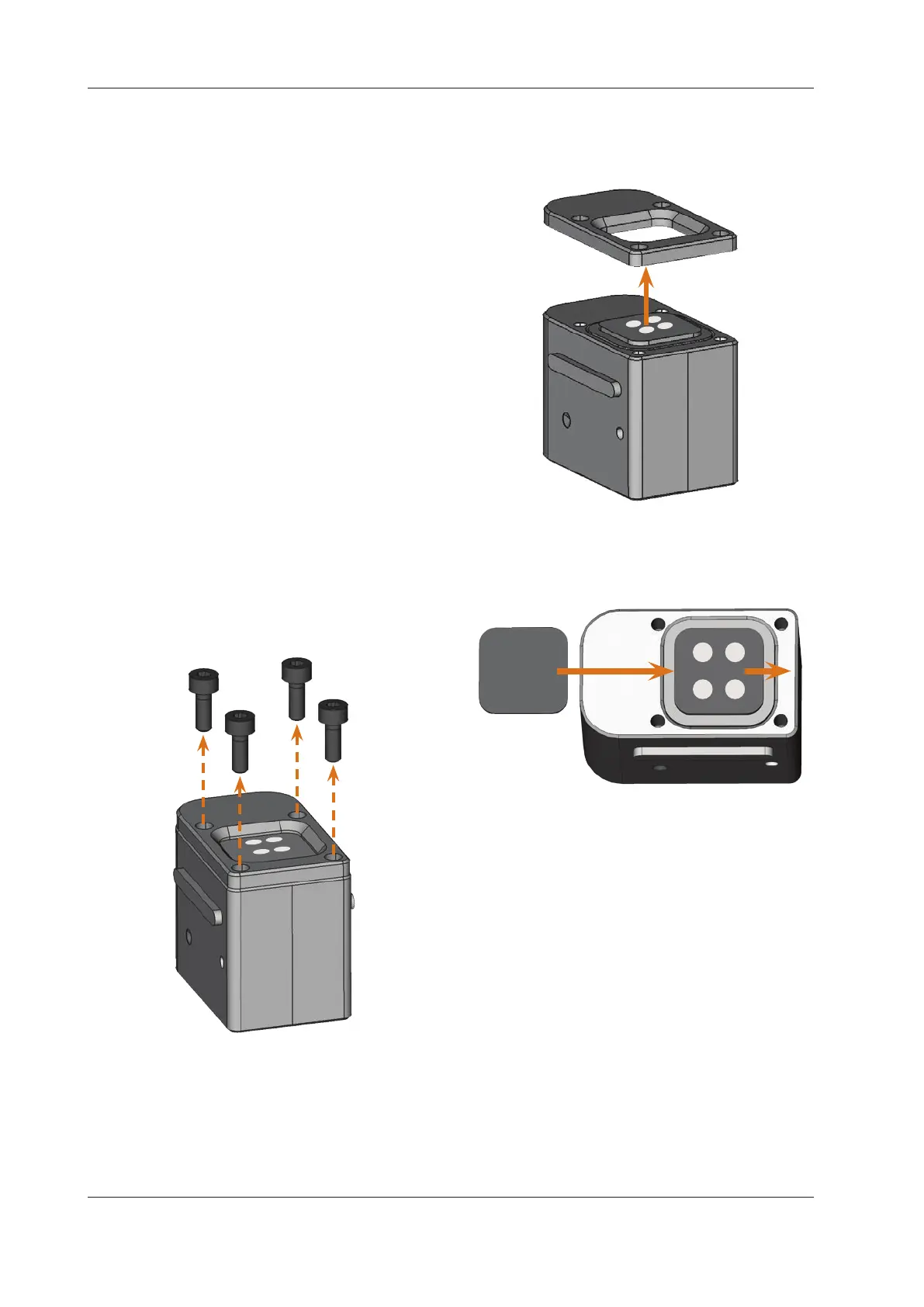
M4. Unscrew the 4 screws on the upper side of the block
and lift the cover.
Fig. 44: Untightening the screws
Fig. 45:
Lifting the cover
M5. Remove the existing, worn tool magazine insert and
replace it with a new one.
Fig. 46: New tool magazine insert (on the left, without drillings)
replacing the old insert (on the right, with drillings)
M6. Put the cover back onto the tool magazine and fasten
it with the screws that you unscrewed in step M3 (
Fig. 47).
M7. Insert the tool magazine into the tool magazine holder.
M8. Repeat the steps M3 to M7 with the other tool maga
-
zine.
M9.
Close the working chamber door.
S10. Drill the tool positions into the new inserts.



 To Next Page