Running the machine
21
Original instructions: N4 Impression
Document version: H – 05/2019
Fig. 21:
1.
2.
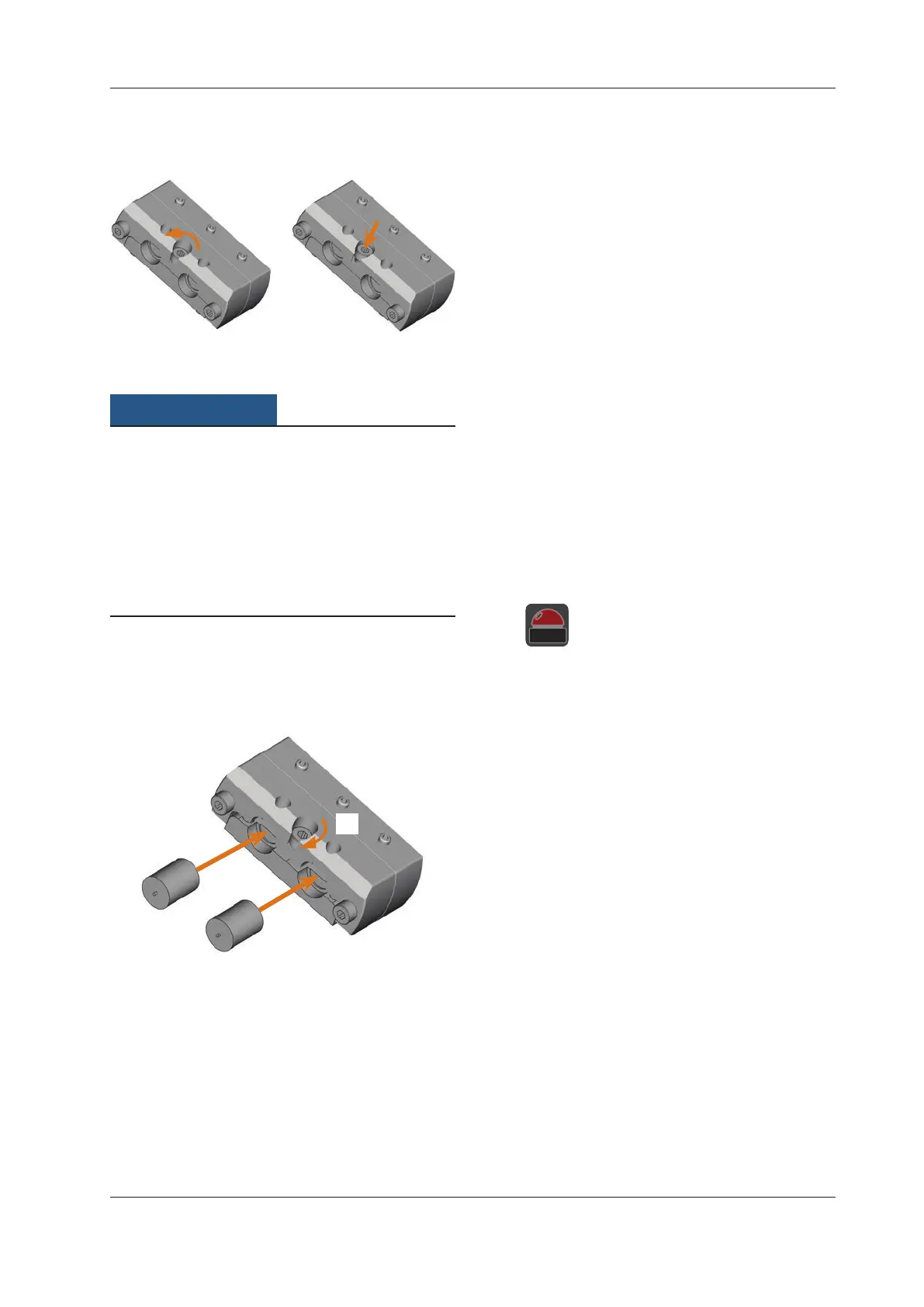
Opening the PreFace® Abutment holder
M3. Remove previously mounted PreFace® abutments.
Bad machining results caused by incorrect
scanning of prefabricated abutments
If moisture or dirt covers the prefabricated abutments, the
machine will scan them incorrectly and the machining result
will become unusable.
h Wipe over the bellow before you insert prefabricated
abutments so that no cooling liquid drips onto them.
h Clean the prefabricated abutments with a dry, lint-free
cloth before processing.
M4. Push the PreFace® abutments into the PreFace® abut
-
ment holder until they are properly seated.
M5.
Retighten the screw at the PreFace® abutment holder.
The PreFace® abutments are immobilized.
Fig. 22:
1.
2.
Inserting the PreFace® abutments
5.7 Executing jobs
M1. Make sure that the following requirements are met be-
fore job execution:
You created the job that you want to execute in
DentalCAM and transferred it to DentalCNC.
All required tools are assigned to the job in
DentalCNC.
The required tools are in the right positions in the tool
magazines of the machine.
All required blanks of the correct material are inserted.
Thecoolingliquidtankislledwithasucient
amount of cooling liquid.
n
Do not move the machine during job execution be-
cause otherwise the results may become imprecise.
M2.
Close the working chamber door and the cooling liquid
tank.
S3. Start the job execution in DentalCNC.
The machine begins with the job execution. The work
-
ing chamber is illuminated in blue.
5.8 Interrupting the job execution
S Click on the depicted icon to stop the job exe-
cution. The icon only displays during job oper-
ation.
5.9 Operation interruption or abortion of job
execution
An operation interruption can occur because the compressed
airsupplyorthevacuumintheworkingchamberisnotsu-
cient. An interrupted job will normally be resumed automati-
cally after the error is corrected.
The job e
xecution is
aborted in the following cases:
In case of a machine malfunction
In case of a tool breakage
In case of a power failure
If a job was aborted, you have to execute it again in DentalCNC.



 To Next Page