Running the machine
23
Original instructions: N4 Impression
Document version: H – 05/2019
Cutting injuries when touching a rotating tool
If a power failure or a machine malfunction occurs during
processing, the spindle including the inserted tool keeps
rotating.Ifyoutouchtherotatingtool,youwillsuerfrom
cutting injuries.
h Wait until the spindle has stopped rotating before carry
-
ing out an emergency release.
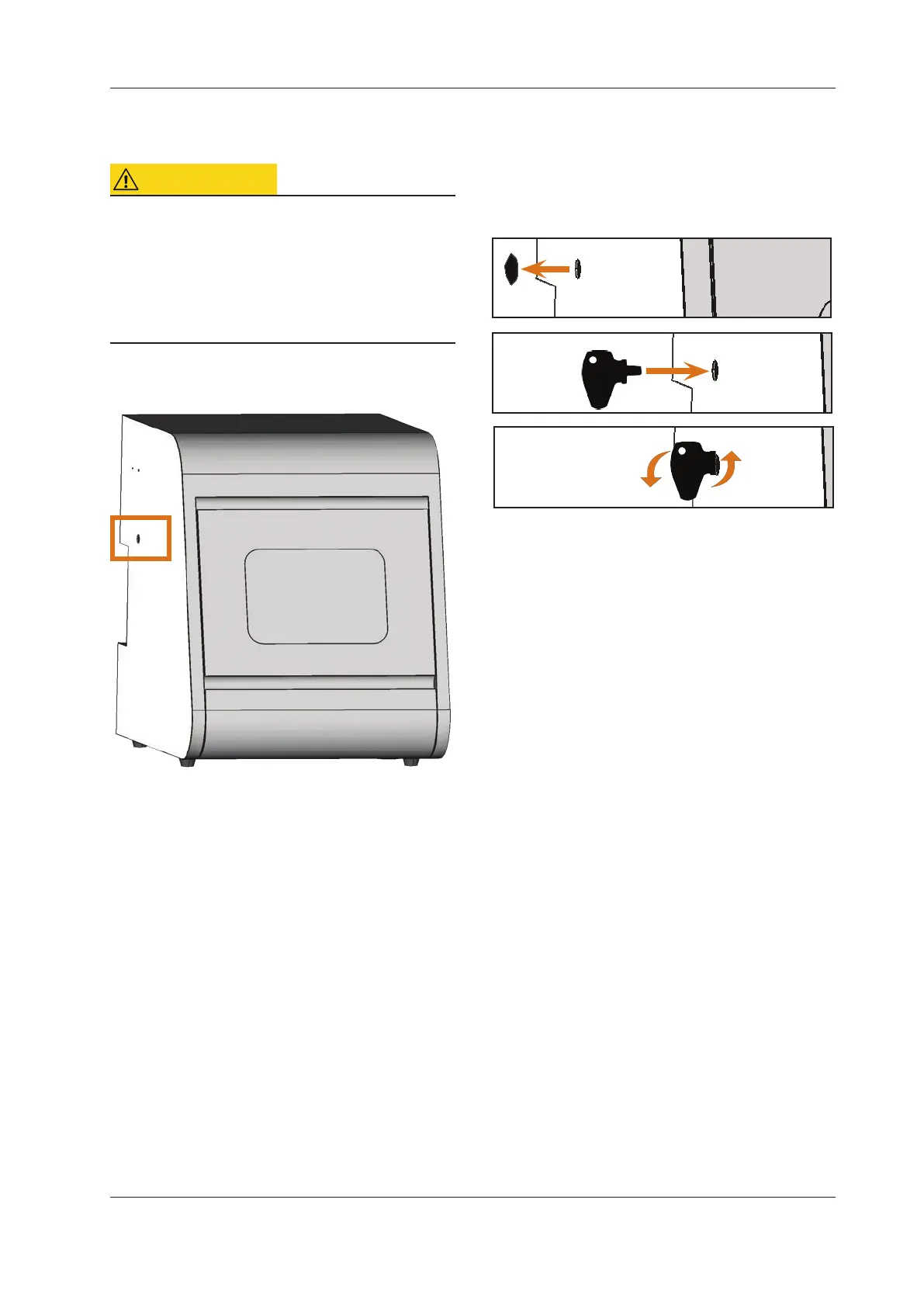
There is an opening for t
he emergency release at the left side
of the machine.
Fig. 23: Opening for the emergency release
M1. Switchothemachineatthemainpowerswitchand
disconnect the machine from any electrical source and
the compressed air supply.
M2. Remove the protective cap from the emergency release
opening at the left side of the machine (
Fig. 24, top).
M3. Insert the key for the emergency release of the working
chamber door through the opening at the left side of
the machine. (
Fig. 24, middle).
M4. Deactivate the safety interlock of the working cham-
ber door by turning the key counter-clockwise by 90°
(
Fig. 24, bottom).
You can open the working chamber door.
M5. Carry out your work in the working chamber.
M6. Close the working chamber door.
M7. Reactivate the safety interlock of the working cham
-
ber door by turning the key for the emergency release
cloc
kwise by 90° (
Fig. 24, bottom).
M8. Check if the working chamber door actually is locked.
If you can still open the working chamber door, repeat
the steps M6 – M8.
Fig. 24: Using the key for the emergency release
Top: Remove cap
Middle: Insert key
Bottom: Turn the key
M9. Close the opening for the emergency release again
with the protective cap.



 To Next Page