386
The communication table is assigned by the of the instruction.
S1
An example of the “MBUS” provided by programming tool the Ladder Master S is shown below.
S2
The working area is required for the system when this instruction is performed
The record of the Slave's station number when the first communication error is occurred
Instruction working status
0: Normal data transmitting / receiving
2: The length of the received data is incorrect
4: The error is caused by the assigned device is inappropriate
7: The error is caused by the communication command is incorrect
A: The communication setting is normal but no response from the Slave station
(Time-out occurs)
B: Abnormal communication
D100
D101
D103
〜
S2
To edit a communication table
Use the Ladder Master S to set up a MBUS communication table and through its interactive window can set up and
edit a communication table easily.
In the structure of VS Series PLC, the communication tables are a part of the project. When the programmer to copy
or access the project, those tables will be duplicated automatically with the program.
The MBUS instruction will reset the D100 to be “0” before the rst item set at the table is executed.
If any communication error occurs during the execution of the instruction, a code will be recorded in D100.
Only when the content value of D100 is “0”, the recording action can be executed. Therefor, when there are
possibilities of several errors, users can use the program to move out the content value of D100 then reset it to “0”.
This way allows the D100 to record the next error.
H03 Read (4x)
Word/Bit
1
2
3
4
1
1
2
2
D0
1000
1100
D10
D20
D30
D40
M1
M1
M2
H10 Write (4x)
H03 Read (4x)
H10 Write (4x)
H10 Write (4x)
1000
1100
5
0 100
M0
Item No.
Command
Device at Master Direction
Slave St.
No.
Device at Slave
10
5
10
5
20
Length
Disable
Contact
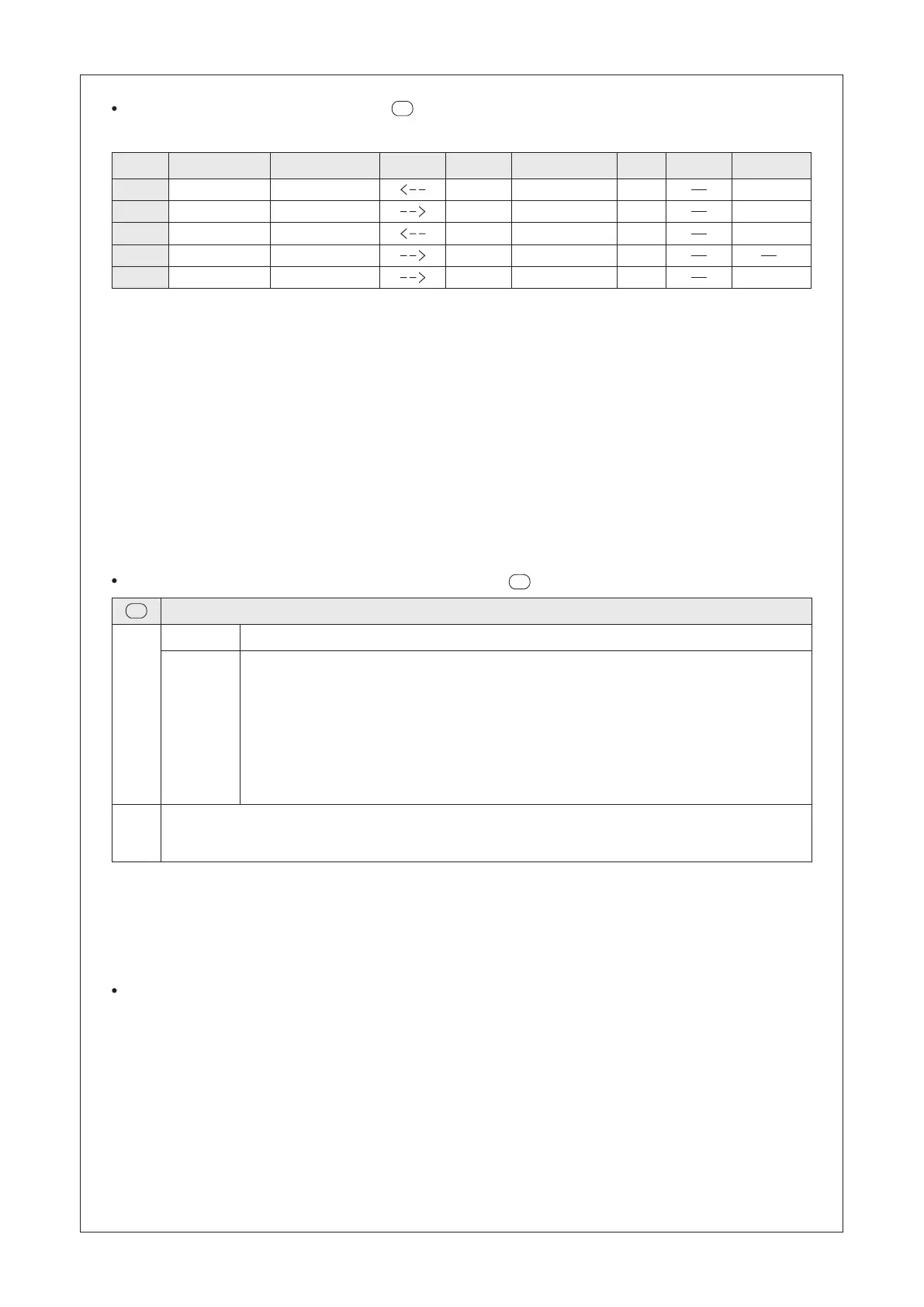
The rst item set in the table means that the Master reads the data 1000~1009 from the Slave #1 and stores
them at the D0~D9 of the Master.
The second item set in the table means that the Master writes its data at D10~D14 to the 1100~1104 of the
Slave #1.
The third item set in the table means that the Master reads the data 1000~1009 from the Slave #2 and stores
them at the D20~D29 of the Master.
The fourth item set in the table means that the Master writes its data at D30~D34 to the 1100~1104 of the
Slave #2.
The fth item set in the table means that the Master writes its data at D40~D59 to all the 100~109 of the Slaves.
To set the Slave station #0 means that the Master writes the data to all of the Slaves. Note that Read Command
cannot be used in this application.
The last column of the table is for the Disable Contact. If that specied contact is “ON”, the communication item
set will be ignored. For example, if M1 = “ON”, the rst and second item sets in the table will skip. This is the
new function of the VS series, which can help designers effectively manage the operation of the communication
table. A communication item set does not need to specify a Disabled Contact (such as the fourth item set), so
that the command of the set does not have the disable control function.
The working area of the executive instruction is starting from the (using D100~D103 as the example).
Description
Lower 8 bits
Upper 8 bits


 To Next Page