1-54 SHB WL34 * 2.0
1 Maintenance
Maintenance
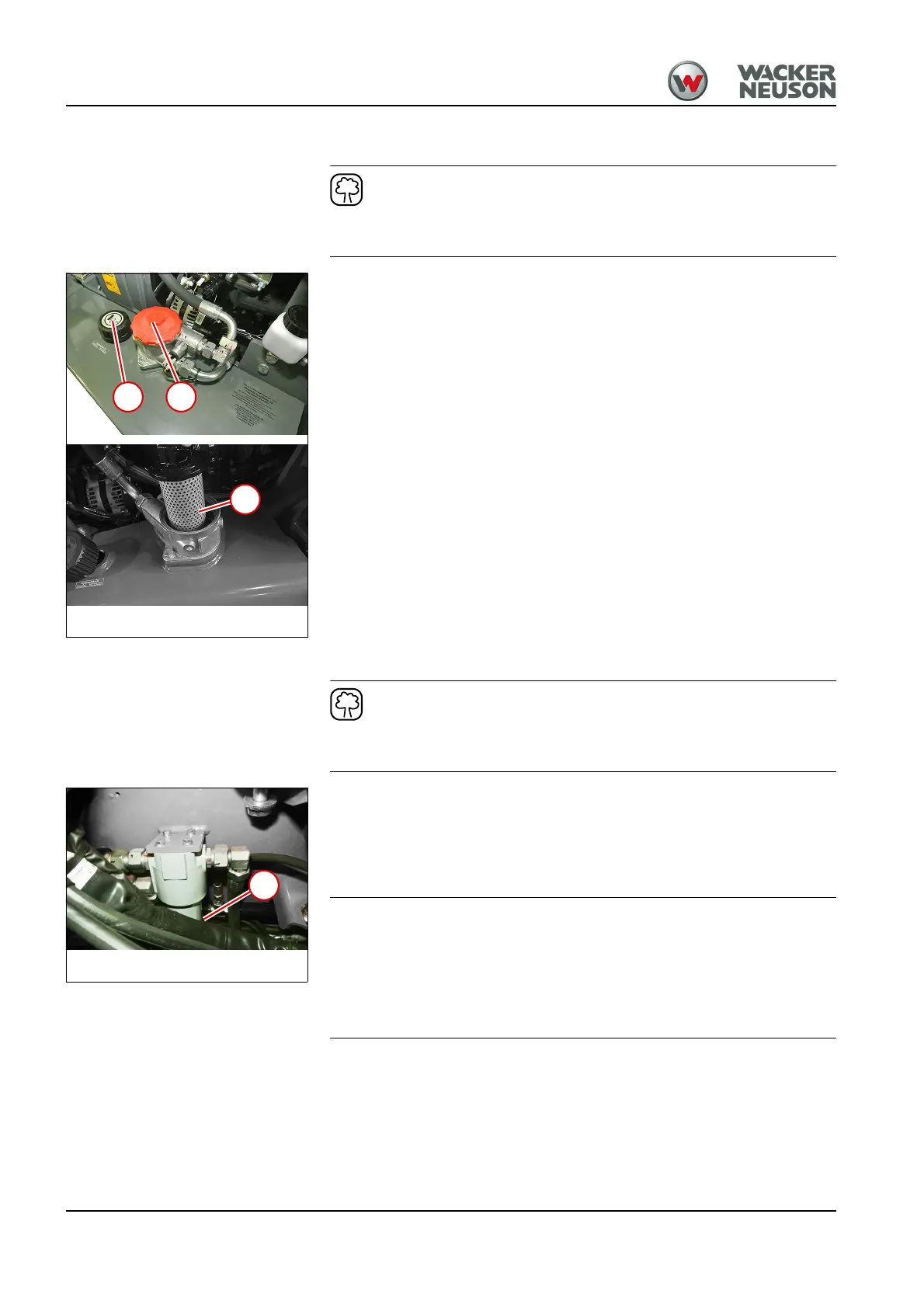
Replacing the hydraulic oil filter insert
Use a suitable container to collect the hydraulic oil as it drains off and
dispose of it in an environmentally friendly manner!
1. Unscrew breather filter 1.
➥ The residual pressure in the hydraulic oil reservoir is released.
2. Open the hydraulic oil filter cover 2.
3. Remove filter insert 3 and dispose of it properly.
4. Put the new filter insert in place.
5. Close cover of the hydraulic oil filter.
6. Close the breather filter.
Replacing filter insert of high-pressure filter
Use a suitable container to collect the hydraulic oil as it drains off and
dispose of it in an environmentally friendly manner!
1. Release the pressure in the hydraulic system – see "Releasing
residual pressure in the hydraulic system" on page E-32.
2. Open high-pressure filter. To do this, position a wrench (SW 36) on the
nut at the bottom of the filter 1.
3. Remove the filter element and dispose of it properly.
Pressure loss due to malfunctioning seals.
► Always use a new O-ring when installing the parts.
► Ensure that the O-ring is not damaged by sharp edges during
installation.
4. Put the new filter insert in place.
5. Close the high-pressure filter.



 To Next Page