9-8 SHB WL34 * 2.0
9 Electrical system
Machine control unit
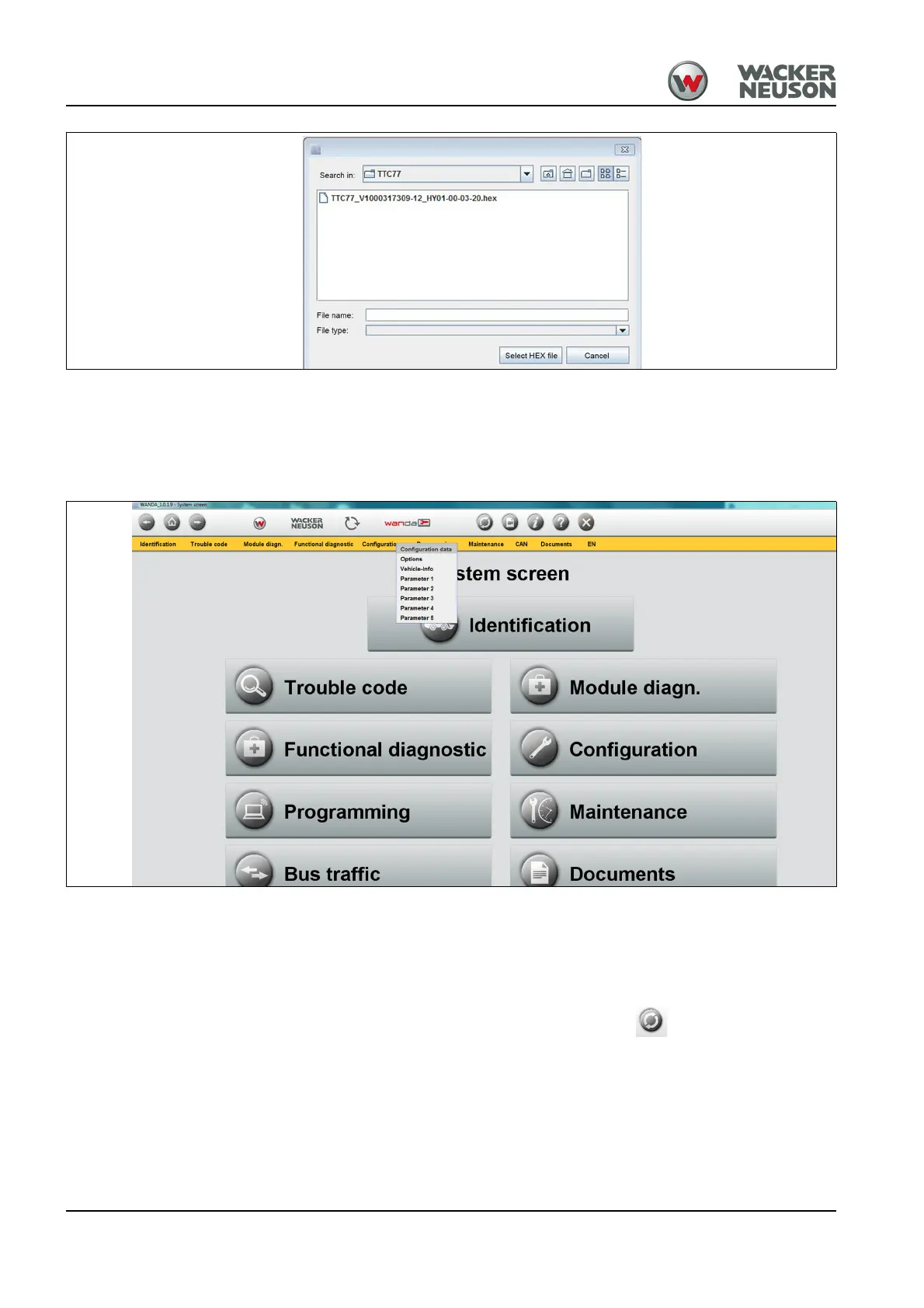
12.Click on the hex file and select the Select HEX file button.
13.Follow the instructions given by the software.
➥ The machine control unit is programmed.
Configuring the machine
14.Copy the configuration file (XML file) onto the PC/laptop.
15.In the menu bar, select Configuration > Configuration data.
➥ The Write configuration interface opens.
16.Select the button “Load configuration and write onto the machine”.
17.Select the XML file.
18.Follow the instructions given by the software.
➥ The configuration data is loaded.
19.WANDA connection - Update the vehicle .
20.In the menu bar, select Configuration > Vehicle info and check the
machine configuration.
21.Read out the machine error memory and delete it as required – see
"WANDA Operator’s Manual."



 To Next Page