SHB WL34 * 2.0 1-23
Maintenance 1
Maintenance
Time control
• Break and lubrication times can be set with the time-dependent control
of the central lubrication system.
• Break times are the periods between two lubrication times.
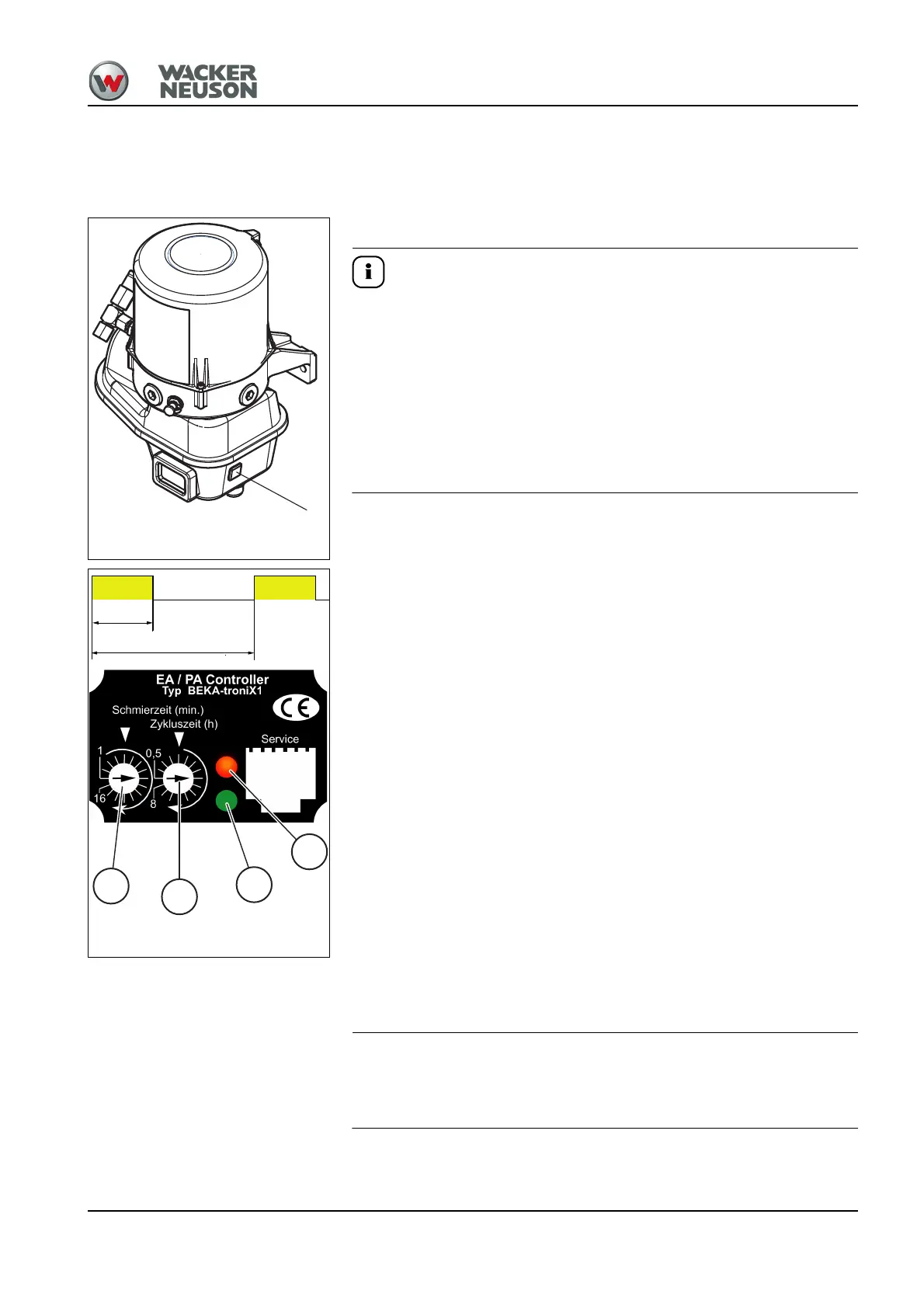
Pressing push button 1 on the side of the pump starts intermediate
lubrication at any given time if the starter is switched on.
This also serves as a functional check!
► The pump then immediately starts with a lubrication cycle. The
lubrication or break time that has elapsed so far or that has been saved
is reset and starts over again.
► A lubrication system malfunction can also be reset by pressing the
intermediate lubrication switch. The pump starts a new lubrication
process.
Setting the lubrication and break times
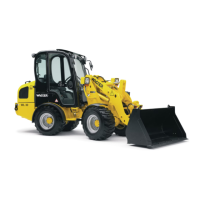
Cycle time and lubrication time are set with the notched switches (1) and
(2) in the window of the controls.
1. Remove the red frame on the protective motor housing of the pump
with a flat screwdriver.
2. Loosen the four cross-slotted screws and remove the transparent
cover.
3. Set the lubrication time (1) and the cycle time (2) with a flat
screwdriver.
• Lubrication times (1):
- 1 to 16 minutes (16 notches, 1 minute each)
- 2 to 32 minutes (16 notches, 2 minutes each)
- 2 to 32 seconds (16 notches, 2 seconds each)
• Cycle time (2):
- 0.5 to 8 h (16 notches, 0.5 h each)
- 2 to 32 minutes (16 notches, 2 minutes each)
- 2 to 32 h (16 notches, 2 h each)
•Green LED (3)
- Function indicator, lubrication system in operation
- Lubrication in progress: 0.5 seconds LED ON/0.5 seconds LED OFF
•Red LED (4)
- Fault indications
4. Install the transparent cover (window) once the settings are performed.
Water can penetrate into the controls and damage them if the cover is not
closed correctly! This leads to a failure of the lubrication system!
Lubrication time
Cycle time



 To Next Page