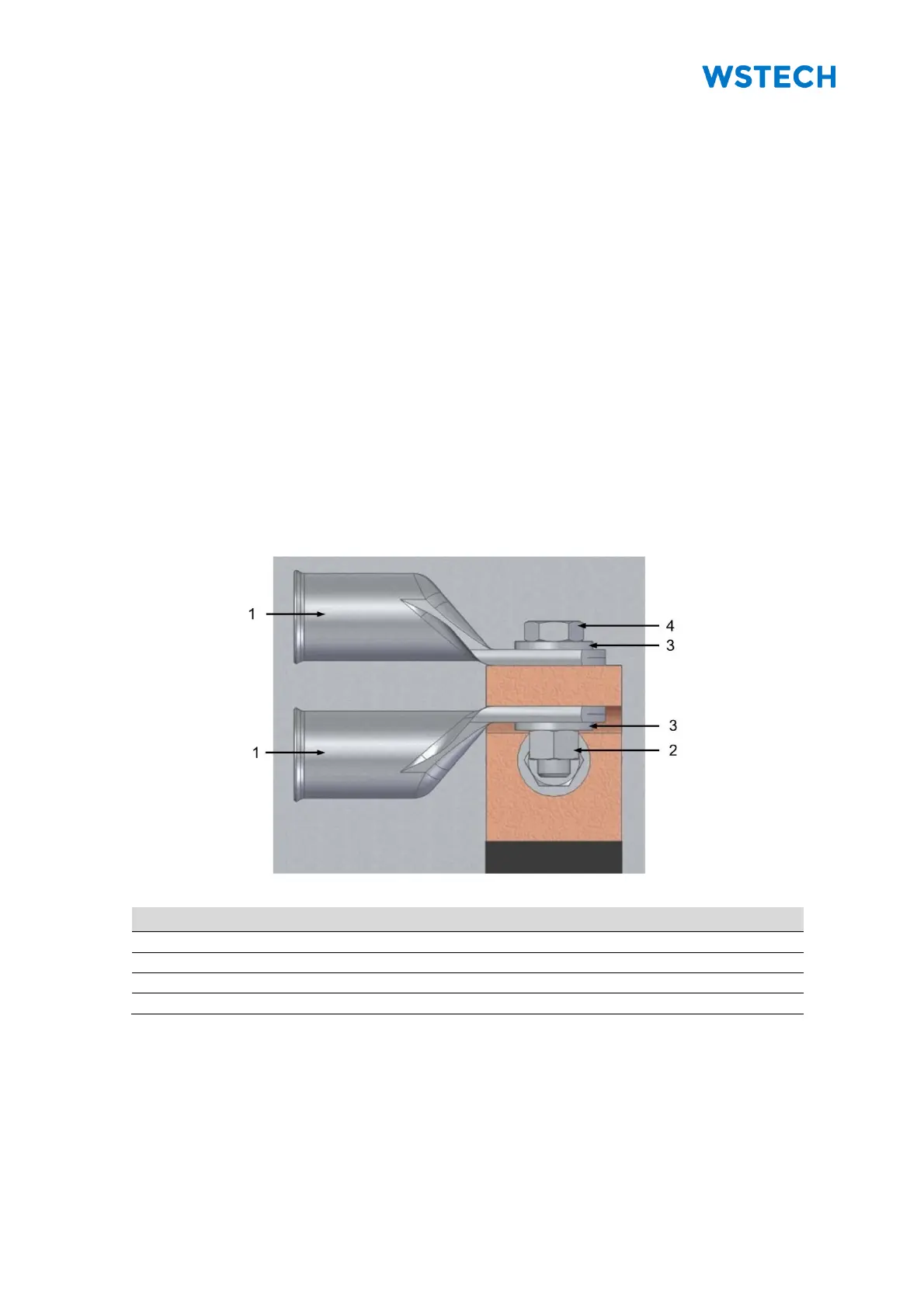
Required material:
• 18 x M12x50 mm hexagon screws
• 18 x M12 hexagon nuts
• 36 x conical spring washers
Procedure:
1. Open doors in Section +C3 or +C6 (Figure 13).
2. Dismount the protective cover.
3. Define cable entries for closed cover according to IP65 (Figure 82 to
Figure 84), if it was ordered.
4. Route AC cables.
NOTICE: M12 nuts of property class 8 and M12 screws of property class 8.8 are
recommended for connecting the AC cables.
5. Tighten the nuts with a torque of 75 Nm.
NOTICE: An example to mount all AC connections is shown in Figure 81. The
cross-section of the AC terminals is 50 mm x 15 mm (valid for 1000 V
DC
and 1500 V
DC
).
Figure 81: Example of the AC connection


 To Next Page