Original Operating Instructions
APS Series – Outdoor Hybrid Inverter
Operation
APS-Series 120 Operating Instructions v320 EN
6.4 Assignment of the Digital Outputs
Table 21 shows the assignment of the Digital Outputs (DO).
Table 21: Assignment of DOs
6.5 Enable Switch
If the Enable switch is switched in position OFF, the AC switches and DC switches are
operated automatically in position OFF.
To secure the APS against switching on again the Enable switch can be locked by
using three individual padlocks. Maximum shackle Ø 6.5 mm.
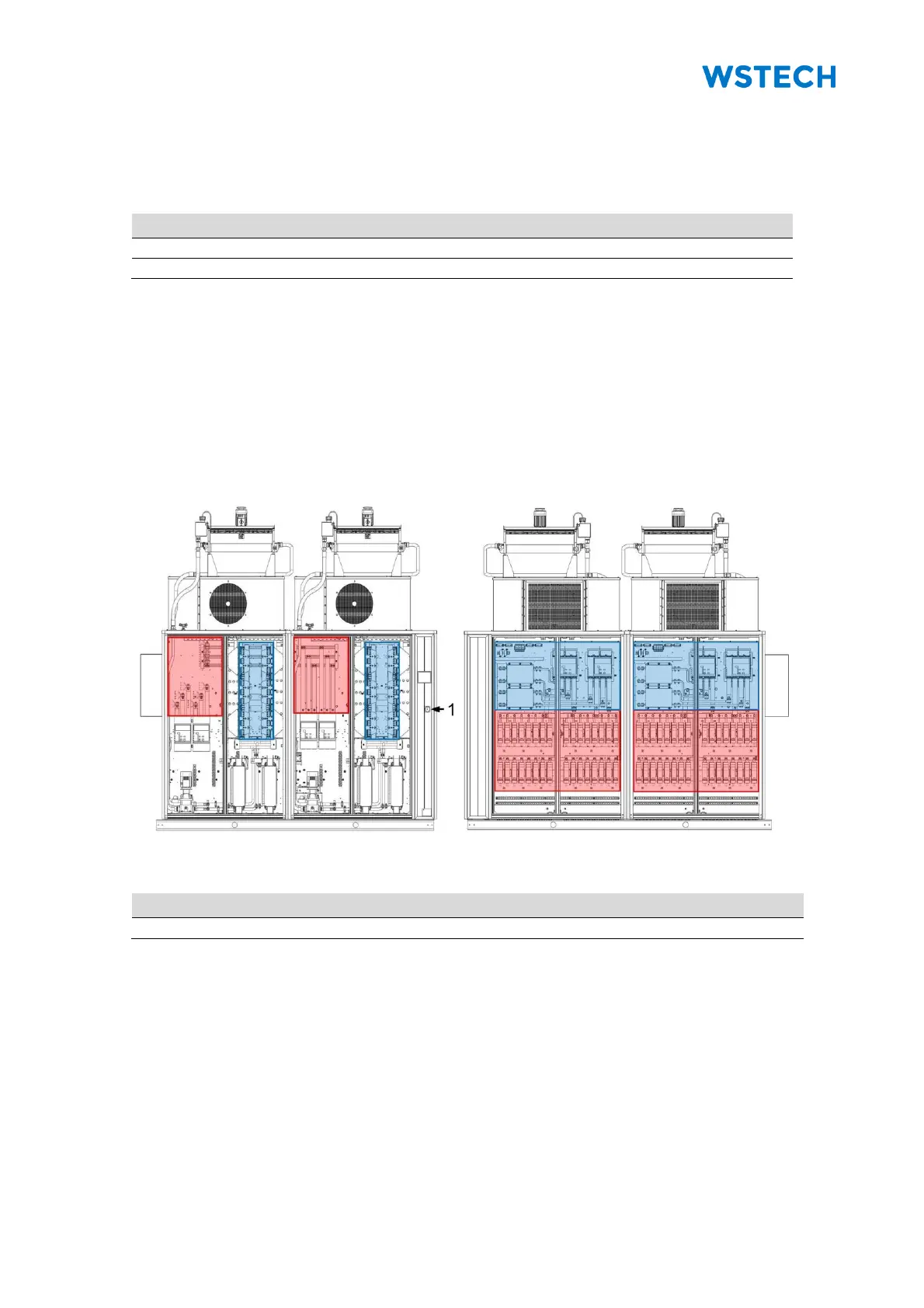
NOTICE: The red-marked areas are under voltage ,if the AC/DC cables are not
disconnected from the product externally (Figure 109, Figure 110). The blue-marked
areas show the DC links.
Figure 109: Danger areas (interior view front)
Figure 110: Danger areas (interior view back)


 To Next Page