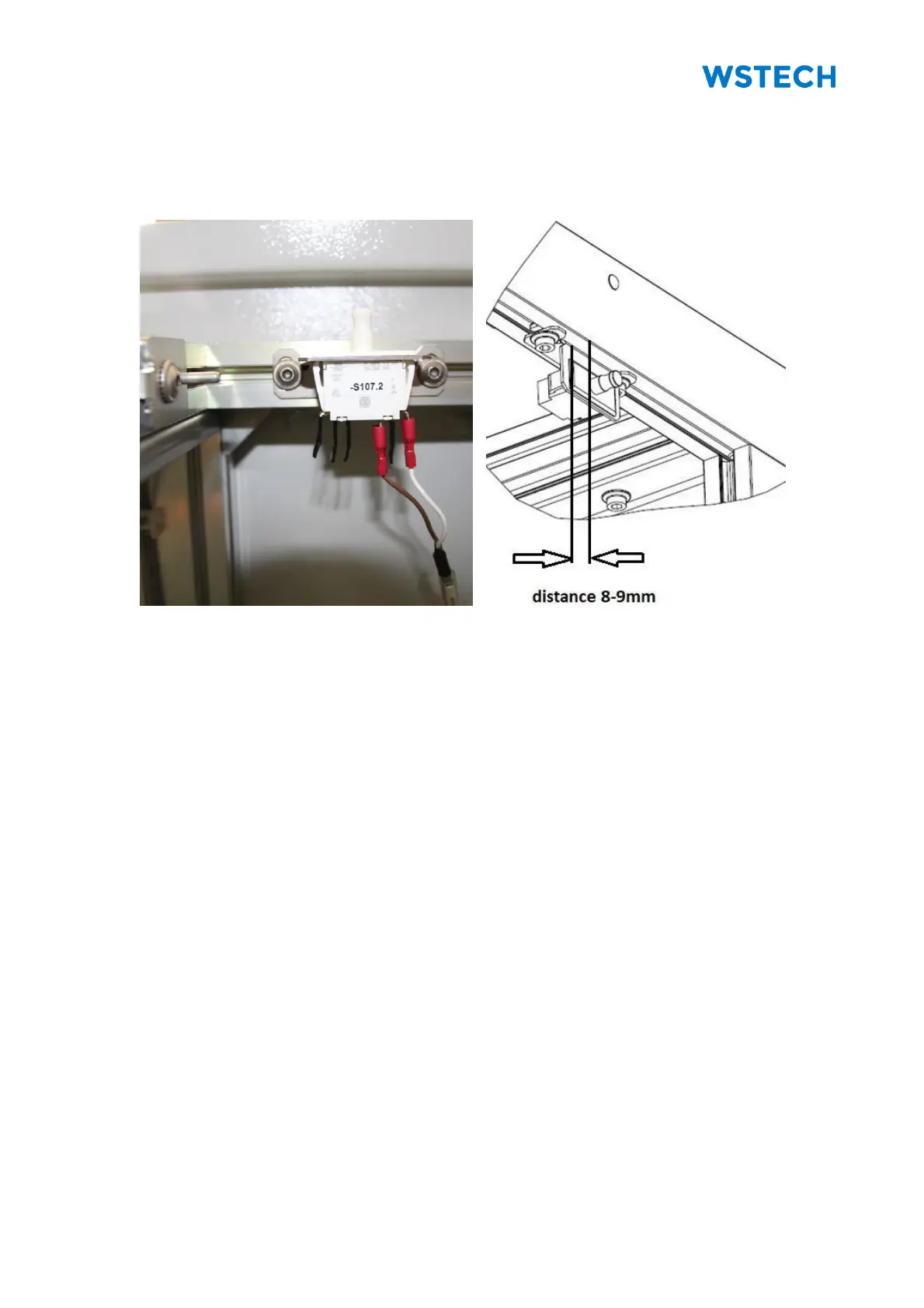
4.3.2 Positioning the Door Switches
Required material (not included in scope of delivery):
• Screw driver Torx TX 25
NOTICE: Each door has a door switch. These must be repositioned after transport.
Procedure:
1. Open both doors of Sections +C1, +C2, +C3, +C5, +C6.
2. Locate the door switch at the top next to the cabinet lightning (Figure 59).
3. Loosen screws.
4. Adjust the door switch on the cabinet profile according to Figure 60.
5. Tighten the screws with a torque of 7 Nm.


 To Next Page