Original Operating Instructions
APS Series – Outdoor Hybrid Inverter
Installation
APS-Series 120 Operating Instructions v320 EN
NOTICE
Damage to the product due to overvoltage!
Overvoltage can be generated by a lightning, by capacitive or inductive
interferences of other electric systems.
• Ensure that for data communication only a fibre optic cable must
be used.
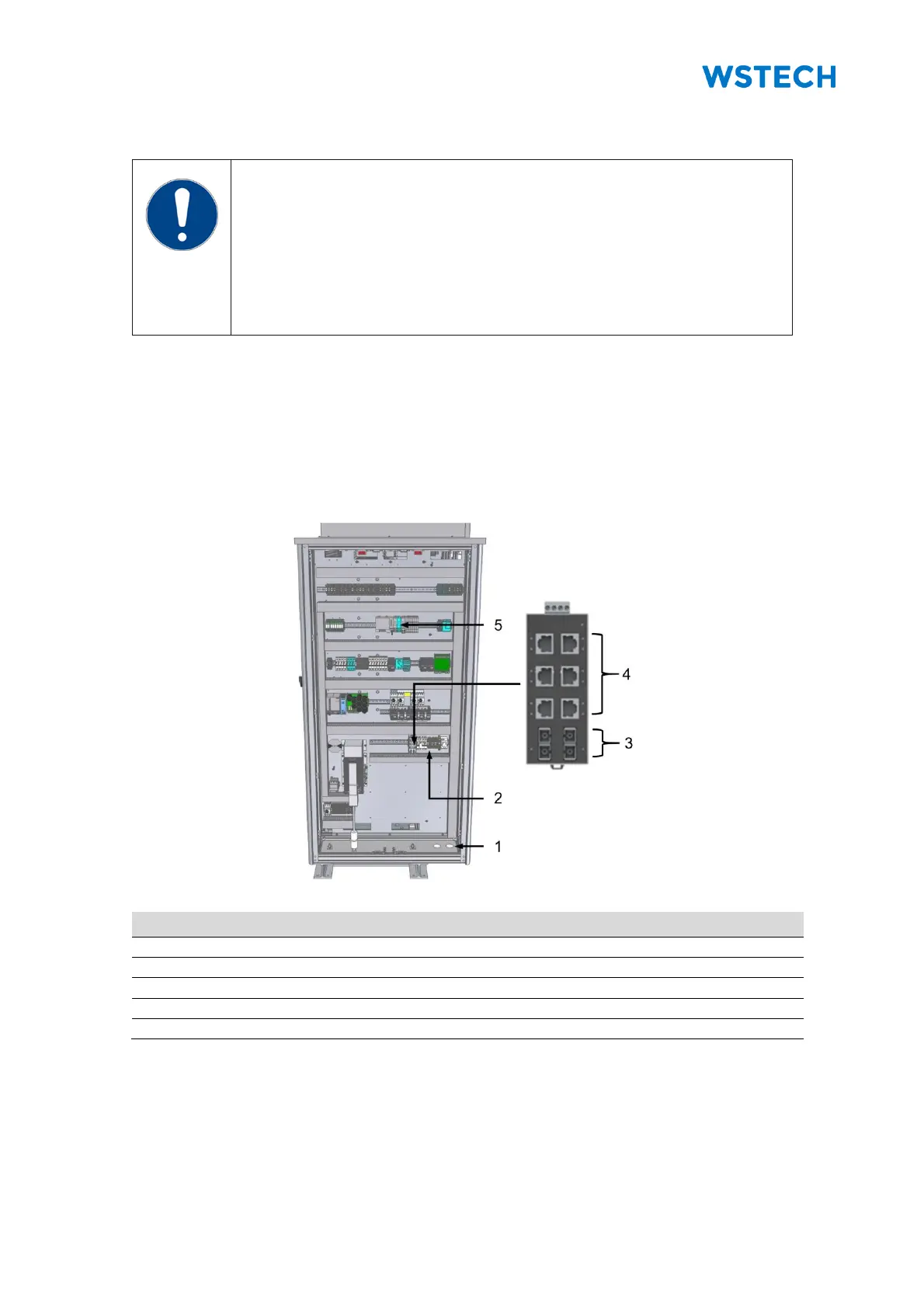
Data communication with the product is provided via the Ethernet switch (default: multi-
mode). An Ethernet switch with single-mode is available on request.
Required material (not included in scope of delivery):
• Fiber optic cables with ST-plug for multi-mode switch
• Fiber optic cables with SC-plug for single-mode switch
• Network cables with RJ45-plug (exclusively for internal use)
Figure 98: Data communication connection
Opening for fiber optic cable
Fiber optic cable connection
Powerlink communication connection (optional)


 To Next Page