ptg
C H A P T E R E I G H T Touching Up and Modifying a PDF Document
162
•
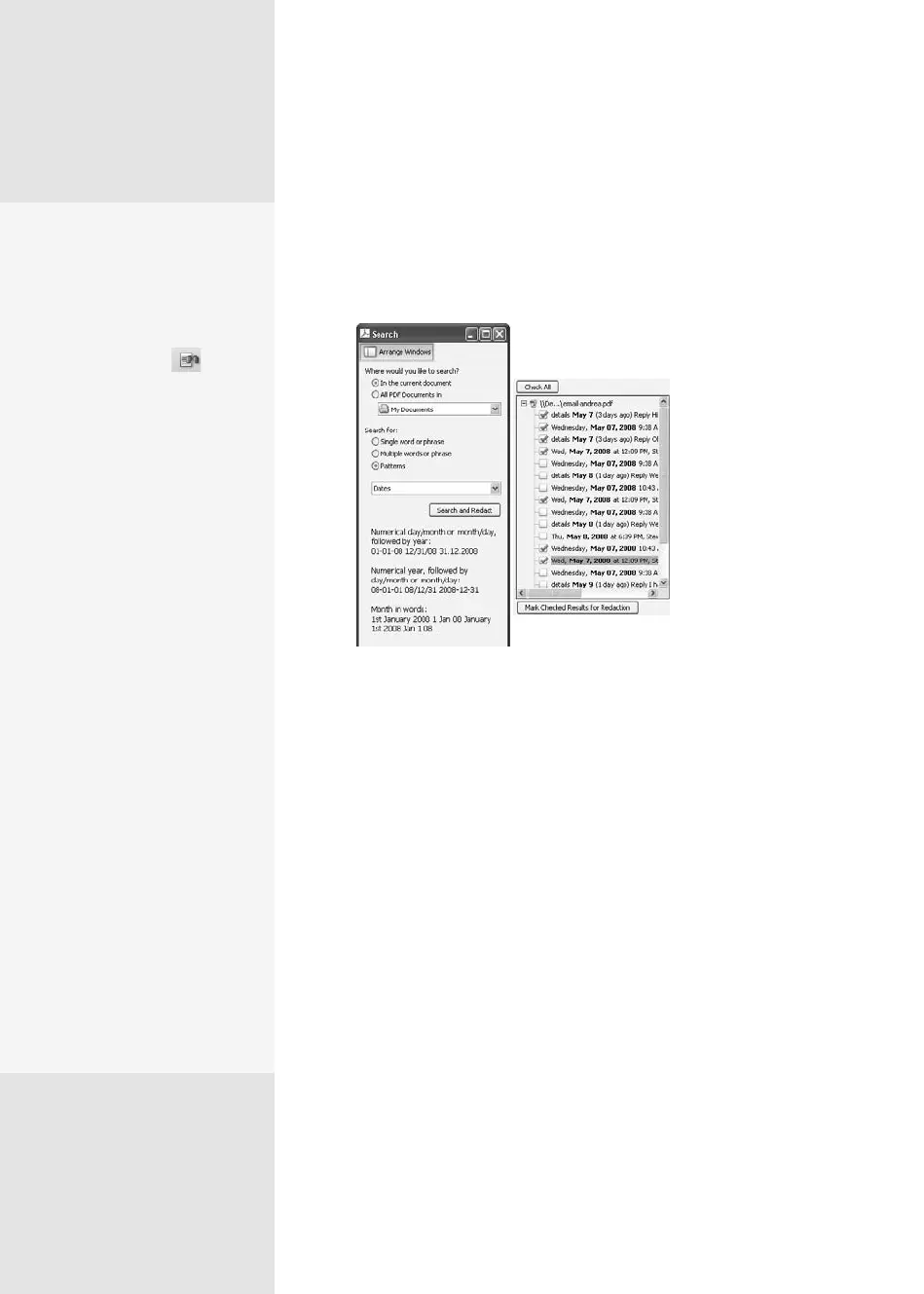
You can search for phone numbers, e-mail addresses, Web addresses,
social security numbers, employee numbers, credit card numbers,
and dates. You’ll see examples of each pattern in the Search win-
dow when you make the selection (Figure 62c).
Figure 62c Search a document for patterns,
like dates. In the Search Returns (shown at
the right), select the results you want to redact.
3. Click Search and Redact to get started. The document is processed, and
the search results are displayed, as shown at the right of Figure 62c.
4. Click the search results you want to redact; click Check All to select the
entire set of returns.
5. Click Mark Checked Results for Redaction to complete the process.
The Correct
Phrase Is …
Another way to search for
redaction content is using
phrases. Click the Search
and Redact tool on the
Redaction toolbar to open
the Search window. Choose
the location for searching,
and select “Multiple words
or phrases” to activate the
Select Words button, which
you click next to display
the Words and Phrases to
Search and Redact dia-
log. Type a word or phrase
and click Add, and repeat.
When you’ve finished add-
ing terms, click OK to close
the dialog and process the
file. Once the matches are
made, you’ll see the contents
identified in your document.
Click Apply Redactions to
complete the process.
But here’s the coolest part—
you can import and export
lists of words and phrases
to reuse as necessary. You
won’t forget what you have
to locate and redact, nor
will you have to transcribe
a list of terms every time
you need to redact another
document.
From the Library of Daniel Dadian



 To Next Page