ptg
221
•
Use and manage audio and visual features by selecting the commands
on the Adobe ConnectNow toolbar (read more in the sidebar “Talk Out
Loud”).
•
Conduct a live chat with one or both of your participants using the
Chat pod.
•
Type notes for your meeting that can be saved as a DOC le.
•
Use simple drawing tools on the Whiteboard pod. Add shapes, cus-
tomize their appearance, or add text. You can save the Whiteboard as
a PNG le.
Along with the interactive elements listed, ConnectNow lets one par-
ticipant take control of another participant’s desktop. Using remote con-
trol to show a specic process or instruction means you don’t have to
spend time explaining an environment—you are right there.
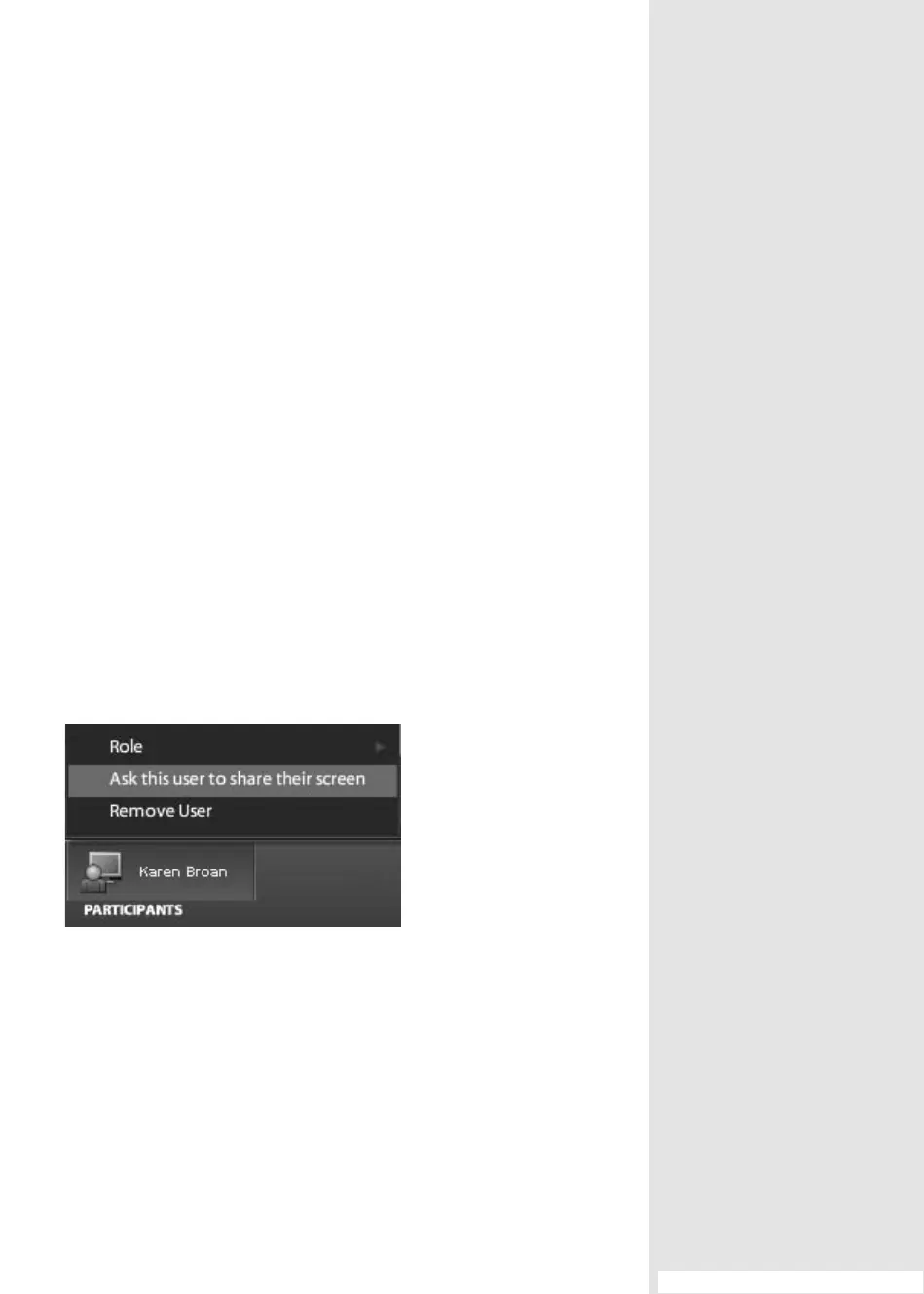
To assign remote control, click the name of a participant to show
the pop-up menu, and choose “Ask this user to share their screen”
(
Figure 82b). Alternatively, you can choose Share My Computer Screen
from the Meeting pop-up menu, and the screen is shared by a selected
participant.
Figure 82b Select a participant for screen sharing.
To return to the regular meeting interface, click the X at the upper right
of the Screen Sharing pod.
#82: Moving to a ConnectNow Meeting Room
From the Library of Daniel Dadian



 To Next Page