DD+DIS150
.06E
Repair and Service
Tools and auxiliary Means
DOCUMENT CONTROL NOTE:
The controlled version of this document resides on MedNet. Any printed copy of this document is uncontrolled.
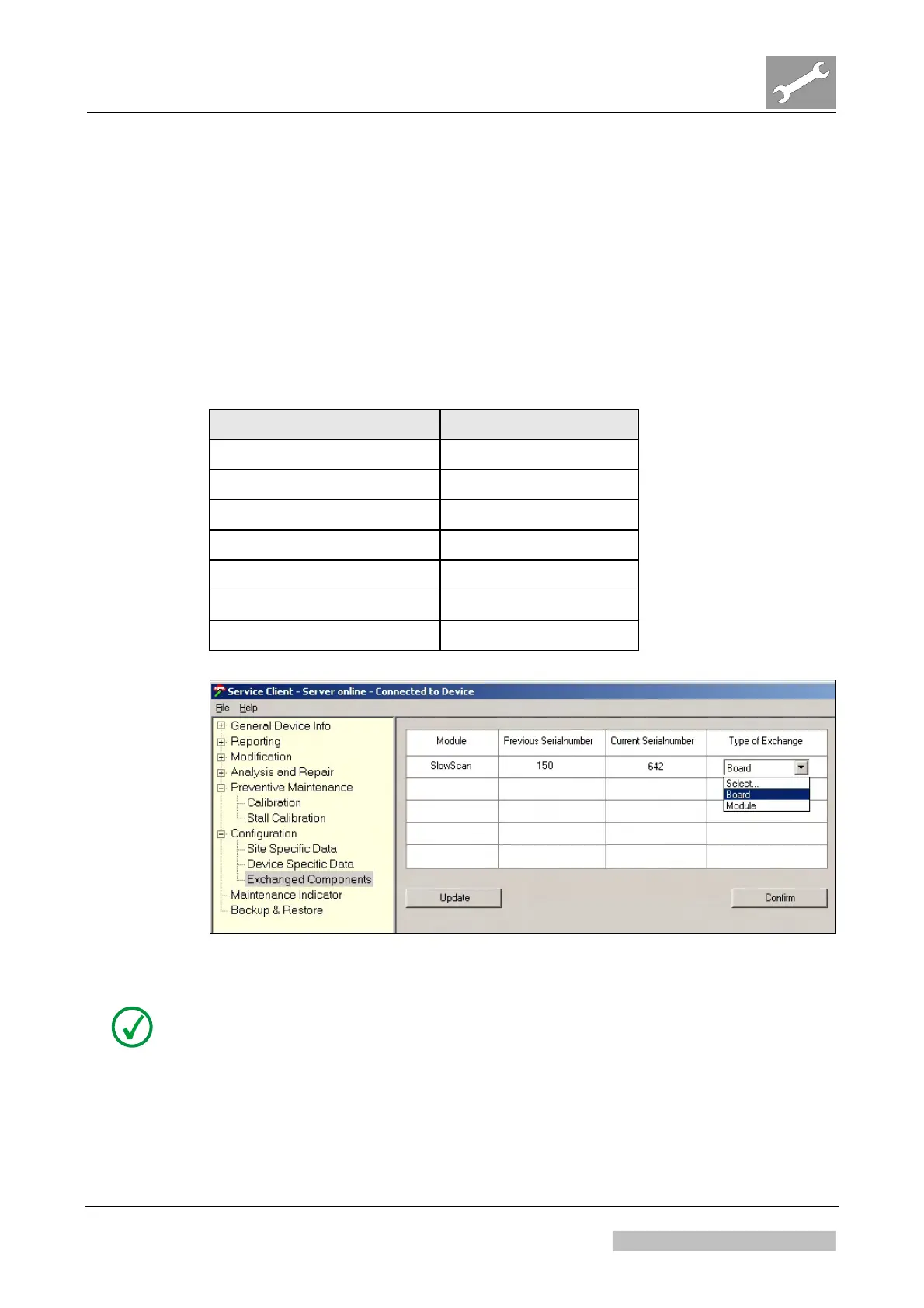
2.2.16 Service Client Menu “Exchanged Components”
Purpose
Menu “Exchanged components” allows to define whether the exchanged component
is a module (e.g. slow scan unit) or part of a module (e.g. slow scan board).
Only available as of software CRE_1509.
Usage
(1) Select "Configuration – Exchanged Components".
(2) Select "Board" or “Module” according to following table:
Exchanged component Type of Exchange
Slow scan unit Module
Slow scan board Board
PMT with light collector Module
IP handling board Board
Cassette fixation unit Module
Optic module Module
PMI2 / PMI 3 board Board
Figure 23: Example: Selecting Board as "Type of Exchange"
NOTE:
This menu is required, as for some replacements it is not known for the digitizer,
whether the exchanged component is a module (e.g. slow scan unit) or part of a
module (e.g. slow scan board). For more details refer to sections 2.2.16.1,
Replacement Scenarios and 2.2.16.2, Handling of Replacements in different Software
Versions
Edition 1, Revision 2 CR 30-X Chapter 3.2 / 28
03-2010 Type 5175 / 100/110 Agfa Company Confidential



 To Next Page