DD+DIS150
.06E
Controls, Connections, and Setup Procedures
DOCUMENT CONTROL NOTE:
The controlled version of this document resides on MedNet. Any printed copy of this document is uncontrolled.
7 Completing the Digitizer Installation
The purpose of this section is to show the tasks that are required to prepare the
digitizer for hand-over to the Clinical Application Specialist.
The following table lists these tasks.
Task Required
Time
Importance Task Code* Section
Perform a backup.
5 minutes mandatory INS
7.1
Hand-over the system to
the Clinical Application
Specialist.
5 minutes mandatory INS
7.2
*Complete required time per Task Code to be entered in the Agfa repair report.
7.1 Performing a Backup
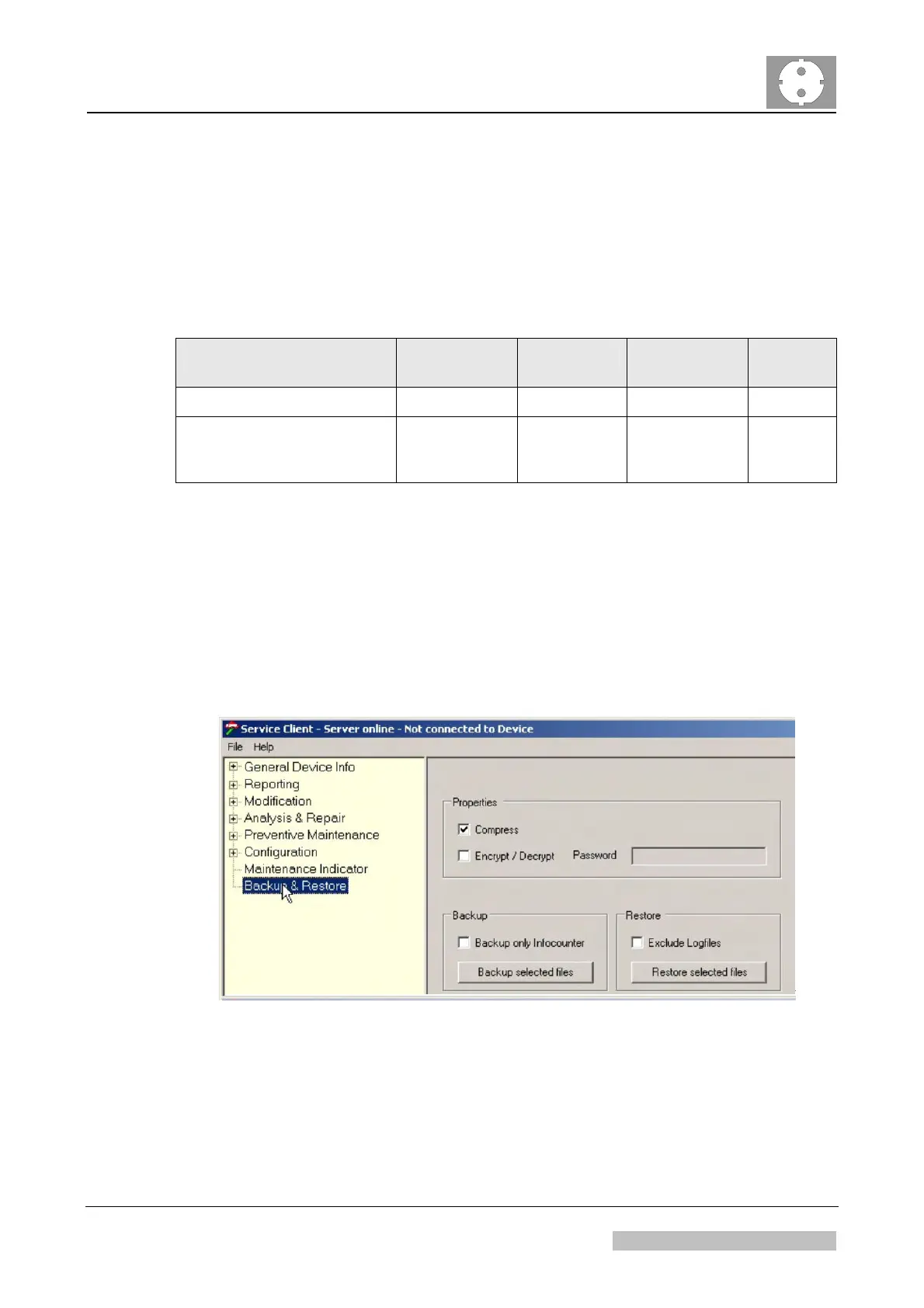
(1) In the CR 30-X service client select the menu <Backup & Restore>.
(2) Keep the default settings as shown in Figure 24.
Figure 24
Edition 1, Revision 5 CR 30-X Chapter 1 / 22
11-2009 Type 5175 / 100/110 Agfa Company Confidential



 To Next Page