DD+DIS171.06E
Maintenance
DOCUMENT CONTROL NOTE:
The controlled version of this document resides on MedNet. Any printed copy of this document is uncontrolled.
2 Diagnostics
2.1 Questioning of the Customer
(1) Ask the customer for any problem that appeared since the last maintenance.
2.2 Checking Images on the Workstation
(1) Check the last 20 to 40 images on the workstation, to see if image quality
problems occurred.
2.3 Checking the Error Statistics
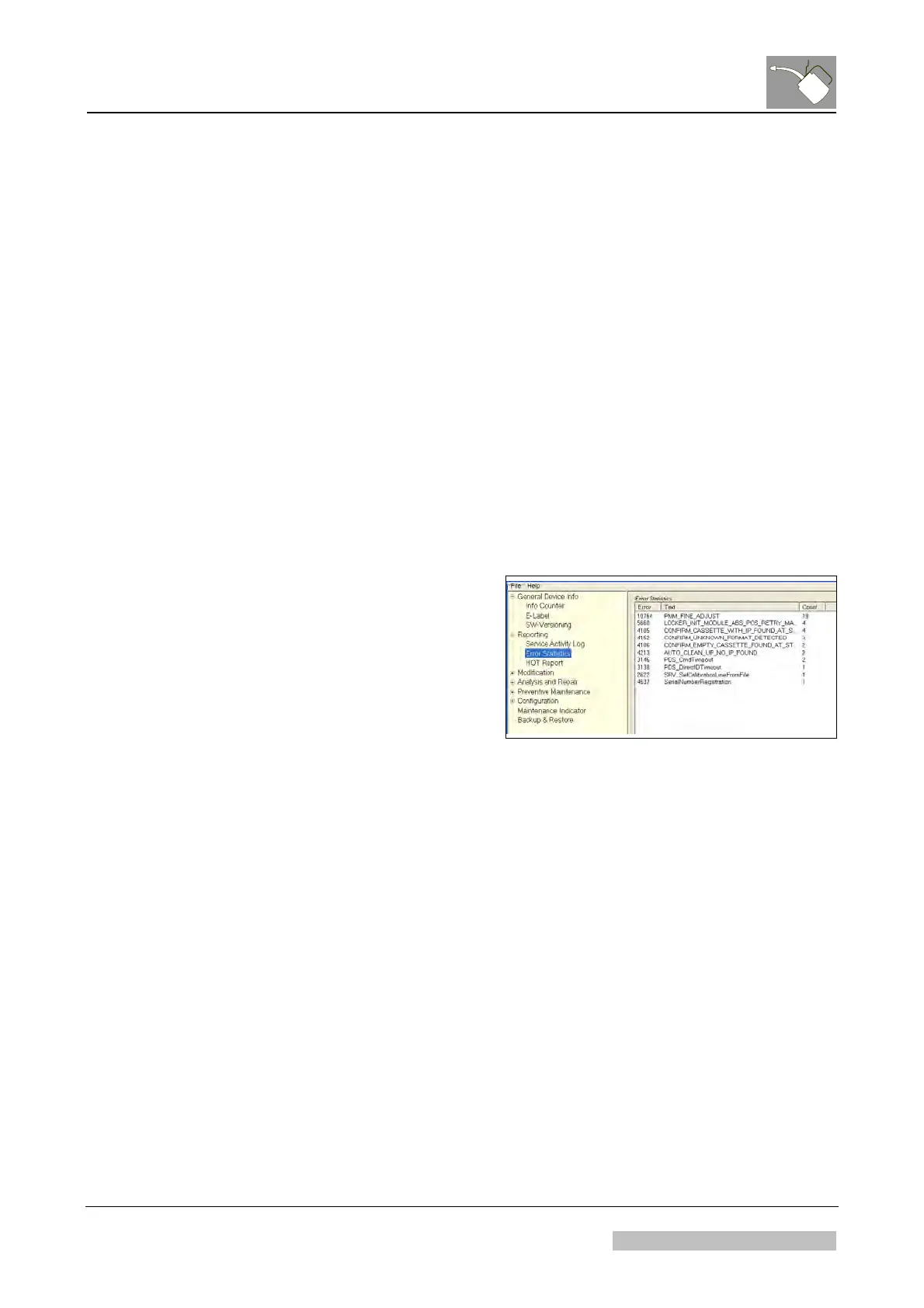
(1) On the NX workstation select:
"Start → Programs → CR30-X
Service Client → Reporting → Error
Statistics"
(2) Check the occurred errors.
Figure 1
2.4 Info Counter Analysis
(1) In the CR30-X Service Client select “General Device Info → Info Counter".
(2) Select node "Entire Device".
(3) Select tab "Values" and check the different entries.
(4) Select tab "Counters" and check the different entries.
(5) Select tab "Lists" and check the different entries.
(6) Click on the errors displayed in the “Lists” tab to check the timestamp: This
shows, when the error occurred.
(7) Check, whether one of these errors is sporadic and can be solved via software
upgrade, cleaning or a replacement.
Edition 1, Revision 1 CR 30-X Chapter 9 / 9
01-2009 Type 5175 / 100/110 Agfa Company Confidential



 To Next Page