DD+DIS150
.06E
Controls, Connections, and Setup Procedures
DOCUMENT CONTROL NOTE:
The controlled version of this document resides on MedNet. Any printed copy of this document is uncontrolled.
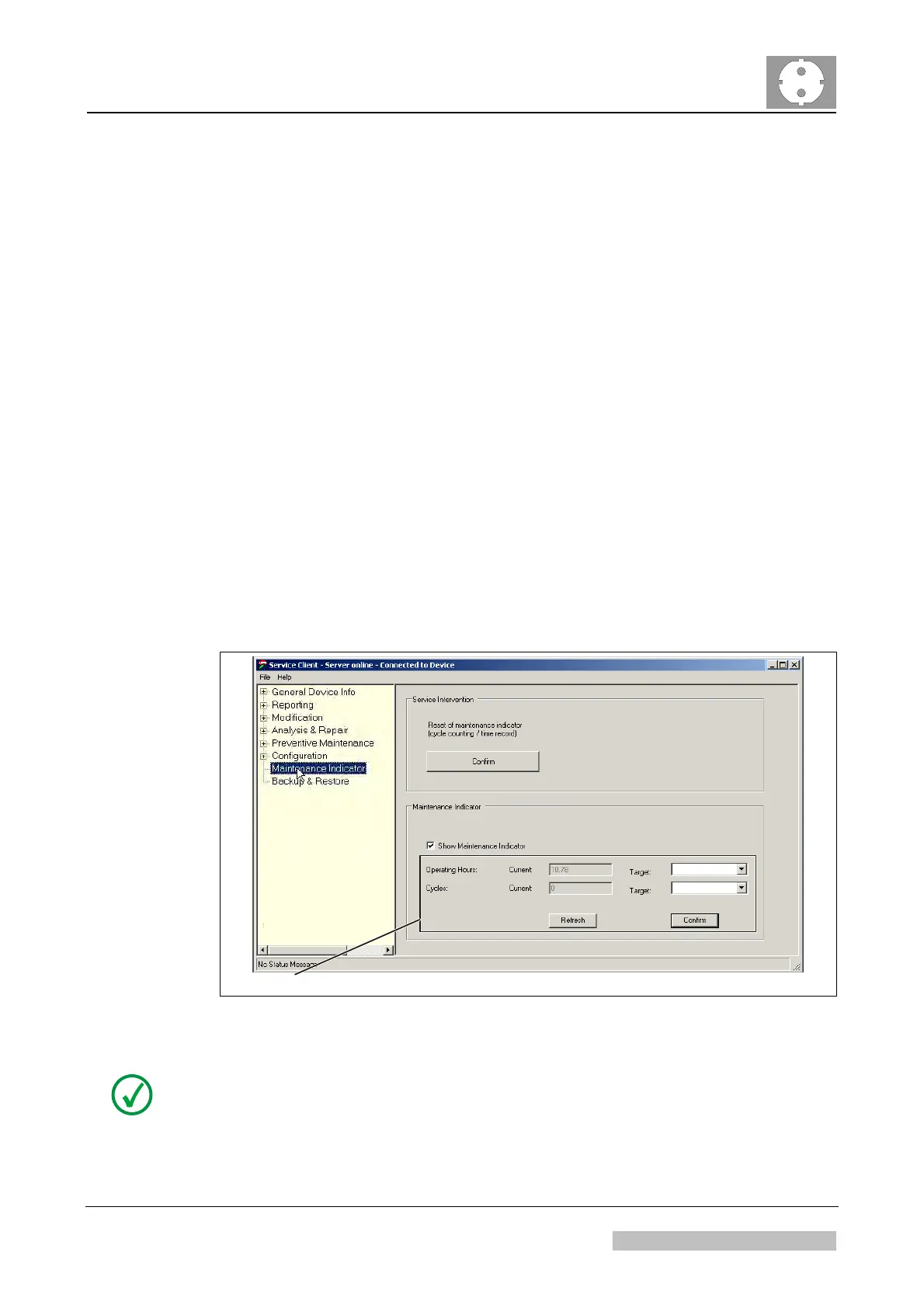
5.3 Configuring Maintenance Indicator
(1) In the CR 30-X Service Client select <Maintenance Indicator>.
(2) Configure whether maintenance indicator should be activated shown or not
(default = off).
"On" (checkbox selected) means:
Customer will be reminded daily or when starting the Control PC to perform
about a preventive maintenance via following message:
o "Maintenance interval will expire within a short time. Please contact
service." This message appears approximately 6 weeks before the
defined maintenance due date or due cycles (Default: 1 year / 12.000
cycles) are reached.
o "Maintenance interval expired. Please contact service." appears, when
the maintenance due date or due cycles are expired is counter is
reached.
"Off" means: Maintenance indicator is deactivated. The customer will not be
reminded about preventive maintenance.
(3) If required adapt the Change default target values for "Operating hours" and
"Cycles" according to the local terms of service agreement.
Operating Hours and Cycles only displayed if “Show Maintenance Indicator” is activated.
8760
12000
5175_chapter1_22.cdr
Figure 13
NOTE:
Changing the target values for operating hours and cycles is only available as of
software version CRE_1607.
Edition 1, Revision 5 CR 30-X Chapter 1 / 15
11-2009 Type 5175 / 100/110 Agfa Company Confidential



 To Next Page