DD+DIS150
.06E
Controls, Connections, and Setup Procedures
DOCUMENT CONTROL NOTE:
The controlled version of this document resides on MedNet. Any printed copy of this document is uncontrolled.
4.3 Switching the Digitizer on
(1) Switch on the control PC.
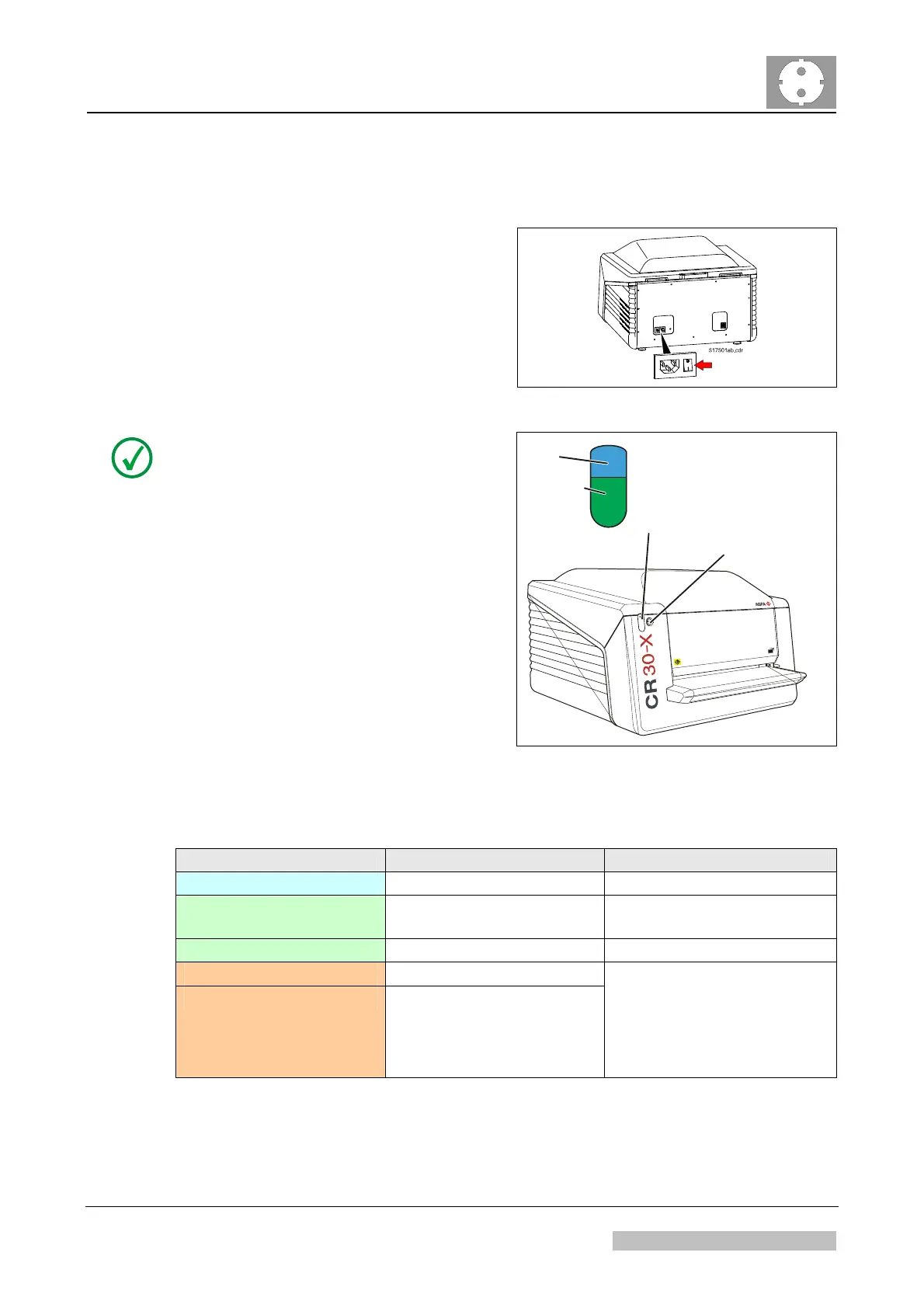
(2) Switch on the digitizer.
Figure 8: On-off Switch
NOTE:
After switch on a selftest is executed.
If the NX workstation is operational it
takes approximately 1 minute until the
status indicator at the front panel
changes from red to green.
If the NX workstation is not yet
switched on or installed, the status
indicator will stay red flashing.
See Table 1 for meaning of the status
indicator colors.
Status indicator
Erase button
517501ah.cdr
blue
green or
red
Figure 9
Status Indicator Digitizer Status Allowed user action
Blue - Constant Erasure cycle active Wait.
Green - Constant Ready Insert next cassette for
scanning.
Green - Flashing Scan cycle active Wait.
Red - Constant Service mode
Red - Flashing
Boot-Up
No connection to
control PC
Error
Check control PC for further
instructions.
Table 1: Description of Status Indicator
Edition 1, Revision 5 CR 30-X Chapter 1 / 11
11-2009 Type 5175 / 100/110 Agfa Company Confidential



 To Next Page