DD+DIS150.06E
Repair and Service
Replacements / Repair Procedures
DOCUMENT CONTROL NOTE:
The controlled version of this document resides on MedNet. Any printed copy of this document is uncontrolled.
Edition 1, Revision 2 CR 30-X Chapter 3.5 / 19
03-2009 Type 5175 / 100/110 Agfa Company Confidential
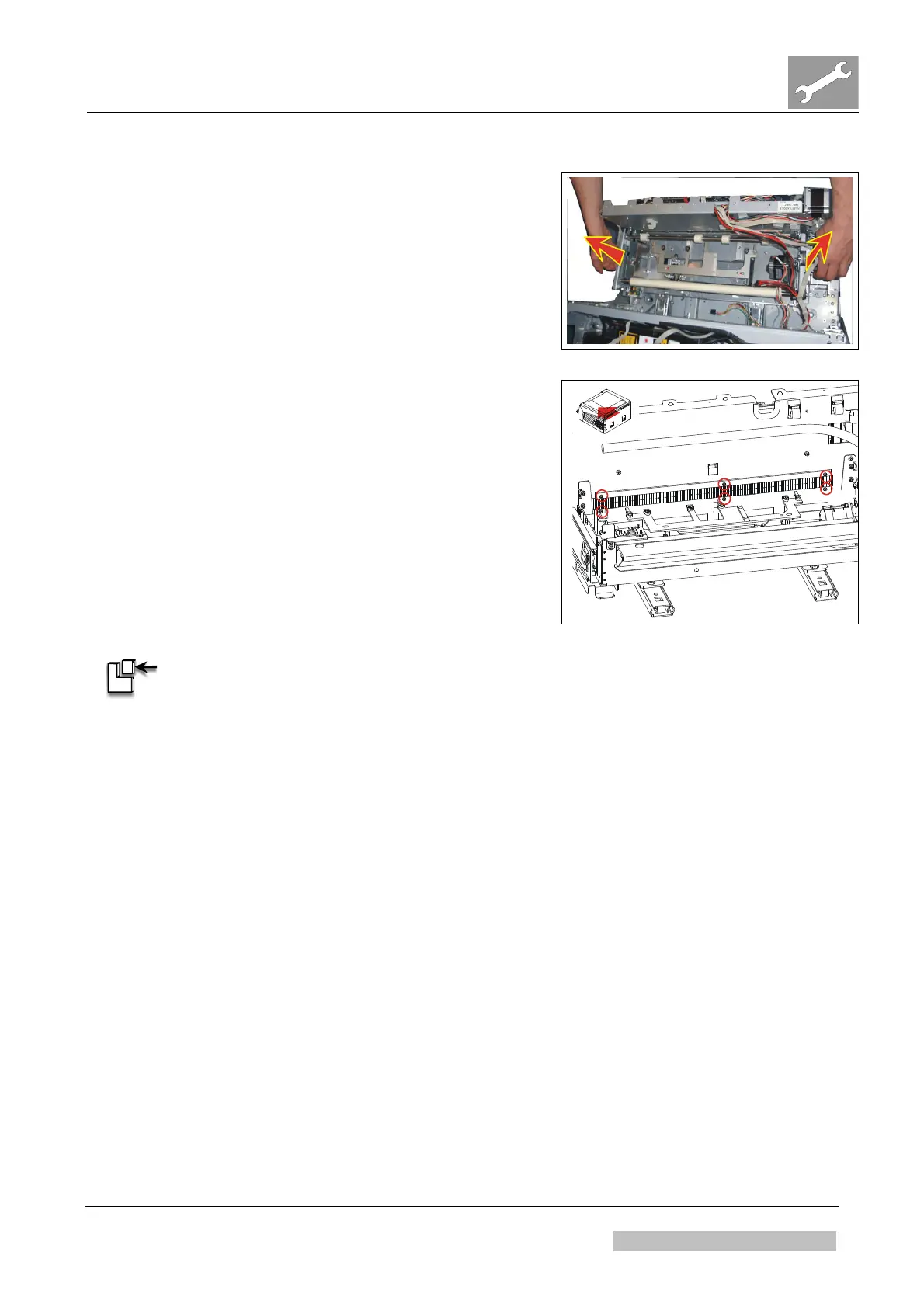
(28) Take off the complete lower
transport unit.
Figure 40
(29) Remove 3 screws at each brush.
(30) Take out the brushes.
Figure 41
ASSEMBLY:
(1) Mount in reverse order.
Verification:
(1) Switch on the digitizer.
(2) Wait till the status indicator at the digitizer switches to green
(takes approx. 1,5 min.).
(3) Insert cassette with unexposed IP in the digitizer.
(4) At the workstation select examination type “System diagnosis – Flatfield”.
(5) Select “ID” to identify the image: Scanning starts.
(6) Confirm that the image arrives at the workstation.
(7) Reject the image.
Result:
The Antistatic Brush Cassette Unit Entry is replaced.



 To Next Page