101
"JOB MENU" - F5 CAMERA
15.5
F5 Camera
Displays images from connected cameras
1
2
Fig. 325
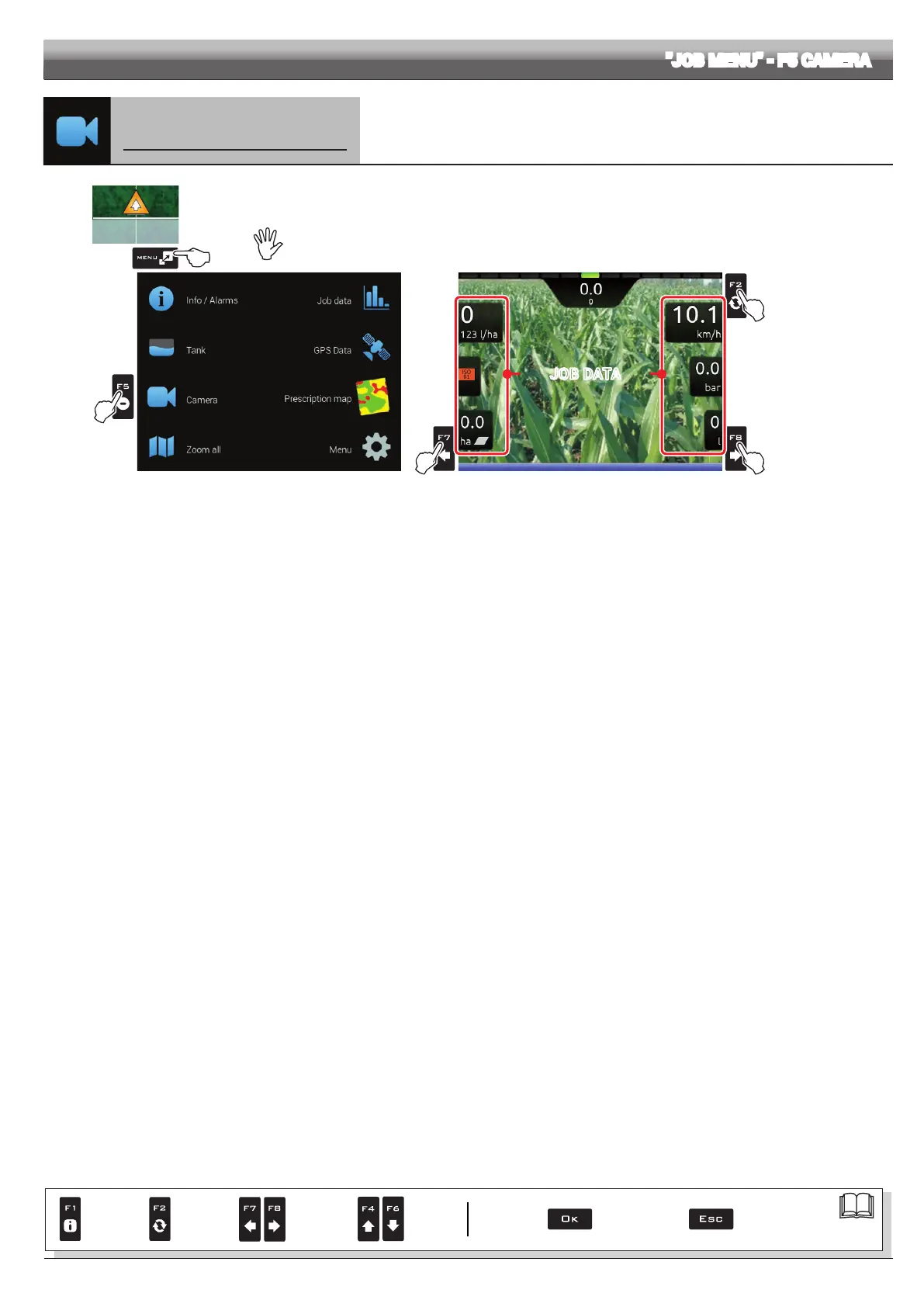
1 In the guidance screen, press
Menu.
2 Press F5 to view the Camera menu (Fig. 326).
By connecting one or more cameras, it is possible to monitor working areas and at the same time view spraying data.
Enable camera view during advanced setup (par. 10.5.1).
JOB DATA
Fig. 326
F2
Switch view between the
two cameras
F7 Select job data displayed
on the LEFT side of the
screen.
F8 Select job data displayed
on the RIGHT side of the
screen.
Par.
7. 4
Conrm access
or data change
Exit the function or
data change
Delete
selected
character
Scroll
(LEFT /
RIGHT)
Data
increase /
decrease
Scroll
(UP /
DOWN)
Enter
selected
character



 To Next Page