35
10.1.5 Pressure sensor
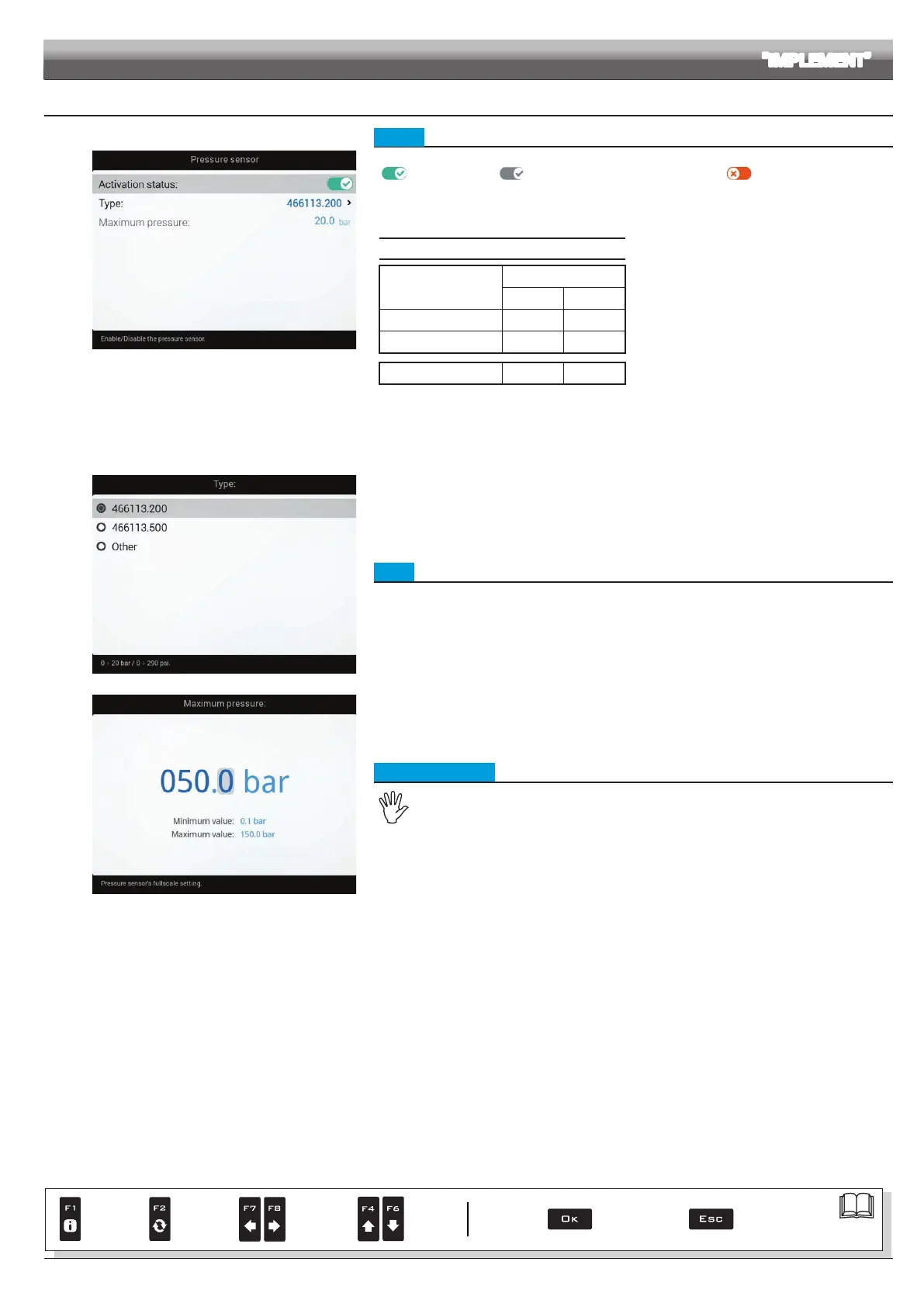
Fig. 97
• Status
To congure the items on this menu, you must enable the pressure sensor
(
Sensor enabled / Sensor enabled - cannot be modied / Sensor disabled).
- Enter the values for the pressure sensor installed on the system.
The table below indicates the values that are automatically set selecting the sensor code.
If the installed sensor is not displayed, select
Other and enter the relevant values.
ARAG PRESSURE SENSOR
Type
Maximum pressure
bar PSI
ARAG 466113.200
20.0 290
ARAG 466113.500
50.0 725
Other
50.0 725
Depending on the basic settings (Flowrate reference sensor, chap. 9), the pressure sensor, once properly set up, can perform different functions:
• Pressure sensor: the pressure measured by the sensor is used to calculate the spray rate.
• Flowmeter: the pressure sensor displays ONLY the job pressure.
• Both: the pressure sensor displays the job pressure when the machine works within the owmeter limits.
When the owmeter operates outside the limits the pressure measured by the sensor is used to calculate the spray rate.
Fig. 98
• Type
Indicate the type of pressure sensor installed.
Fig. 99
• Maximum pressure
The item Maximum pressure can be modied only when the option Other is enabled.
Indicate the full scale of the pressure sensor installed on the system.
ADVANCED SETUP "IMPLEMENT"
Par.
7. 4
Conrm access
or data change
Exit the function or
data change
Delete
selected
character
Scroll
(LEFT /
RIGHT)
Data
increase /
decrease
Scroll
(UP /
DOWN)
Enter
selected
character



 To Next Page