52
ADVANCED SETUP "TOWED IMPLEMENT GEOMETRY"
10.2 IMPLEMENT GEOMETRY (MACHINE WITH TOWED/3-POINT HITCH IMPLEMENT)
The display layout of this menu depends on the selected basic settings (chap. 9).
FOR GEOMETRY OF SELF-PROPELLED MACHINES REFER TO PAR. 10.5.2 AND 10.5.3.
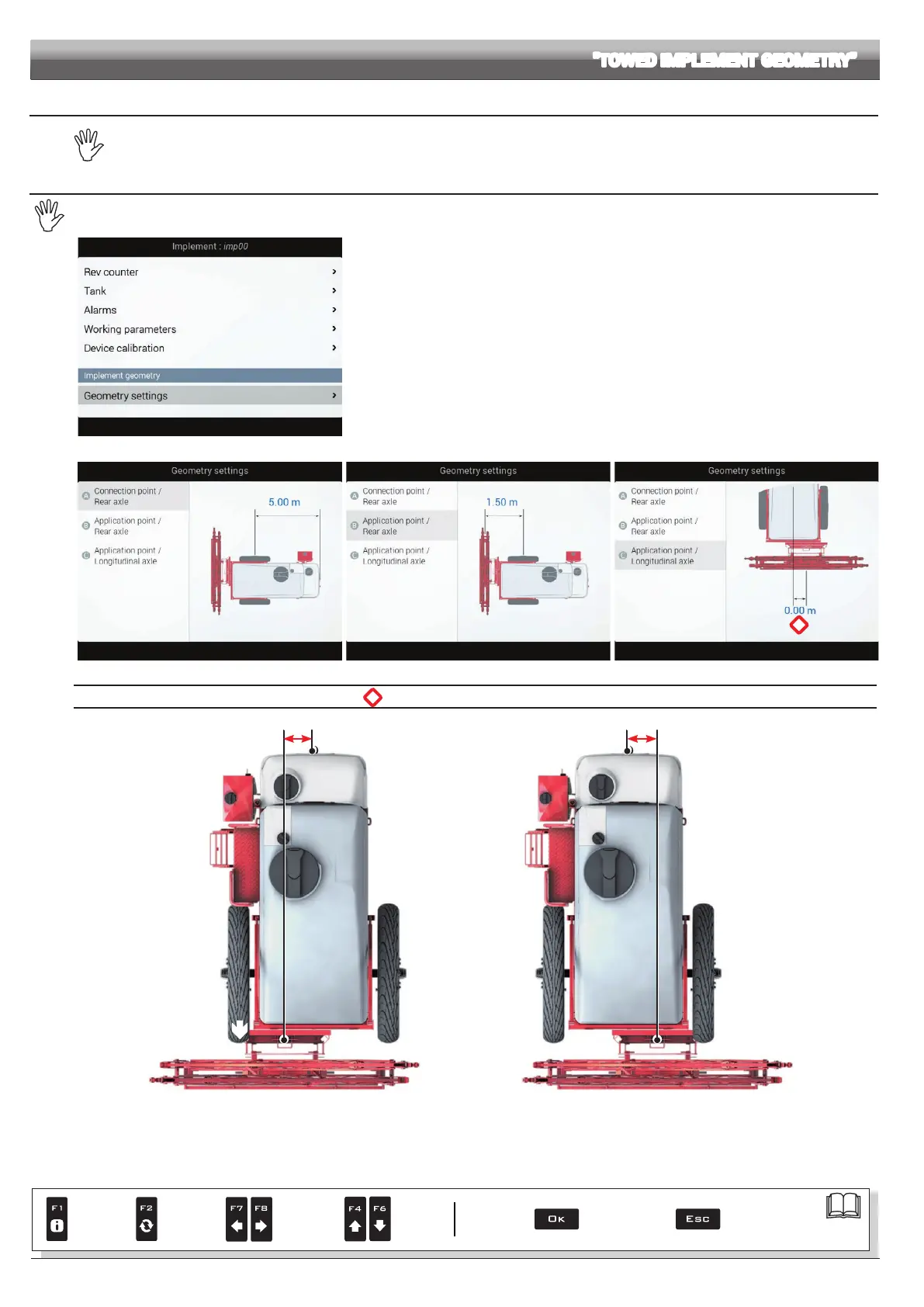
10.2.1 Geometry settings (TOWED IMPLEMENT)
Settings displayed next will depend on set type of system (chap. 9).
Fig. 167
Enter farming machine measures (Fig. 167).
- Press the arrow keys (UP, DOWN) to move across value descriptions:
the image of the selected value will appear on the display.
- Conrm by pressing
OK to enter setup.
- Set as required.
- Select and enter, one by one, all values.
Fig. 168 Fig. 169
*
Fig. 170
*
Application point / Longitudinal axle
Application point Longitudinal axle
- 1.50
m
NEGATIVE VALUES
The application point is
to the left of the longitudinal
axle
Fig. 171
Application pointLongitudinal axle
+ 1.50 m
POSITIVE VALUES
The application point is to the
right of the longitudinal axle
Fig. 172
Par.
7. 4
Conrm access
or data change
Exit the function or
data change
Delete
selected
character
Scroll
(LEFT /
RIGHT)
Data
increase /
decrease
Scroll
(UP /
DOWN)
Enter
selected
character



 To Next Page