53
10.2.2 Geometry settings (3-POINT HITCH IMPLEMENT)
Settings displayed next will depend on set type of system (chap. 9).
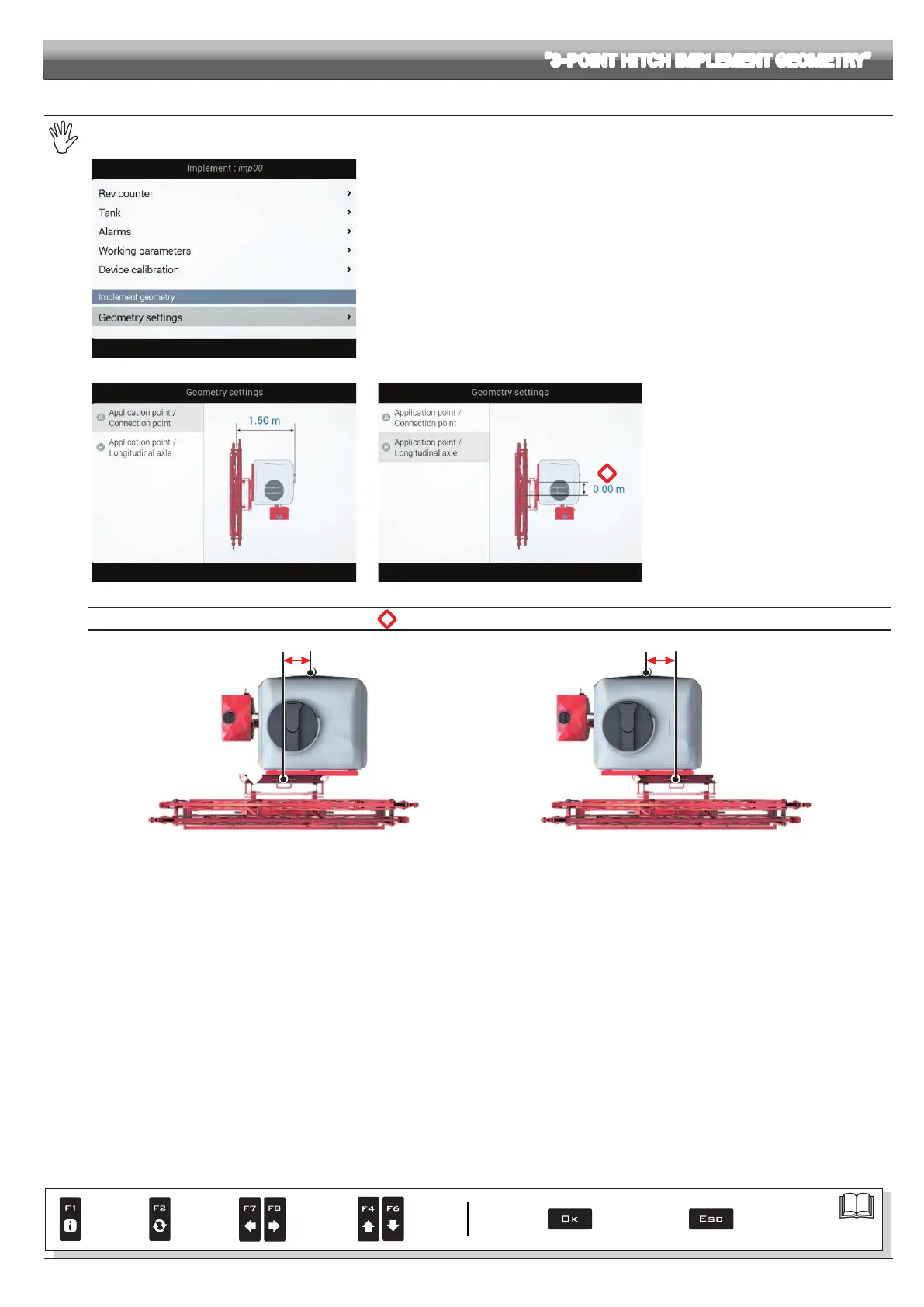
Fig. 173
Enter farming machine measures (Fig. 174).
- Press the arrow keys (UP, DOWN) to move across value descriptions:
the image of the selected value will appear on the display.
- Conrm by pressing
OK to enter setup.
- Set as required.
- Select and enter, one by one, all values.
Fi g. 174
*
Fig. 175
*
Application point / Longitudinal axle
Application point Longitudinal axle
- 1.50 m
NEGATIVE VALUES
The application point is
to the left of the
longitudinal axle
Fig. 176
Application pointLongitudinal axle
+ 1.50 m
POSITIVE VALUES
The application point is to the
right of the longitudinal axle
Fig. 177
ADVANCED SETUP "3-POINT HITCH IMPLEMENT GEOMETRY"
Par.
7. 4
Conrm access
or data change
Exit the function or
data change
Delete
selected
character
Scroll
(LEFT /
RIGHT)
Data
increase /
decrease
Scroll
(UP /
DOWN)
Enter
selected
character



 To Next Page