42
10.1.11 Alarms
Fig. 122
Set Delta 80 job alarms.
For the procedure to be followed when an alarm occurs, please refer to par. 17.1 Error messages.
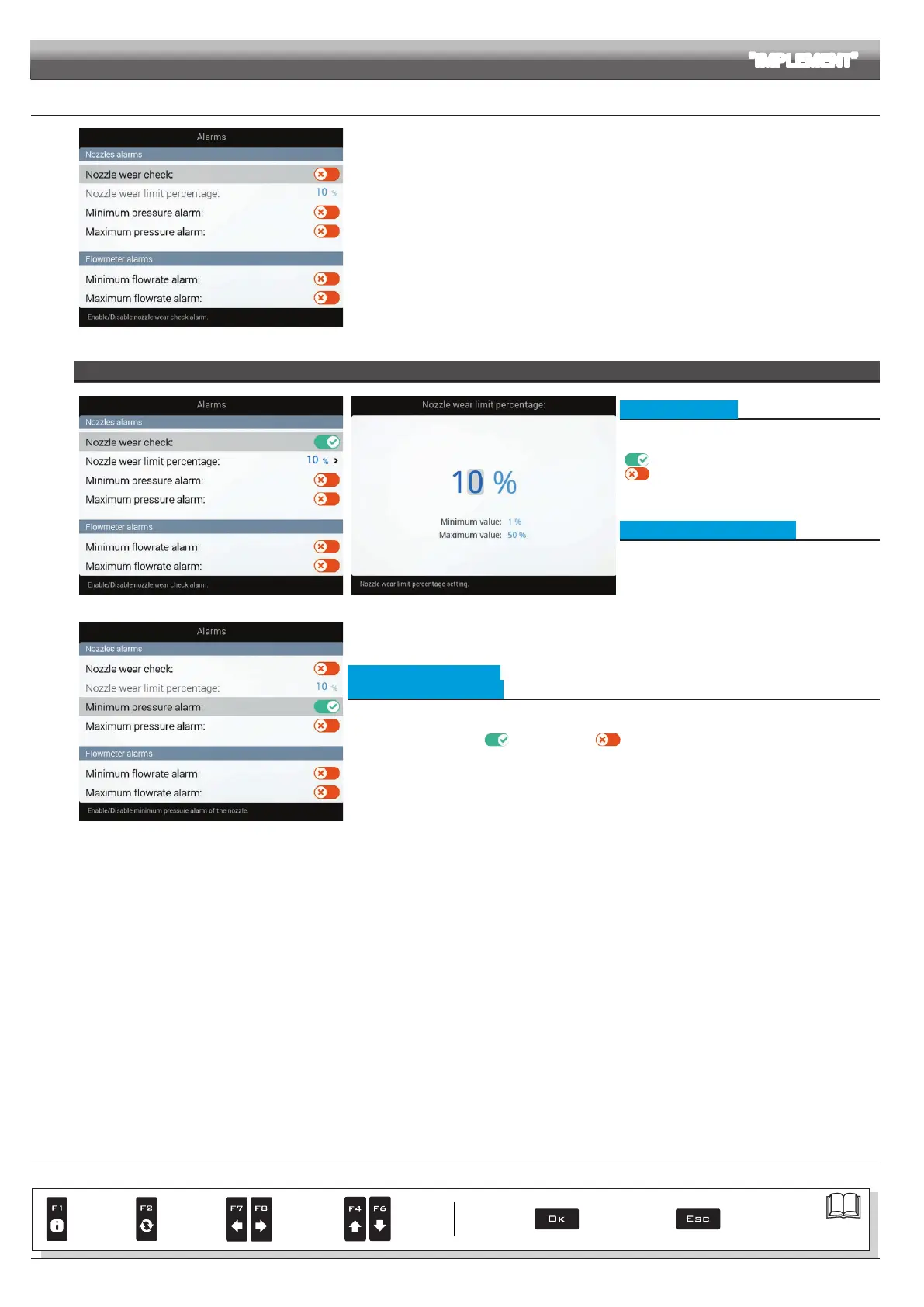
NOZZLES ALARMS
Fig. 123 Fig. 124
• Nozzle wear check
To congure the items on this menu, you must
enable the nozzle wear check:
Check enabled
Check disabled
This alarm can be enabled ONLY if the system
features both owmeter and pressure sensor.
• Nozzle wear limit percentage
Set the acceptable threshold: Delta 80 compares
the effective rate read by the owmeter and the one
calculated by the pressure sensor.
When the difference between the two rate values
exceeds the set percentage the alarm is triggered.
Fig. 125
• Minimum pressure alarm
• Maximum pressure alarm
Allows to enable/disable minimum and maximum pressure alarms for the nozzles in use.
- Select the item you wish to set up.
- Enable/disable the alarm (
Alarm enabled / Alarm disabled).
- Repeat the setup for each alarm.
Outside the range set in the
Minimum pressure / Maximum pressure menus
(par. 10.1.7 Nozzles data), the computer triggers an alarm.
ADVANCED SETUP "IMPLEMENT"
CONTINUES > > >
Par.
7. 4
Conrm access
or data change
Exit the function or
data change
Delete
selected
character
Scroll
(LEFT /
RIGHT)
Data
increase /
decrease
Scroll
(UP /
DOWN)
Enter
selected
character



 To Next Page